
Best GPS Navigation Car Stereos
The Kenwood DNR1007XR is my built-in-navigation pick, with a 10.1-inch Garmin display and serious audio and camera expansion behind it. Pioneer's AVIC-W8600NEX is still the disc-playing alternative.
Built-in navigation is now a specialist feature
Phone maps are the right answer for most drivers, especially when routes and traffic change by the minute. Built-in navigation earns its place when routing has to keep going without a phone, when the vehicle spends time past reliable service, or when a dedicated map screen is genuinely part of the job.
The field is a lot smaller than it used to be, and I'd rather show you two real options than pad the list with old receivers and bad merchant matches. The Kenwood DNR1007XR is the complete modern choice. The Pioneer AVIC-W8600NEX is for someone who still wants CD or DVD playback alongside onboard maps.
Worth saying plainly: downloaded phone maps work offline too, so onboard navigation isn't mandatory just because your coverage is patchy. Compare the full installed cost, the map-support window, screen placement, and the rest of the receiver before you pay extra for Garmin hardware.
Compare my 2 built-in GPS picks
| Best for ↕ | My pick ↕ | Head Unit Size ↕ | Screen Size ↕ | Rating ↕ | Buy |
|---|---|---|---|---|---|
| Best Overall |  Kenwood Excelon Reference DNR1007XR Kenwood Excelon Reference DNR1007XR | 1-DIN floating; 6 1/8-in nominal depth plus rear-connection clearance | 10.1 in optically bonded capacitive | Buy Now $998.98 on Amazon | |
| Best for Disc Playback |  Pioneer AVIC-W8600NEX Pioneer AVIC-W8600NEX | Double-DIN | 7″ motorized | Buy Now $1,499.99 on Amazon |
CarAudioNow may earn a commission from retailer links. Brands do not influence the recommendations.
How I evaluate built-in GPS receivers
I compare offline routing, map-support terms, screen readability, physical fit, audio expansion, cameras, and current authorized-retailer support. I haven't installed these exact finalists, so treat these as researched and vetted rather than hands-on tests.
The receiver must store its own maps and route without relying on a paired phone or cellular connection.
I check the stated update program and any published end date. Built-in maps are only as useful as their support path.
Screen size, resolution, glare, and placement determine whether the navigation advantage is actually useful.
I compare preouts, tuning, CarPlay/Android Auto, camera count, HDMI, factory integration, and disc playback.
Large floating screens and deep chassis need more than a DIN-size check. The dash kit, harness, adapters, and labor belong in the budget.
Four questions before paying for onboard maps
- Do phone maps already solve it? CarPlay and Android Auto usually offer fresher traffic and destination data. Built-in navigation earns its cost when the phone cannot be the only routing source.
- How long are maps supported? Kenwood’s current notice schedules DNR1007XR map support through December 31, 2028. Decide whether that window fits how long you plan to keep the receiver.
- Do you still use discs? The DNR1007XR is mechless. The AVIC-W8600NEX retains CD/DVD playback, which is its clearest reason to remain on this shortlist.
- Will a 10.1-inch screen clear the dash? Measure vents, switches, gauges, and shifter travel. A floating screen can fit the cavity and still be wrong for the space in front of it.
My best built-in GPS car stereos
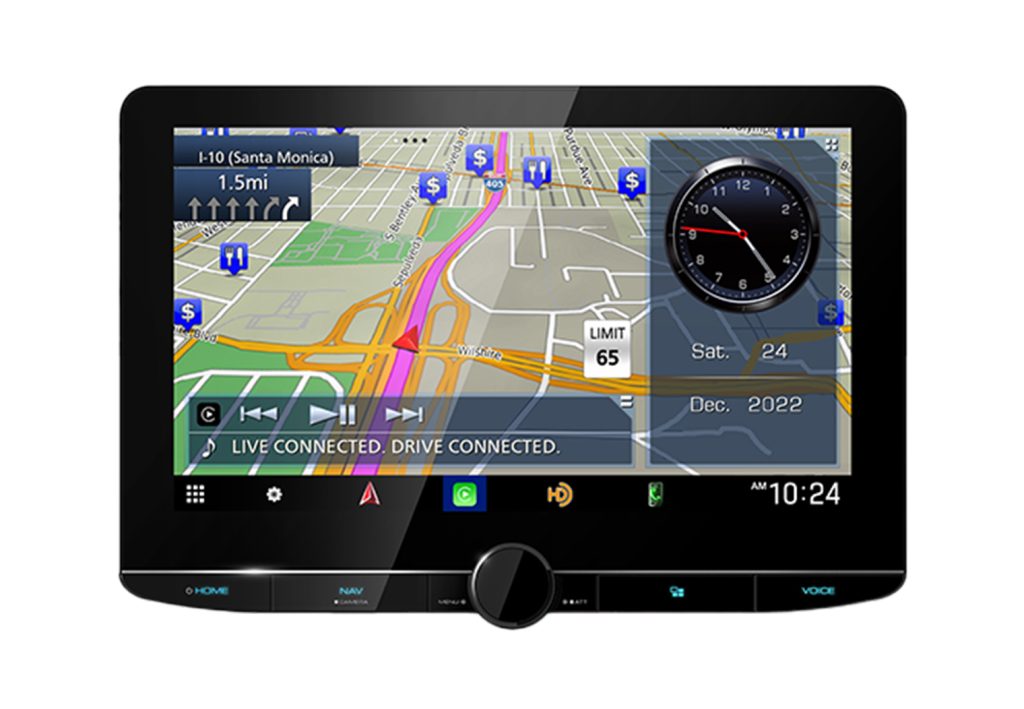
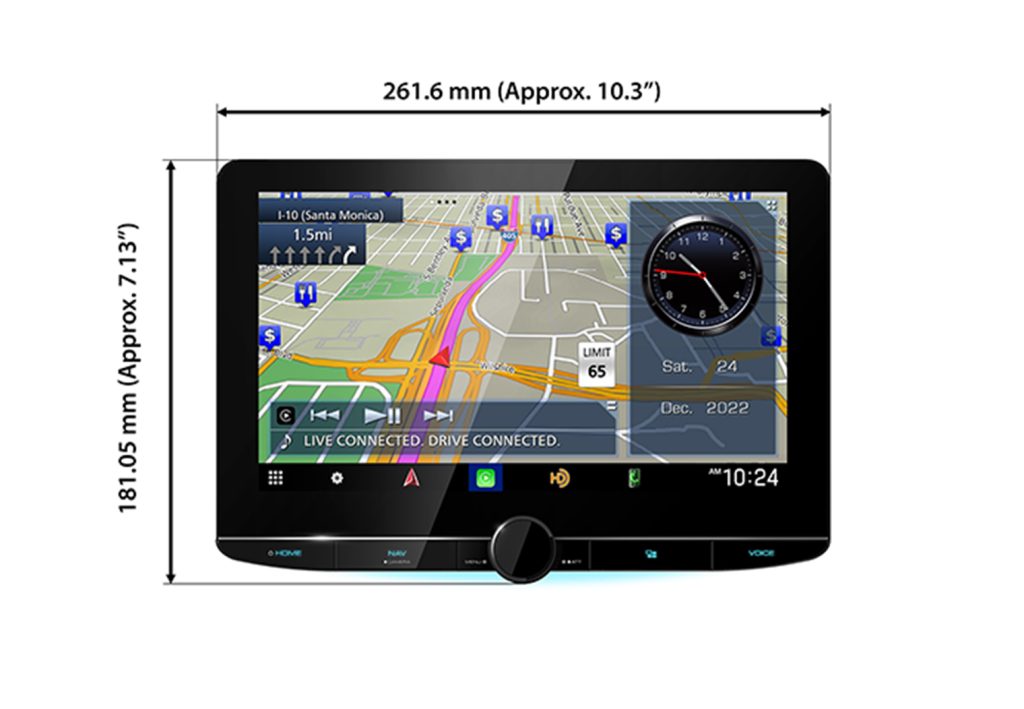
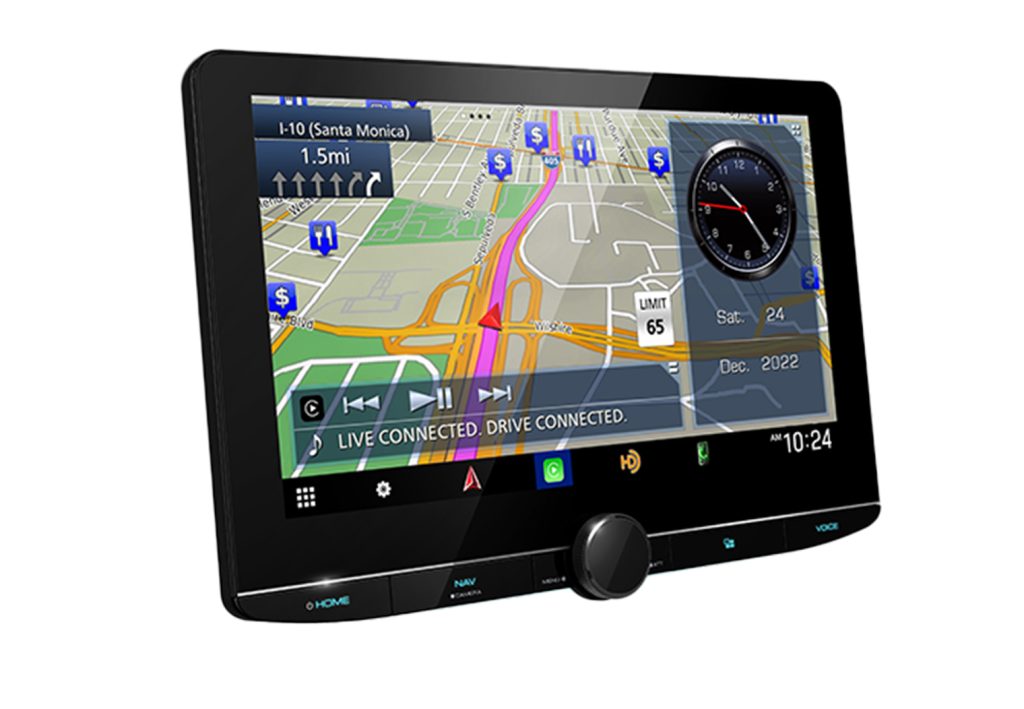
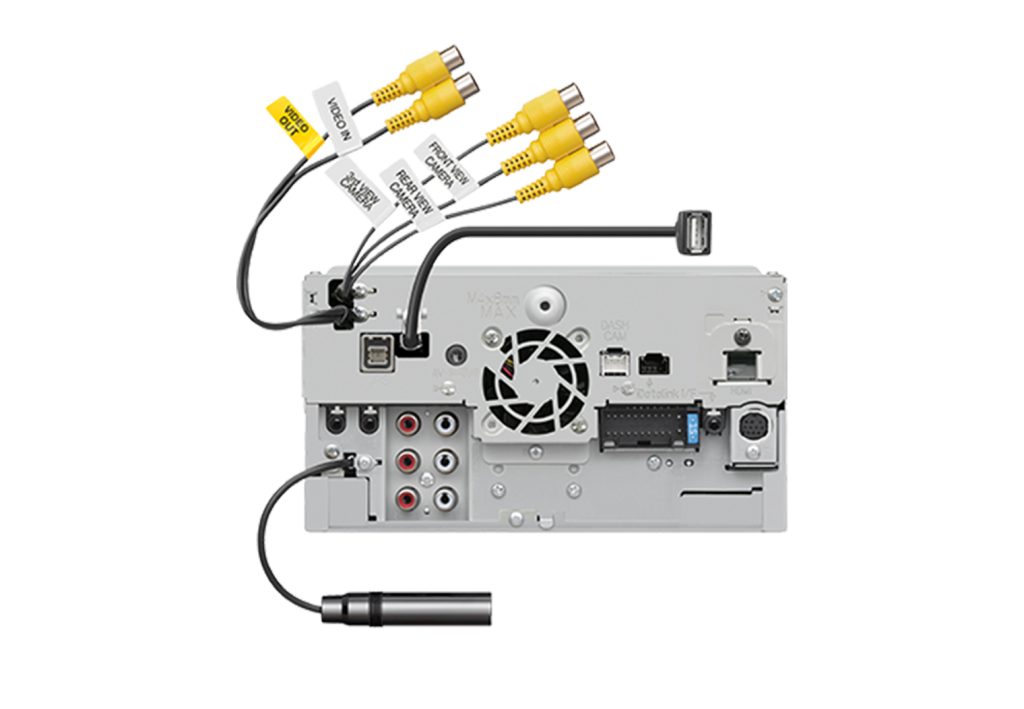
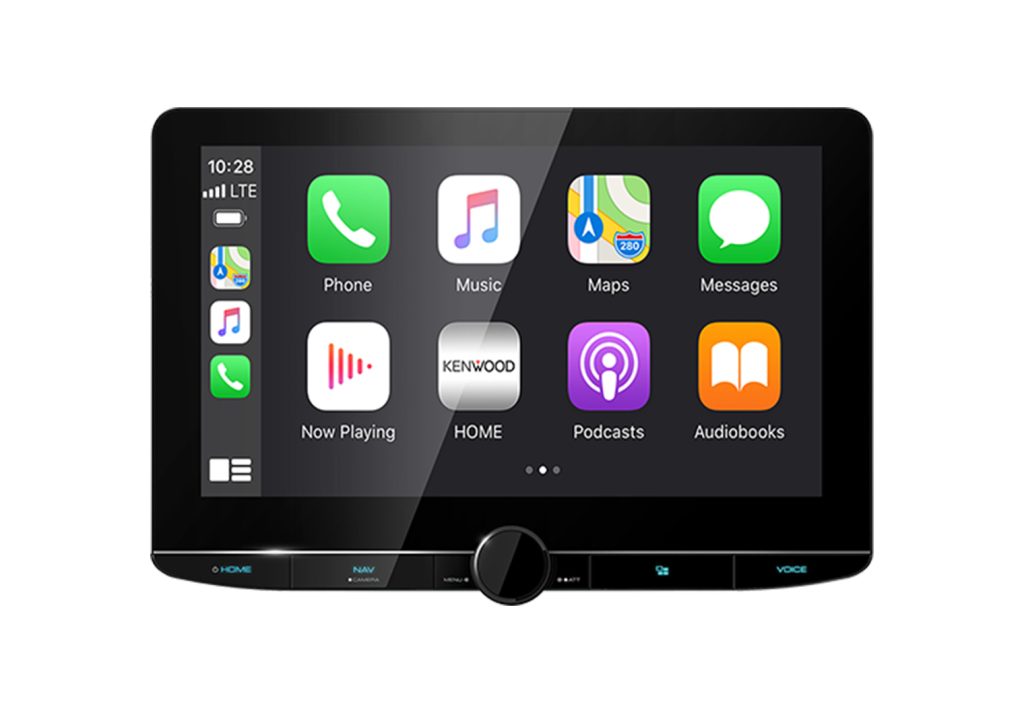
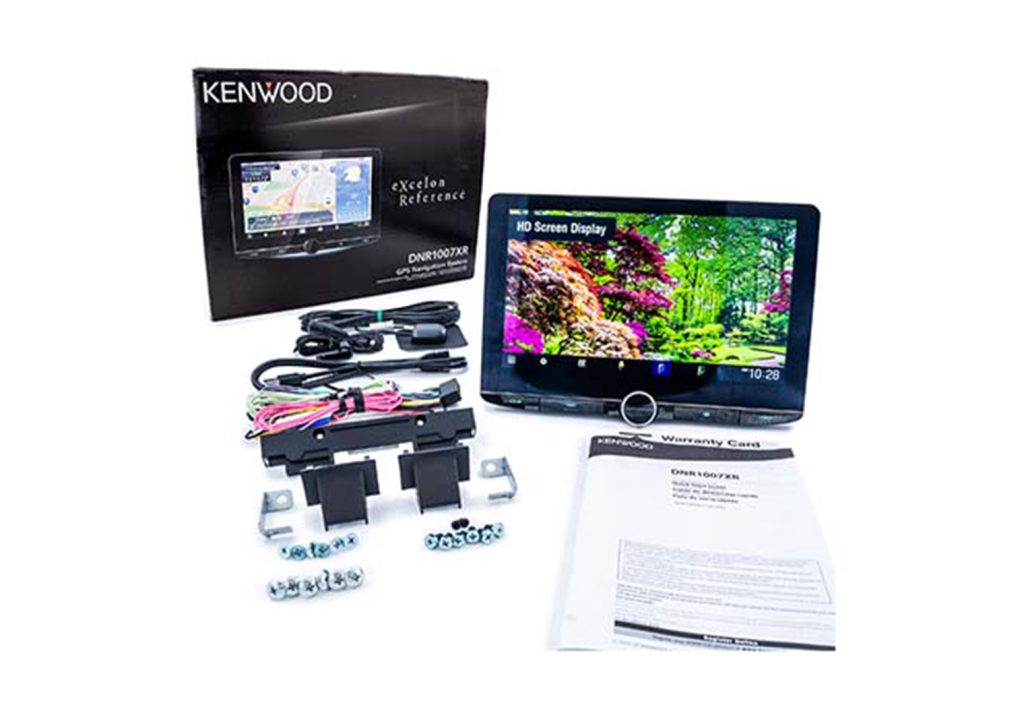
Kenwood Excelon Reference DNR1007XR
10.1-inch 720p display · built-in Garmin · 5V preouts · four cameras
CarAudioNow may earn a commission from retailer links. Brands do not influence the recommendations.
Why I picked it
I picked the DNR1007XR for drivers who want real onboard navigation, not phone maps mirrored onto a screen. Its built-in Garmin system keeps routing when there's no cell service, with lane guidance, junction views, and terrain detail. Kenwood calls the update program 3 Years Map Care, but the current notice schedules map support only through December 31, 2028 — worth knowing before you buy. The 10.1-inch bonded capacitive display runs 1280 by 720 on an adjustable floating mount, so maps are far easier to read than on an older seven-inch deck.
It's more than a navigation screen, though. Kenwood specifies three pairs of 5V outputs, 22 watts RMS per channel at under one percent distortion, wireless and wired CarPlay and Android Auto, LDAC, HD Radio, HDMI, Maestro support, and four camera inputs. I haven't installed or bench-tested this exact receiver, so I'm treating all of that as researched and manufacturer-verified rather than something I've confirmed with my own hands.
It's priced around $1,400 with a two-year warranty through an authorized Kenwood retailer. That big panel needs careful vent, switch, and shifter clearance, and the 6 1/8-inch nominal chassis depth still wants room behind it for the harness and rear connections. There's no CD or DVD transport either. If you need maps that keep working past the edge of cell coverage, and you want premium audio and camera expansion in the same box, it's the strongest all-in-one here.
| Make | Kenwood |
| Model | Excelon Reference DNR1007XR |
| Head Unit Size | 1-DIN floating; 6 1/8-in nominal depth plus rear-connection clearance |
| Screen Size | 10.1 in optically bonded capacitive |
| Display Resolution | 1280 x 720 |
| Smartphone Integration | Wired/wireless Apple CarPlay and Android Auto |
| Navigation | Built-in Garmin; map support currently scheduled through December 31, 2028 |
| Preamp Voltage | 5V, front/rear/sub |
| Power Output | 22W RMS x 4 at less than 1% THD |
| Audio Tuning | 13-band EQ, time alignment, 2-way/3-way crossovers |
| Camera Inputs | 4 |
| Factory Integration | Maestro RR/RR2 ready, vehicle dependent |
| Media / Expansion | HDMI, HD Radio, USB, LDAC, SiriusXM-ready |
| Warranty | 2 years |
| Typical Price | Around $1,400 |
Reasons to buy
- Built-in Garmin navigation keeps routing without a phone or cell service.
- Large bonded 1280 x 720 display makes maps and camera views easy to read.
- Three 5V preout pairs with two-way and three-way crossover modes.
- Four camera inputs, HDMI, HD Radio, and Maestro support for real expansion.
- Two-year Excelon warranty through an authorized retailer.
Reasons not to buy
- The large floating panel needs careful vent, switch, and shifter clearance.
- Nominal 6 1/8-inch depth still needs extra room for harness and connections.
- Around $1,400, and scheduled map support ends in 2028.
- No CD or DVD transport if you still run discs.
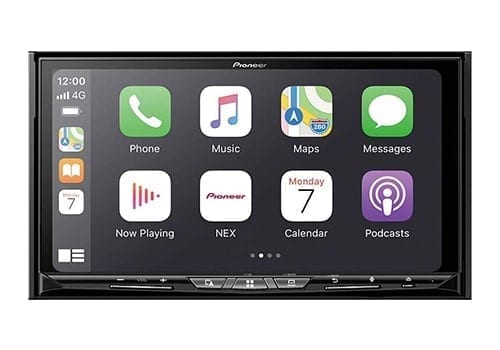
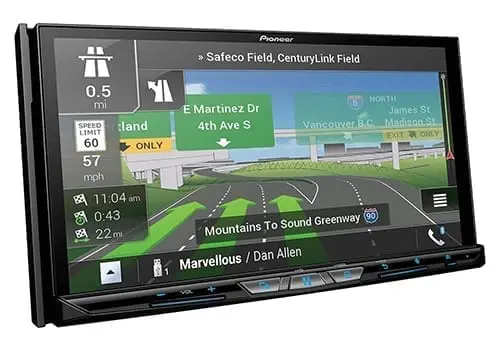
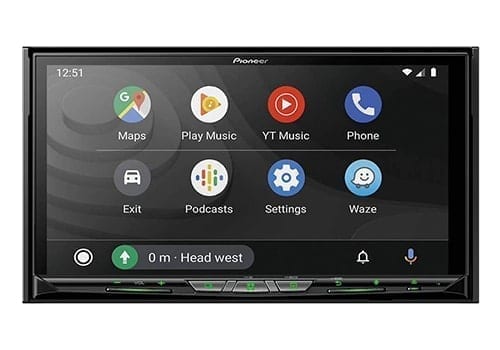
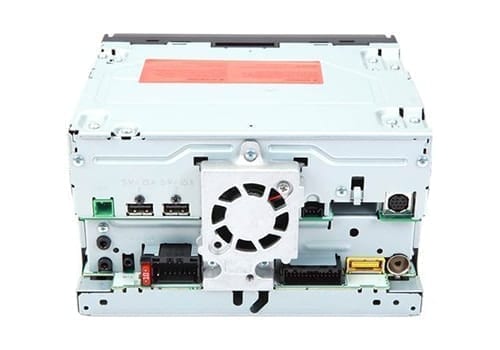
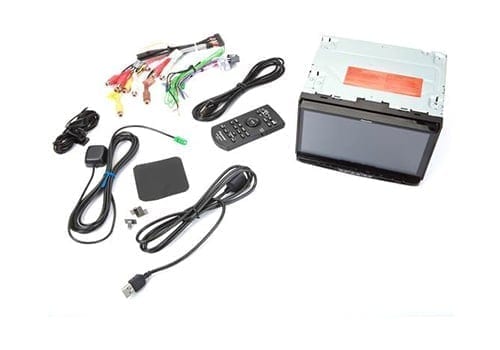
Pioneer AVIC-W8600NEX
Double-DIN · on-board maps + wireless CarPlay/AA · iDatalink-ready
CarAudioNow may earn a commission from retailer links. Brands do not influence the recommendations.
Why I picked it
This is the pick when you want navigation that doesn't lean on your phone. The AVIC-W8600NEX carries maps on board with gyro and vehicle-speed dead reckoning. Routing keeps working when the cell signal quits — in a tunnel, deep in a canyon, or forty miles down a forest road. Think of it the way a ship holds a heading without GPS. It knows your speed and which way you turned, so it can carry a position until the satellites come back.
You still get wireless CarPlay and Android Auto on the 7-inch motorized capacitive screen, dual camera inputs, dual RCA preouts with a subwoofer output, and full iDatalink Maestro support for factory integration. The catches are ordinary ones: maps need updating, where a phone app is always current, and a nav-equipped NEX costs more than the same deck without it. The interface is also the traditional Pioneer layout rather than a modern floating-screen design. If you drive where coverage disappears, that on-board map is worth every bit of the premium.
| Make | Pioneer |
| Model | AVIC-W8600NEX |
| Head Unit Size | Double-DIN |
| Screen Size | 7″ motorized |
| Screen Type | Capacitive |
| Screen Resolution | WVGA |
| Smartphone Integration | Wireless & USB Apple CarPlay / Android Auto |
| Outputs | Dual RCA preouts + subwoofer output |
| Power Output | 50W × 4 (peak) |
| iDatalink Maestro | Yes |
Reasons to buy
- On-board maps with dead reckoning keep routing alive outside cell coverage.
- Wireless CarPlay and Android Auto on a 7-inch motorized capacitive screen.
- iDatalink Maestro support for steering-wheel controls and factory data.
- Dual camera inputs plus a dedicated subwoofer output.
- Motorized faceplate fits a double-DIN opening without a floating panel.
Reasons not to buy
- Map data needs updating, where a phone app is always current.
- Costs more than the same NEX deck without navigation.
- WVGA screen resolution is behind the newer 1280 x 720 panels.
- Traditional interface next to the newer floating-screen designs.
Make sure the receiver and install parts fit your vehicle
Check the radio opening, rear depth, floating-screen clearance, factory amplifier, cameras, steering controls, and the exact integration hardware before you commit to either navigation receiver. You can also check your dashboard size.
Best GPS Navigation Car Stereos FAQs
What is the best built-in GPS car stereo?+
The Kenwood DNR1007XR is my current overall pick. It pairs onboard Garmin navigation with a 10.1-inch 720p display, three 5V output pairs, four camera inputs, HDMI, HD Radio, and wired or wireless CarPlay and Android Auto.
Does built-in navigation work without a phone or cell signal?+
Yes. The map database and routing software live in the receiver. Phone apps can also use downloaded offline areas, but a dedicated Garmin receiver does not depend on a paired phone for its core navigation.
How long will DNR1007XR map updates continue?+
Kenwood’s current Garmin notice schedules map-update support through December 31, 2028. Treat that as a purchase-level limitation, especially if you plan to keep the radio for many years.
Which GPS stereo still plays DVDs and CDs?+
The Pioneer AVIC-W8600NEX is the disc-playing option in this shortlist. The Kenwood DNR1007XR is mechless.
Can I use CarPlay or Android Auto on a GPS receiver?+
Both picks support phone integration as well as onboard maps. That gives you current phone-based traffic and destination search while keeping a separate offline navigation path.
Will a built-in GPS stereo keep my cameras and steering controls?+
Often, but only with the correct receiver and a vehicle-specific interface. Verify the exact trim, factory amplifier, camera format, and adapter before you buy. The Vehicle Fit Guide is the place to start.
More reviews & comparisons
Use these guides to verify fit, integration, installation, and the rest of the system.
Why trust this guide?
