
Best In-Car Entertainment Systems for Passengers
I organize this guide by the type of system, because how your passengers ride decides everything — one portable screen the kids can share, a flip-down the whole back seat watches together, video built into the headrests, or playback from an in-dash video head unit. These are my current winners across all four types, tested in real vehicles, with the deeper type-by-type lists linked under each pick.

Why I built this guide
Anyone who’s driven a long trip with kids in the back knows exactly what this solves: keeping the back seat happy for three hundred miles. Over the years I installed every flavor of rear-seat video — flip-downs, headrest screens, portable players — and the ‘best’ one always came down to who’s riding back there and how.
The part people forget is sound: most rear screens have no speakers, so how everyone actually hears the movie — wireless headphones or an FM feed through the car — matters as much as the screen itself. I sorted these by the way your passengers ride, and the system I’d choose for each is below.
Compare my 4 picks side by side
| Type ↕ | My pick ↕ | Best for ↕ | Screen Size ↕ | Screen Resolution ↕ | Rating ↕ | Buy |
|---|---|---|---|---|---|---|
| Portable | 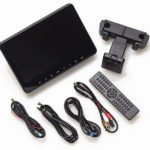 Audiovox AVX10USB Audiovox AVX10USB | A strap-on portable player kids can share | 10.1″ | 1024×600 | Buy Now $299.99 on Amazon | |
| Video | 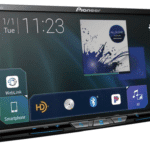 Pioneer AVH-W4500NEX Pioneer AVH-W4500NEX | An in-dash receiver that also plays disc/rear video | 6.94″ | 1920×1080 | Buy Now $999.99 on Crutchfield | |
| Flip-Down | 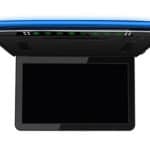 XTRONS CM136HD XTRONS CM136HD | A single overhead screen for the whole back seat | 13.3″ | 1920×1080 | Buy Now $219.89 on Amazon | |
| Headrest | 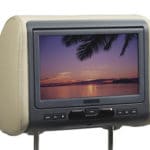 Audiovox AVXMTGHR9HD Audiovox AVXMTGHR9HD | A clean built-in look in the headrests | 9″ | 800×480 | Buy Now $269.99 on Amazon |
CarAudioNow may earn a commission from retailer links. Brands do not influence the recommendations.
How we test & choose in-car video
We install and use the same kinds of in-car video featured here — portable/headrest DVD units, in-dash multimedia receivers, flip-down monitors and built-in headrest systems. The focus is real-family usability, picture quality in bright cabins, input and format flexibility, and how cleanly each one ties into your car's audio and controls.
Brightness and glare in sunlit cabins, viewing angles from the back seat, and how responsive the on-screen menus feel.
DVD resume behavior plus USB/SD/HDMI/RCA inputs for streaming sticks, phones and consoles — and the IR-headphone and FM-transmitter audio paths where offered.
On video head units, CarPlay/Android Auto behavior, dual-zone A/V outputs for rear screens, and iDataLink Maestro compatibility.
Mounting hardware, headrest post adapters and color options, plus roof-mount sturdiness and cable routing on flip-downs.
Remote feel, startup and resume time after ignition cycles, and no-dropout playback on long trips.
We follow driver-distraction guidelines when testing any front-seat video. Some units are samples, others we buy — brands never decide our picks.
Which type fits your passengers?
- Who is watching, and from where? Kids who swap a screen between cars want a portable; a back seat that should watch together wants a flip-down; a permanent, factory-look install points to built-in headrest monitors.
- How will they hear it? Most rear screens have no speakers — audio comes over wireless IR/RF headphones or an FM transmitter through your car speakers. A dash head unit just uses your existing speakers.
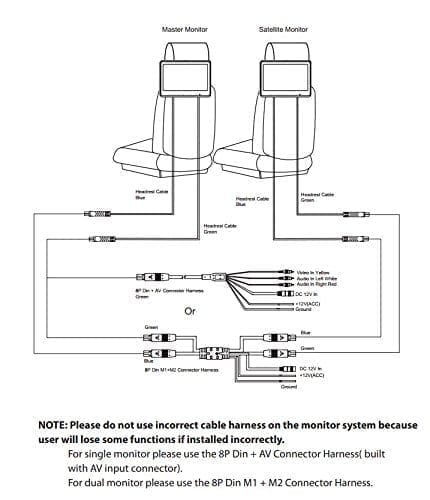
- Do you need a separate source? Headrest and portable units usually have a built-in DVD player; flip-down monitors do not — you feed them from a phone, streaming stick, console or remote DVD player over HDMI/USB/AV.
- Dash or back seat? Want CarPlay, navigation and video from the front? An in-dash receiver does double duty. Purely entertaining passengers? A rear screen is simpler and cheaper.
My top in-car video picks, by type


Audiovox AVX10USB
10.1″ strap-on portable monitor · DVD + USB
CarAudioNow may earn a commission from retailer links. Brands do not influence the recommendations.
Why I picked it
If you want one screen you can move between cars — or hand to the kids on a road trip — this is my pick. The AVX10USB is a universal-fit 10.1″ headrest monitor with a built-in DVD player, and the included post adapters let it strap onto almost any front headrest. The 1024×600 resolution is a good (not excellent) ratio for movies, and the 10.1″ screen is easy to see from the back seat.
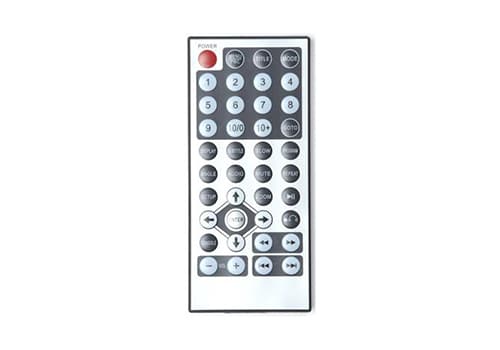
It plays DVDs and USB files, resumes a disc right where you left off after an ignition cycle, and the backlit buttons keep it simple for younger passengers. A wireless remote, a 12V cable and a hardwire kit are all included. There is no built-in speaker, so audio runs over the built-in FM transmitter through your car speakers, or to wireless headphones (sold separately).
| Make | Audiovox |
| Model | AVX10USB |
| Type | Portable headrest monitor |
| Screen Size | 10.1″ |
| Screen Resolution | 1024×600 |
| Disc/Media Support | DVD, CD, USB |
| Inputs (HDMI/AV/USB) | USB, AV in |
| Audio Out (wireless/FM/IR) | FM transmitter; wireless headphones (sold separately) |
| Power/Connection | 12V plug or included hardwire kit |
| Mounting | Universal headrest post adapters (strap-on) |
Reasons to buy
- Universal fit moves easily from one vehicle to another
- Good screen and simple, backlit buttons make it a pleasure to use
- Resumes the DVD where you left off after the key cycles
Reasons not to buy
- Front headrests must be removable to mount it
- No built-in speaker — needs headphones or the FM transmitter through your car speakers
Pioneer AVH-W4500NEX
Double-DIN multimedia receiver · wireless CarPlay/Android Auto + HDMI
CarAudioNow may earn a commission from retailer links. Brands do not influence the recommendations.
Why I picked it
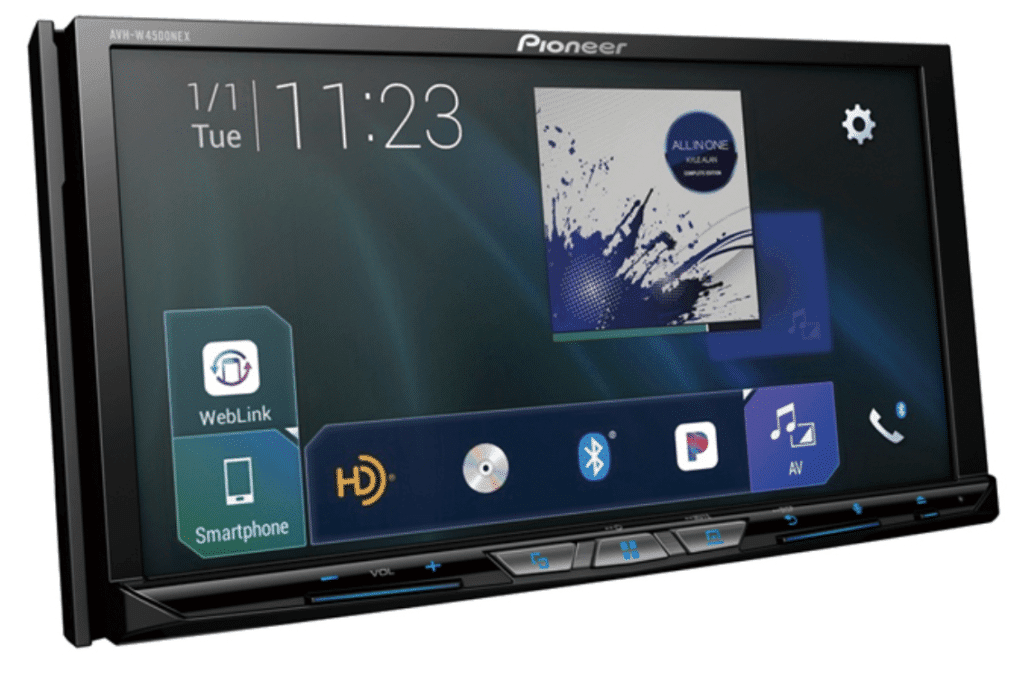
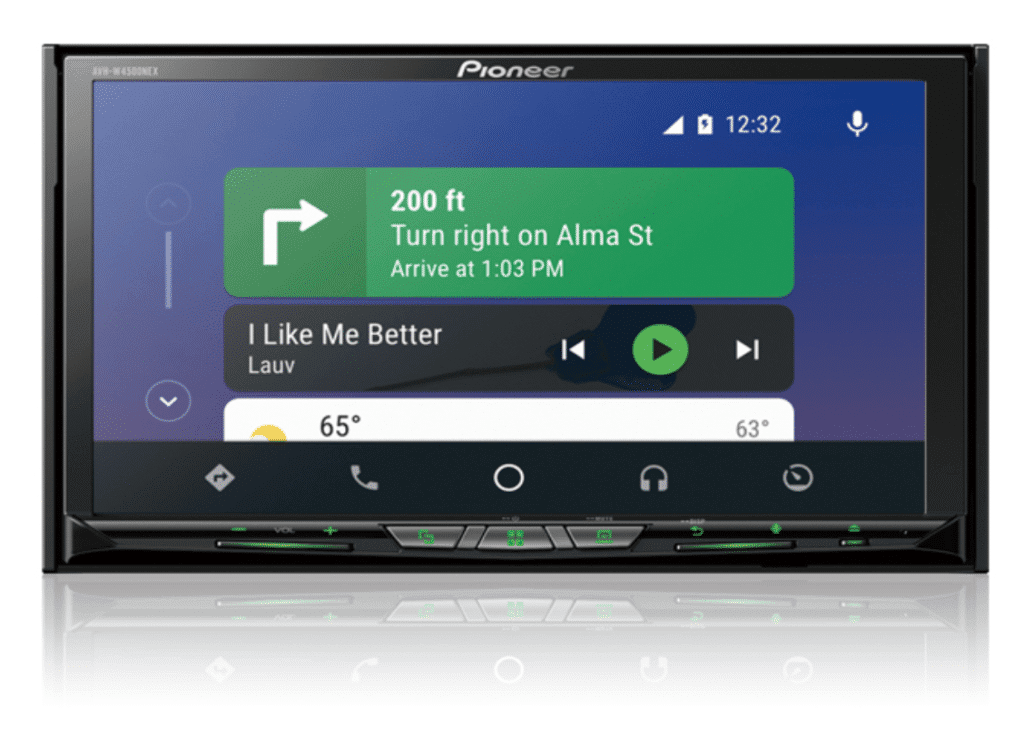
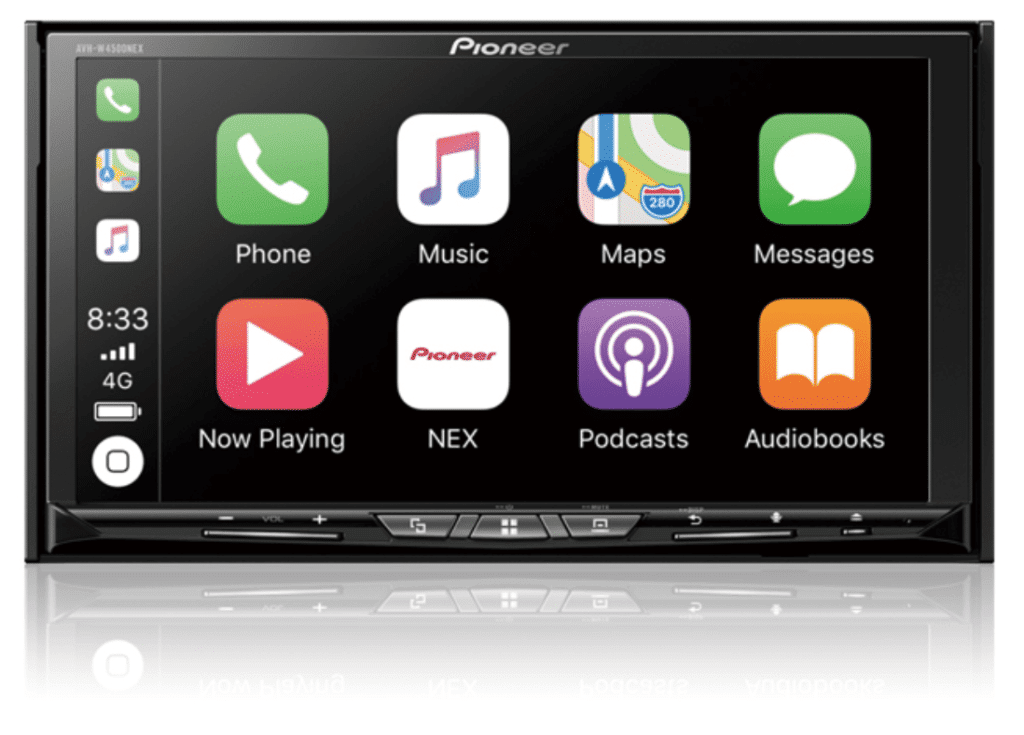
If you would rather build video around the dash than the back seat, this is my top pick — pound for pound the head unit I would choose if you want video in your car. The AVH-W4500NEX pairs a sharp 6.9″ capacitive touchscreen with wireless Apple CarPlay and Android Auto, so you get GPS and streaming plus the ability to mirror video straight from your phone. Just confirm your dash takes a double-DIN unit.
What makes it a real multimedia hub is the expandability: dual USB ports, an HDMI input and two rear A/V inputs take everything from a Fire Stick to a game console, and a dual-zone A/V output can feed rear screens. It is also iDataLink Maestro-friendly for factory controls and vehicle data (a vehicle-specific Maestro module is required).
| Make | Pioneer |
| Model | AVH-W4500NEX |
| Head Unit Size | Double-DIN |
| Type | In-dash head unit (Double-DIN) |
| Screen Size | 6.94″ |
| Screen Resolution | 1920×1080 |
| Disc/Media Support | CD, DVD |
| Inputs (HDMI/AV/USB) | HDMI, 2× A/V, dual USB |
| Audio Out (wireless/FM/IR) | Wireless CarPlay/Android Auto; dual-zone A/V out; FM/AM |
| Power/Connection | 14W RMS ×4; double-DIN harness |
| Mounting | Double-DIN dash opening |
Reasons to buy
- Excellent, responsive capacitive touchscreen
- Sound quality of a higher-priced unit
- Tons of connectivity — HDMI, dual A/V, dual USB
Reasons not to buy
- Some users report wireless CarPlay connectivity hiccups
- A few on-screen buttons are tricky to use while driving
XTRONS CM136HD
13.3″ flip-down overhead monitor · FHD, HDMI/USB/SD
CarAudioNow may earn a commission from retailer links. Brands do not influence the recommendations.
Why I picked it
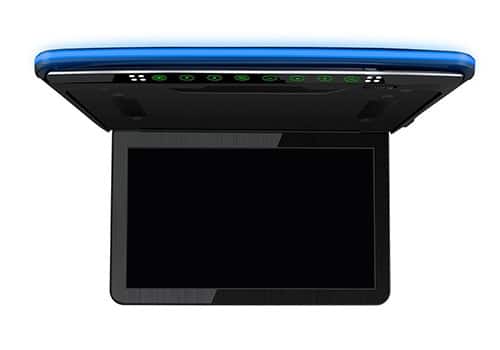
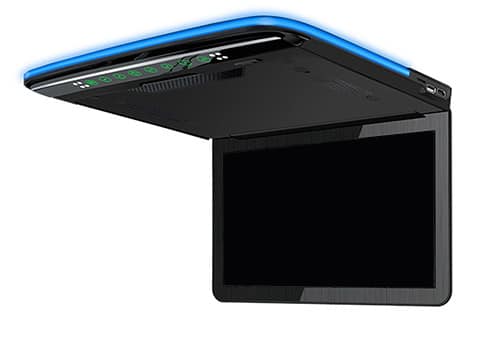
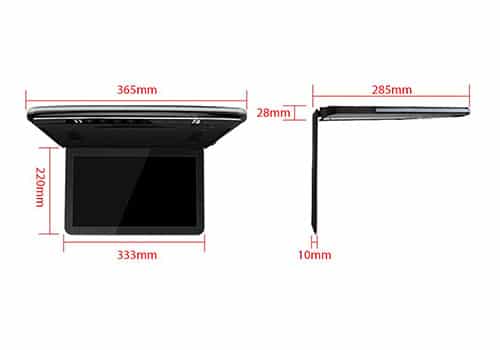
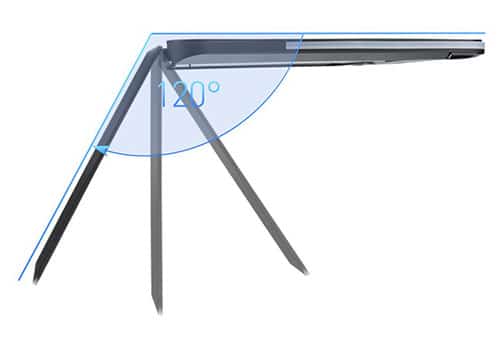
For a single overhead screen that keeps the whole back seat watching the same thing, the CM136HD is my flip-down pick. XTRONS packs in genuinely good tech: a full 1920×1080 panel with a 16:9 widescreen and 300:1 contrast that stays viewable even in a bright cabin, and it falls back gracefully on lower-resolution files.
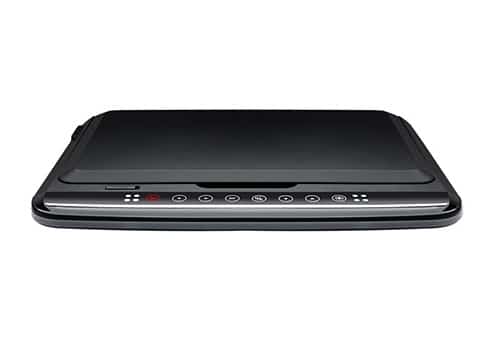
It does not play discs itself — you feed it over USB, HDMI, SD card or RCA from a remote DVD player, streaming stick or console. Audio goes out over an IR transmitter to wireless headphones or an FM transmitter to your stereo; there are no built-in speakers. The compact 13.3″ size looks factory once it is mounted, though it can feel small in a large SUV or van.
| Make | XTRONS |
| Model | CM136HD |
| Type | Flip-down overhead monitor |
| Screen Size | 13.3″ |
| Screen Resolution | 1920×1080 |
| Disc/Media Support | No disc — USB, SD, HDMI, RCA input |
| Inputs (HDMI/AV/USB) | HDMI, USB, SD, RCA |
| Audio Out (wireless/FM/IR) | IR headphones; FM transmitter |
| Power/Connection | 12V hardwire (roof mount) |
| Mounting | Overhead roof / ceiling mount |
Reasons to buy
- High-resolution panel with great color and wide viewing angles
- Compact design looks factory once installed
Reasons not to buy
- No on-board speakers — needs headphones or a stereo connection
- 13.3″ can feel small in large SUVs or vans
Audiovox AVXMTGHR9HD
9″ built-in headrest monitor · DVD + HDMI
CarAudioNow may earn a commission from retailer links. Brands do not influence the recommendations.
Why I picked it
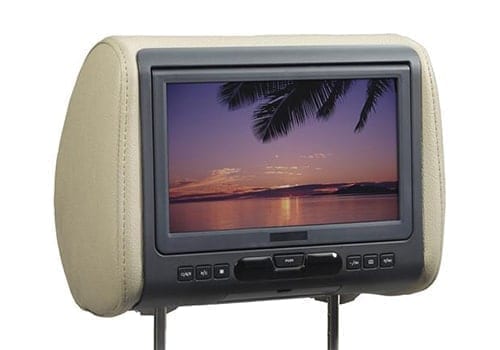
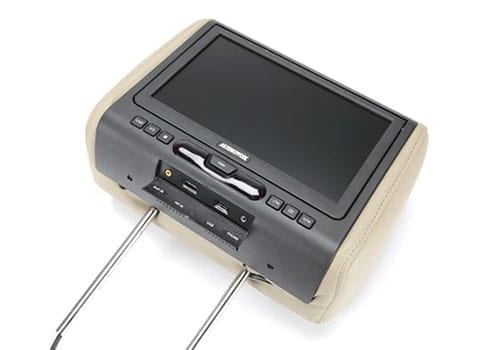
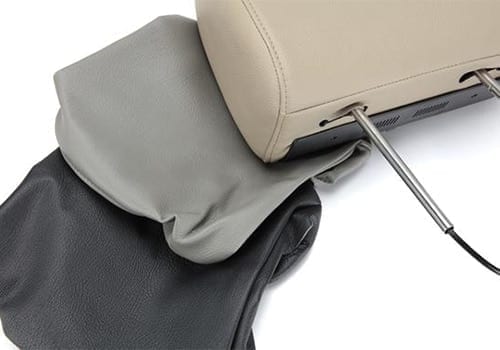
If you want video built right into the seats — no monitor hanging off the headrest — this 9″ Audiovox is my built-in pick. The 9″ screen is large for a headrest player and looks professional once installed, and it ships with three cover colors plus a range of post adapters to fit most seats. The 800×480 resolution is on the low side, and the screen tilts only by tilting the whole headrest.
It plays every current DVD format except Blu-ray (including DVD-R/RW and copy-protected discs) and adds HDMI, USB and Aux inputs for a phone, Fire Stick or Apple TV. Big, kid-friendly buttons and an easy load make disc changes simple. It is built for permanent installation — you get the wiring harness but no 12V plug — so the hard part is pulling the seat back to run power.
| Make | Audiovox |
| Model | AVXMTGHR9HD |
| Type | Built-in headrest monitor |
| Screen Size | 9″ |
| Screen Resolution | 800×480 |
| Disc/Media Support | DVD (DVD-R/RW, copy-protected); no Blu-ray |
| Inputs (HDMI/AV/USB) | HDMI, USB, Aux in |
| Audio Out (wireless/FM/IR) | IR to headphones or car stereo; headphone jack |
| Power/Connection | Hardwire harness (12V plug optional) |
| Mounting | Replaces headrest; post adapters (3 colors) |
Reasons to buy
- Looks professional, built into the seat
- HDMI and IR add expandability and a more immersive feel
Reasons not to buy
- Resolution is fairly low (800×480)
- Install is time-consuming and can be tricky
- Cover colors may not match your interior
Get your exact fit & an upgrade path
Pick your year, make, model and audio package, and I'll show what fits your vehicle — plus a step-by-step plan with the right guides for your car.
Car video & DVD questions, answered
How do passengers hear the audio?+
Most rear screens do not have built-in speakers. You have two paths: wireless headphones (IR or RF) so each passenger hears it without bothering the driver, or the unit's FM transmitter, which sends the sound to your car speakers on a chosen FM station. A few headrest units also add a wired headphone jack. An in-dash receiver simply plays through your existing speakers.
DVD or streaming — do I still need discs?+
You do not. Every pick here takes a streaming stick, phone or game console over HDMI, USB or AV, so a Fire Stick or your phone works fine. The built-in DVD player on the portable and headrest units is a bonus for kids' movies and spotty-signal road trips — discs never buffer.
Will a rear video screen work with my factory stereo?+
Yes. The flip-down, headrest and portable monitors are self-contained — they do not replace your stereo, they just need switched 12V power and a ground. Only the in-dash pick swaps your head unit. To hear the movie through the car speakers without changing the head unit, use the unit's FM transmitter.
Is it legal to have video where the driver can see it?+
Rear-seat screens are fine. What most states do not allow is video playing in the driver's line of sight while the car is moving — that is why in-dash units disable front-seat video unless the parking brake is set. Keep entertainment in the back and you are good; check your state's specifics if you are unsure.
How are the rear monitors powered?+
They run off your car's 12V system. Portable units include a cigarette-lighter plug and a hardwire kit; flip-down and built-in headrest units are meant to be hardwired to switched accessory power so they turn on and off with the key. Running that wiring cleanly — up a headliner or down a seat — is the real work of the install.
More in-car entertainment reviews & guides
Why trust CarAudioNow?
