
Best Wireless Apple CarPlay Head Units
The Sony XAV-AX6000 is my best wireless CarPlay head unit for most drivers. I bench-tested its interface and phone connection, then compared it against the current value, floating-screen, double-DIN, and disc-playing alternatives.
The best wireless CarPlay head unit for each kind of driver
If you just want the name, here's the short version by use case. Every one of them connects wirelessly to an iPhone, and they're all on the comparison table below.
- Best overall: Sony XAV-AX6000. Bench-tested wireless CarPlay, a 6.95-inch capacitive screen, HDMI, and three 5V preouts for an amp later.
- Best value: JVC KW-M690BW. Wireless CarPlay and Android Auto from a major brand for around $400.
- Best premium floating screen: Sony XAV-9500ES. A 10.1-inch Mobile ES display on a single-DIN chassis, with the cleanest audio path here.
- Biggest screen: Pioneer DMH-WT8600NEX. A 10.1-inch capacitive HD floating panel with height and tilt adjustment.
- Best double-DIN wireless CarPlay: Kenwood Excelon DMX908S. A factory-style fixed screen with 13-band tuning and four camera inputs.
- Wireless CarPlay with CD and DVD: JVC KW-V960BW. The rare current deck that keeps a disc slot.
A wireless CarPlay head unit is a daily-use decision
The best CarPlay head unit isn't simply the biggest screen. I start with how fast the receiver connects, whether wired fallback works when it doesn't, how easy the controls are to reach without looking, and whether the audio outputs leave you room for an amplifier later. Those four things are what you'll notice every single morning.
That's why the bench-tested Sony XAV-AX6000 leads. The JVC KW-M690BW is the value move around the $400 tier. The XAV-9500ES and Pioneer WT8600NEX cover the large floating displays for a single-DIN dash, the Kenwood DMX908S keeps a conventional double-DIN shape, and the JVC KW-V960BW adds DVD and CD playback.
Start with my Vehicle Fit Guide before you choose between those shapes. And if your factory radio already does wired CarPlay, don't replace it on my account. A wireless CarPlay adapter is a fraction of the money and keeps the dash you've already got.
Compare my 6 wireless CarPlay head units
| Best for ↕ | My pick ↕ | Screen Size ↕ | Power Output ↕ | Rating ↕ | Buy |
|---|---|---|---|---|---|
| Best Overall | 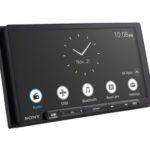 Sony XAV-AX6000 Sony XAV-AX6000 | 6.95 in capacitive anti-glare | 20W RMS x 4 CTA-2006 | Buy Now $548.00 on Crutchfield | |
| Best Value | 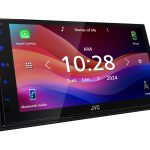 JVC KW-M690BW JVC KW-M690BW | 6.8 in capacitive | 22W RMS x 4 | Buy Now $379.00 on Amazon | |
| Best Premium Floating Screen | 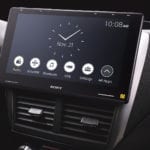 Sony XAV-9500ES Sony XAV-9500ES | 10.1″ | 20W RMS × 4 | Buy Now $1,198.00 on Crutchfield | |
| Best Big-Screen | 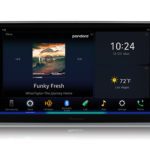 Pioneer DMH-WT8600NEX Pioneer DMH-WT8600NEX | 10.1″ | 14W RMS × 4 | Buy Now $1,399.99 on Amazon | |
| Best Double-DIN Wireless CarPlay | 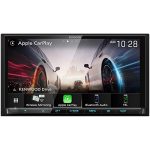 Kenwood Excelon DMX908S Kenwood Excelon DMX908S | 6.95″ | 22W RMS × 4 | Buy Now $849.00 on Amazon | |
| Best CarPlay Receiver with CD/DVD | 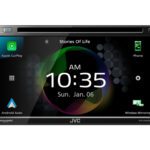 JVC KW-V960BW JVC KW-V960BW | 6.8″ | 22W RMS × 4 | Buy Now $949.00 on Amazon |
CarAudioNow may earn a commission from retailer links. Brands do not influence the recommendations.
How I evaluate wireless CarPlay head units
I compare connection behavior, daily controls, display visibility, audio outputs, fitment, and current support. I bench-tested the XAV-AX6000 myself. The other exact models are researched and vetted against manufacturer documentation, firmware history, authorized-retailer listings, and the alternatives in their use case.
I prioritize a quick, repeatable wireless connection and a usable wired fallback for long trips, charging, or troubleshooting.
A clear screen and sensible home, volume, and voice controls matter more every day than a long feature list.
I compare preout voltage, output pairs, EQ, crossovers, and time alignment for drivers adding amplifiers or a subwoofer.
Chassis depth, floating-screen clearance, dash kits, steering controls, cameras, and Maestro support are checked by exact vehicle.
I weigh the normal price tier against warranty length, firmware support, and the compromises the driver will notice.
Five questions that narrow the CarPlay head-unit field
- Adding aftermarket CarPlay to an older car? Any of these six head units puts wireless CarPlay in a car that's never had it. The dash opening decides the shape: a single-DIN hole takes a floating screen like the XAV-9500ES or WT8600NEX, a double-DIN hole takes a fixed screen like the AX6000 or DMX908S. Confirm yours with my dashboard-size finder.
- Fixed or floating screen? A fixed double-DIN screen looks more factory. A floating panel can be larger, but it needs clearance in front of vents, switches, and the shifter.
- Will you add amplifiers? For a larger system, look for three output pairs, useful crossovers, and 4V or 5V preouts. A factory-speaker build doesn't need to pay for every tuning feature.
- Do you need discs or HDMI? The JVC KW-V960BW keeps DVD and CD playback. HDMI is model-specific, so don't assume every CarPlay receiver takes an external video source.
- What must the car retain? Check steering controls, cameras, the factory amplifier, chimes, climate data, and vehicle settings before ordering the radio and interface.
My best wireless CarPlay head units for 2026
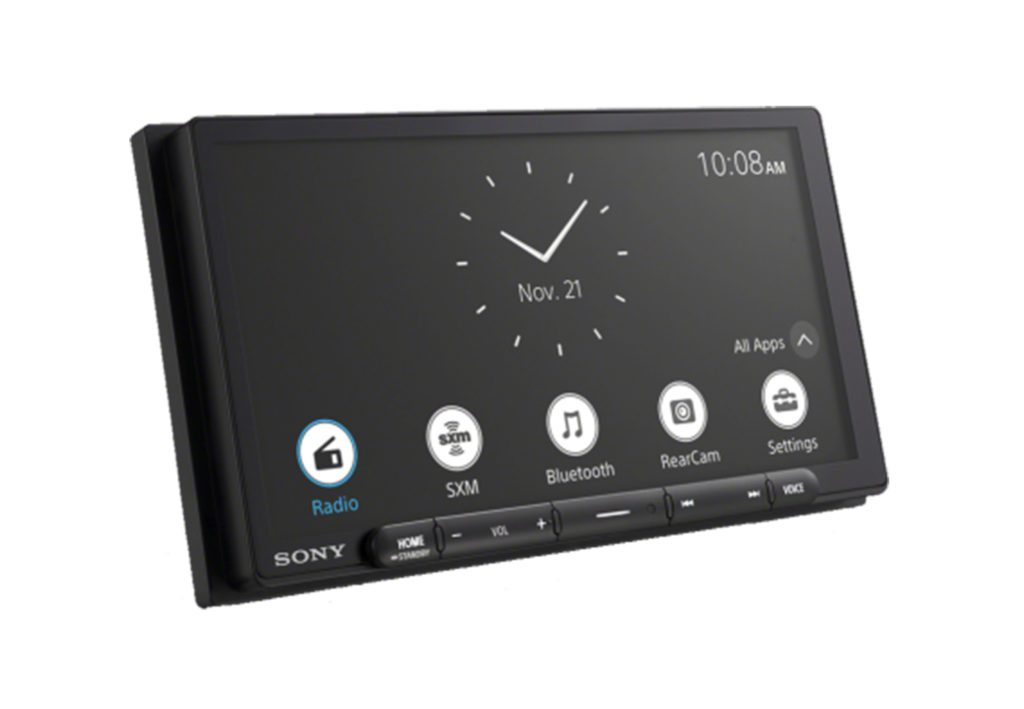
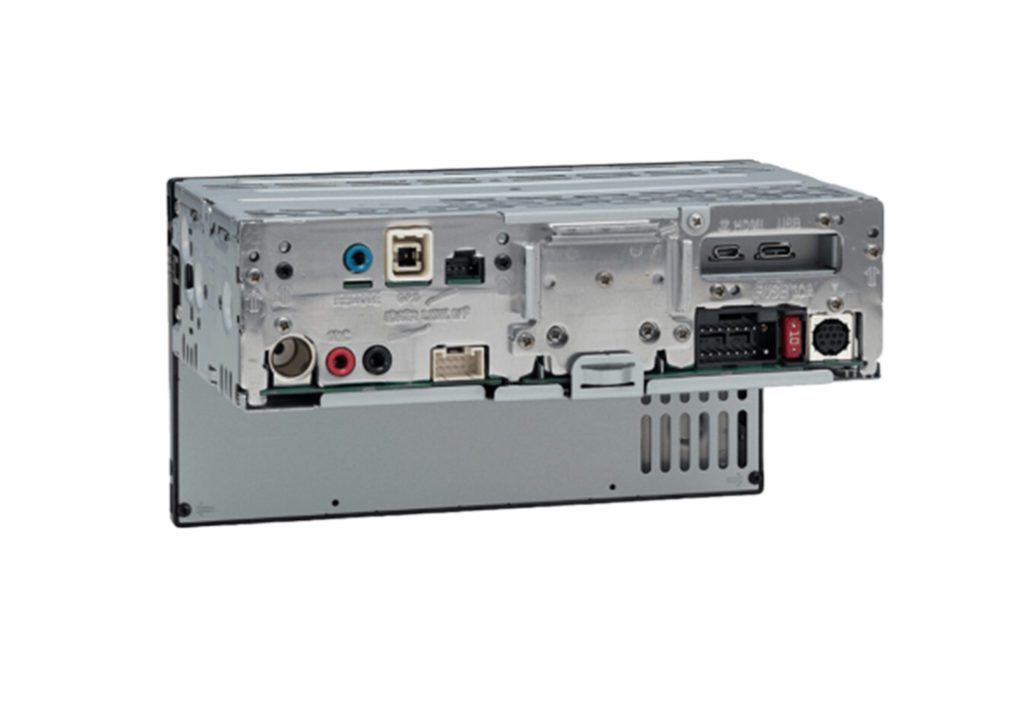
Sony XAV-AX6000
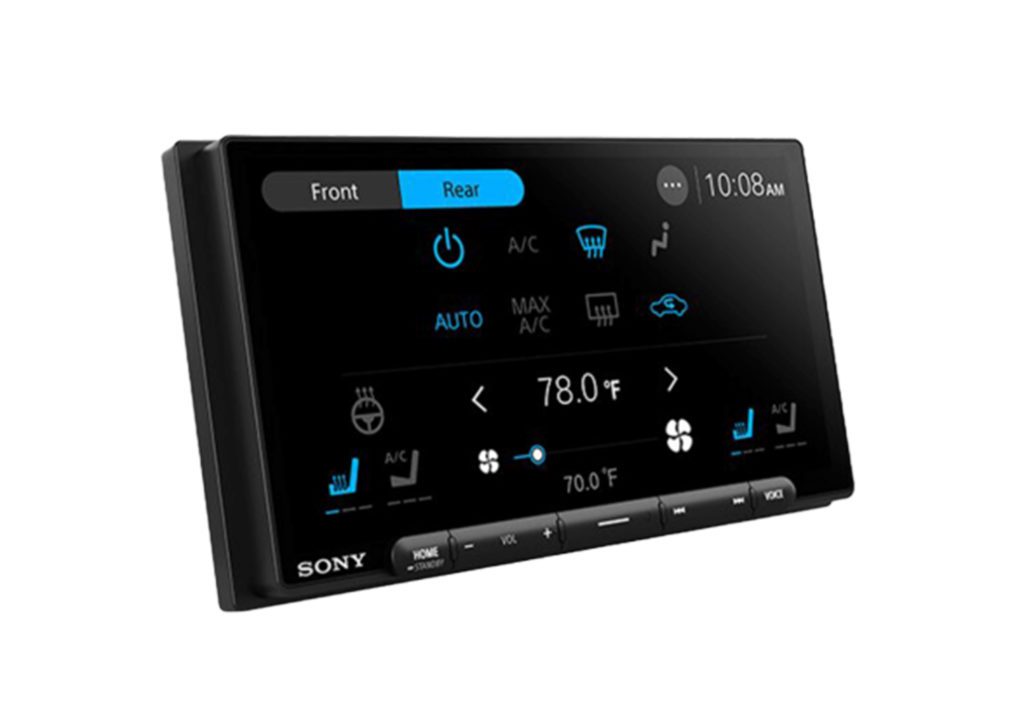
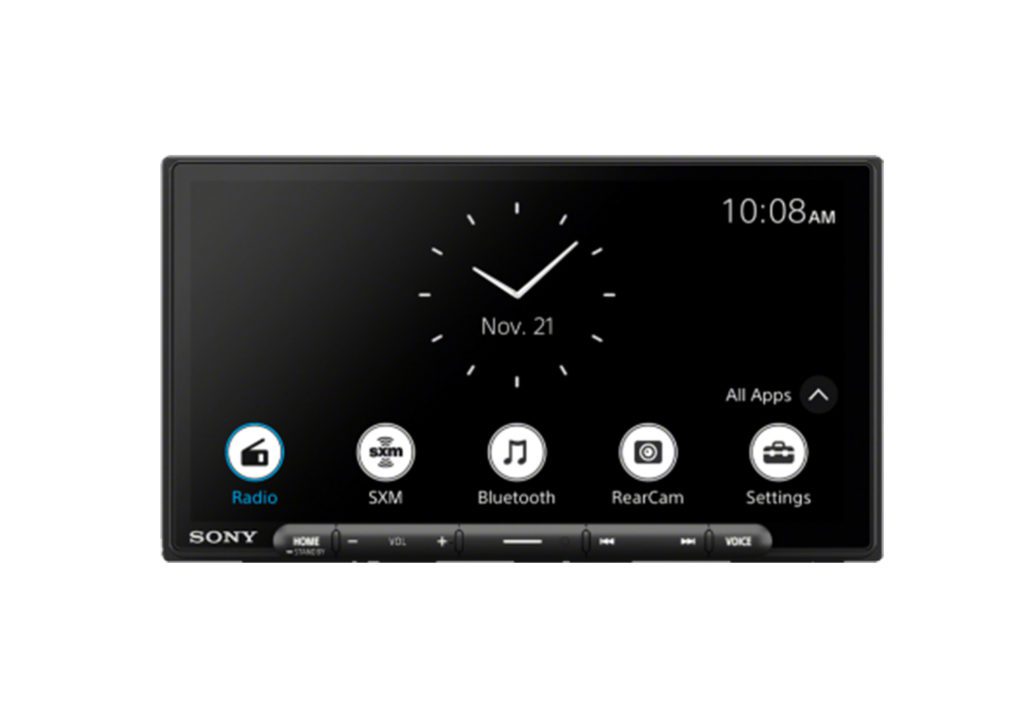
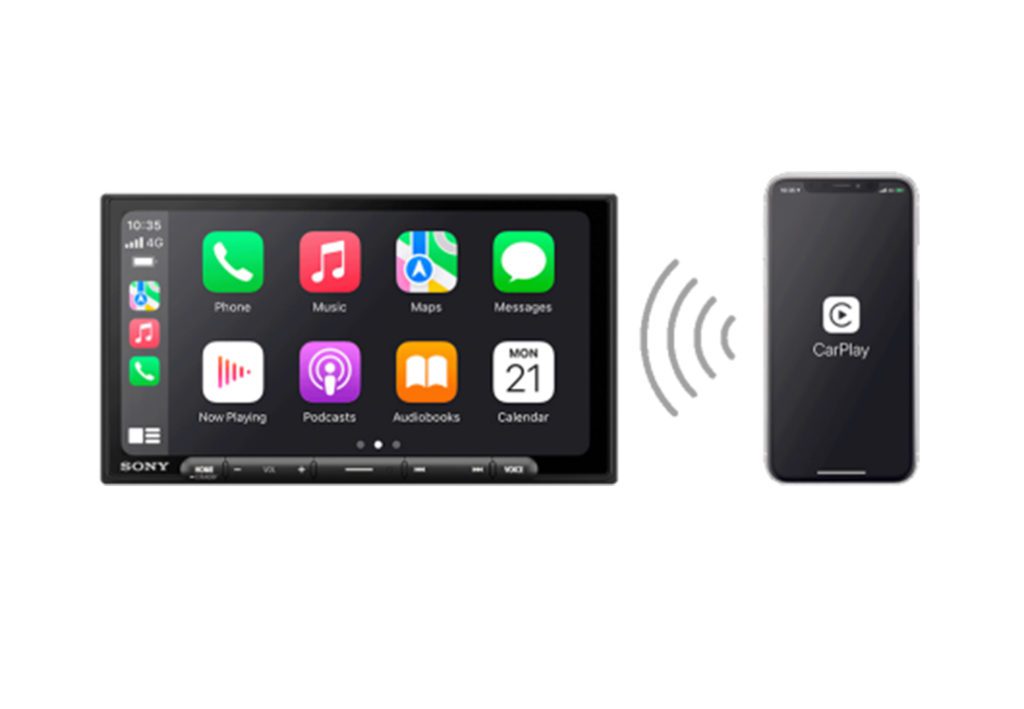
6.95-inch capacitive screen · wireless CarPlay/AA · 5V preouts · HDMI
CarAudioNow may earn a commission from retailer links. Brands do not influence the recommendations.
Why I picked it
The XAV-AX6000 is my best overall car stereo because it gets the daily stuff right without boxing you out of a better system later. I put it beside the AX4000 on my bench, powered both, worked through the menus, paired an iPhone wirelessly, and ran its HDMI input. The 6.95-inch capacitive screen came up a little brighter and clearer than the AX4000's resistive panel, and the interface booted in roughly four to five seconds. Wireless CarPlay behaved itself — no lag, no audio dropouts, none of the small daily annoyances that make an otherwise good receiver wear on you.
The real difference is behind the dash. You get three pairs of 5V preamp outputs instead of the AX4000's 2V, plus a 14-band EQ, time alignment, front and rear high-pass control, and a subwoofer low-pass filter. That's enough to tune a clean speaker-and-sub build. The stronger preamp signal also hands an aftermarket amp more usable voltage — think of it as speaking at a normal volume instead of a whisper the amp has to strain to hear. HDMI also gives you a real parked-video source that sound-first receivers usually skip.
There's one camera input, no built-in HD Radio, and the 800 by 480 panel is responsive rather than genuinely high definition. It normally runs from the mid-$500s to around $700, and Sony covers it for three years through an authorized channel. If you want the best balance of phone integration, straightforward controls, tuning, and room to add amplifiers, this is where I'd start.
| Make | Sony |
| Model | XAV-AX6000 |
| Head Unit Size | Shallow chassis behind a double-DIN-size face |
| Screen Size | 6.95 in capacitive anti-glare |
| Display Resolution | 800 x 480 |
| Smartphone Integration | Wired/wireless Apple CarPlay and Android Auto |
| Preamp Voltage | 5V, front/rear/sub |
| Power Output | 20W RMS x 4 CTA-2006 |
| Audio Tuning | 14-band EQ, time alignment, crossovers |
| Camera Inputs | 1 rear camera |
| Factory Integration | Maestro RR/RR2 ready, vehicle dependent |
| Media / Expansion | USB-C, micro-HDMI, SiriusXM-ready, LDAC |
| Warranty | 3 years when purchased through Sony/authorized channel |
| Typical Price Range | Mid-$500s to around $700 |
Reasons to buy
- Bench-tested wireless CarPlay, quick start-up, and an interface that stays out of the way.
- Three pairs of 5V outputs hand an amplifier a stronger, cleaner input signal.
- Capacitive anti-glare screen is more responsive and clearer than the AX4000's resistive panel.
- HDMI input adds a real parked-video or screen-mirroring path.
- Three-year Sony warranty against the one year common at this price.
Reasons not to buy
- Only one camera input, so a multi-camera build needs a different deck.
- No built-in HD Radio tuner.
- 800 x 480 resolution is ordinary next to newer 720p receivers.
- Hard keys help, but there's no physical volume knob.

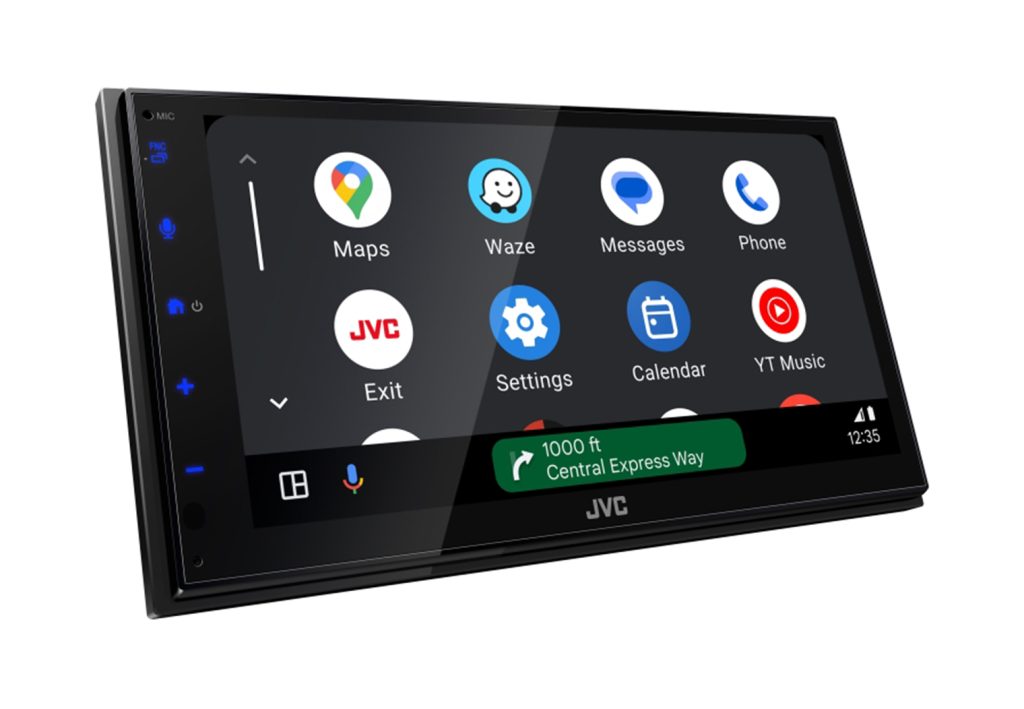
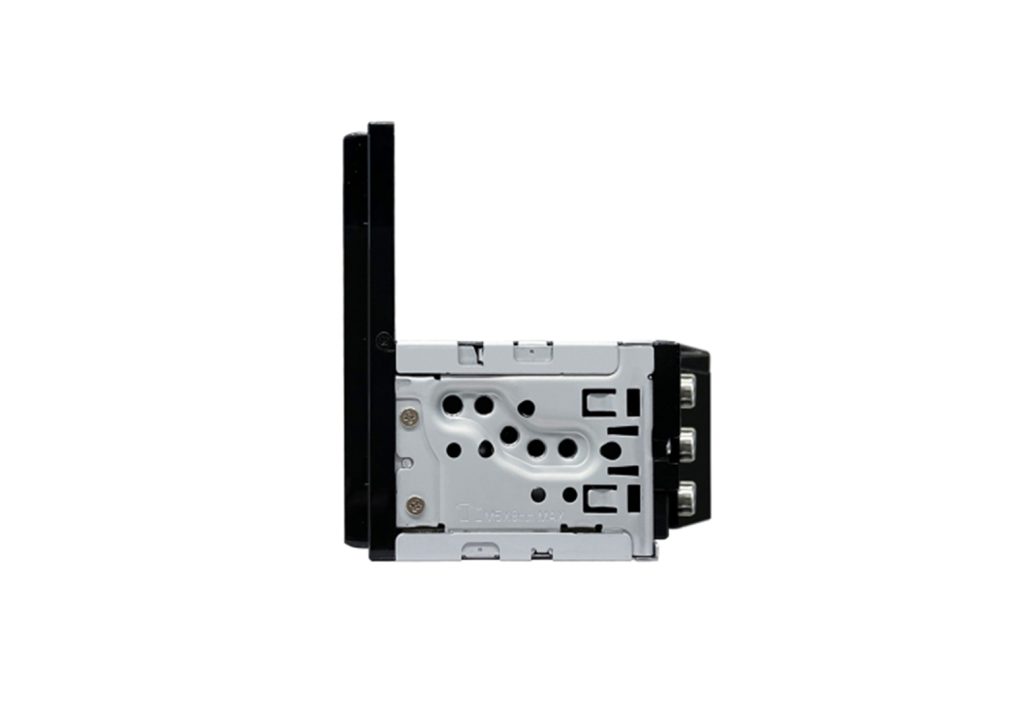
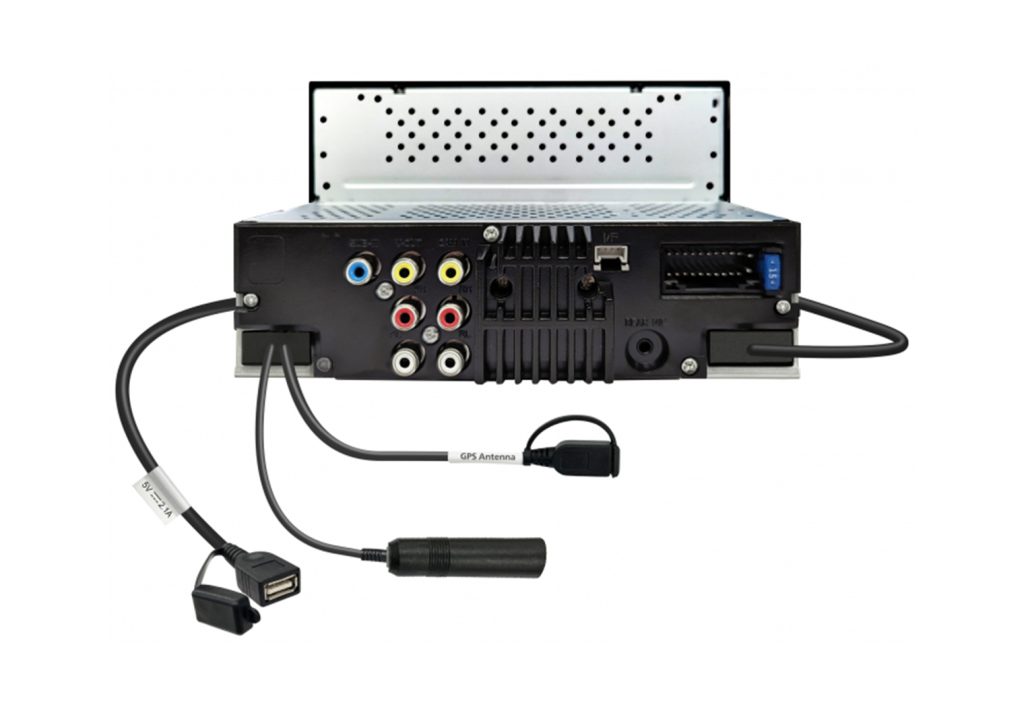

JVC KW-M690BW
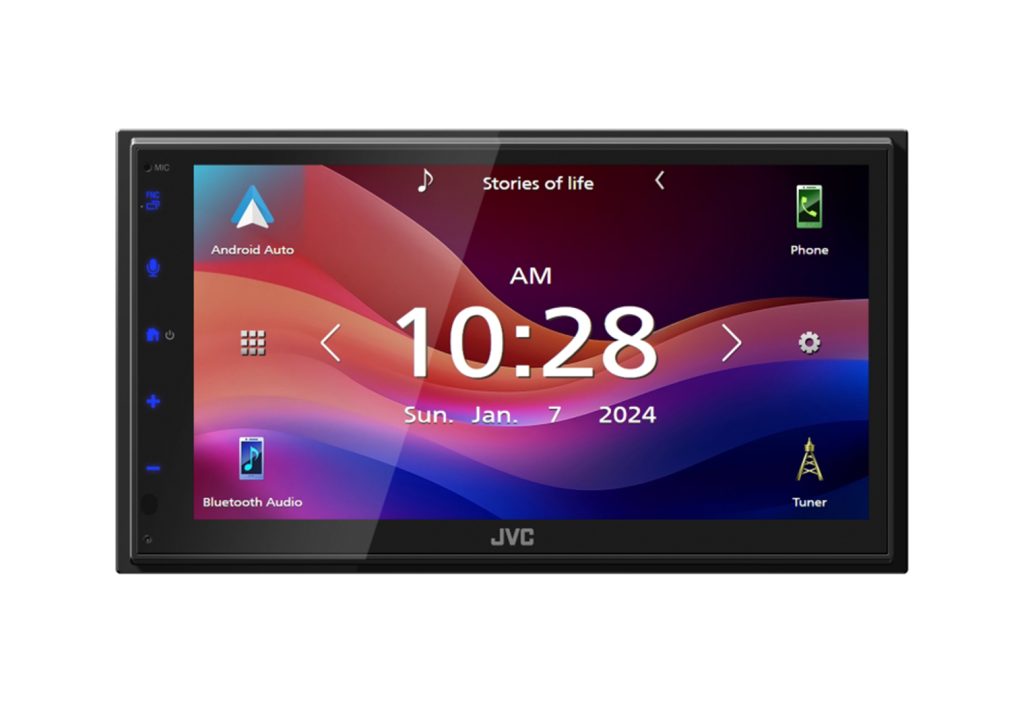
6.8-inch capacitive screen · wireless CarPlay/AA · short chassis
CarAudioNow may earn a commission from retailer links. Brands do not influence the recommendations.
Why I picked it
The KW-M690BW is for the buyer who wants wireless CarPlay and Android Auto from a real car-audio brand without stepping up a price tier. It sits around $380, which lands it between the low-cost marketplace radios and the more complete models above $500. The 6.8-inch capacitive screen runs 1024 by 600, and the chassis is only about 3 3/8 inches deep, which leaves useful wiring room behind it.
JVC still gives you a 13-band EQ, time alignment, 22 watts RMS per channel, and front, rear, and subwoofer preouts. Those outputs are only 2.5V, so I wouldn't build an ambitious multi-amplifier system on it. For a normal speaker upgrade or a compact powered sub, it has the controls most people will actually touch. The two-year U.S. warranty also beats the one-year coverage on several receivers that cost more.
The savings show up in what's missing. One camera input, no HDMI, no HD Radio, no Maestro integration, and no volume knob or hard-key strip. If you need to keep a factory amplifier or vehicle settings, check the adapter path before you order. But if you want a current, short-chassis wireless receiver with decent tuning at a sensible price, this is the value pick I trust ahead of an unbranded Android unit.
| Make | JVC |
| Model | KW-M690BW |
| Head Unit Size | Double-DIN, short chassis |
| Screen Size | 6.8 in capacitive |
| Display Resolution | 1024 x 600 |
| Smartphone Integration | Wired/wireless Apple CarPlay and Android Auto |
| Preamp Voltage | 2.5V, front/rear/sub |
| Power Output | 22W RMS x 4 |
| Audio Tuning | 13-band EQ, time alignment, crossovers |
| Camera Inputs | 1 rear camera |
| Factory Integration | Steering-control adapter support; no Maestro |
| Media / Expansion | Rear USB, Bluetooth, SiriusXM-ready |
| Warranty | 2 years U.S. through an authorized seller |
| Typical Price | Around $380 |
Reasons to buy
- Wireless CarPlay and Android Auto at around $380.
- 1024 x 600 capacitive panel is sharper than the usual 800 x 480 value screen.
- Short 3 3/8-inch chassis leaves real wiring room behind the dash.
- 13-band EQ and time alignment cover the tuning most people use.
- Two-year U.S. warranty beats the one-year coverage typical at this price.
Reasons not to buy
- 2.5V preouts are adequate rather than ideal for a demanding amplified build.
- No Maestro support, so deeper factory-feature retention is off the table.
- No HDMI and no built-in HD Radio.
- Screen-only controls — no volume knob, no tactile key strip.
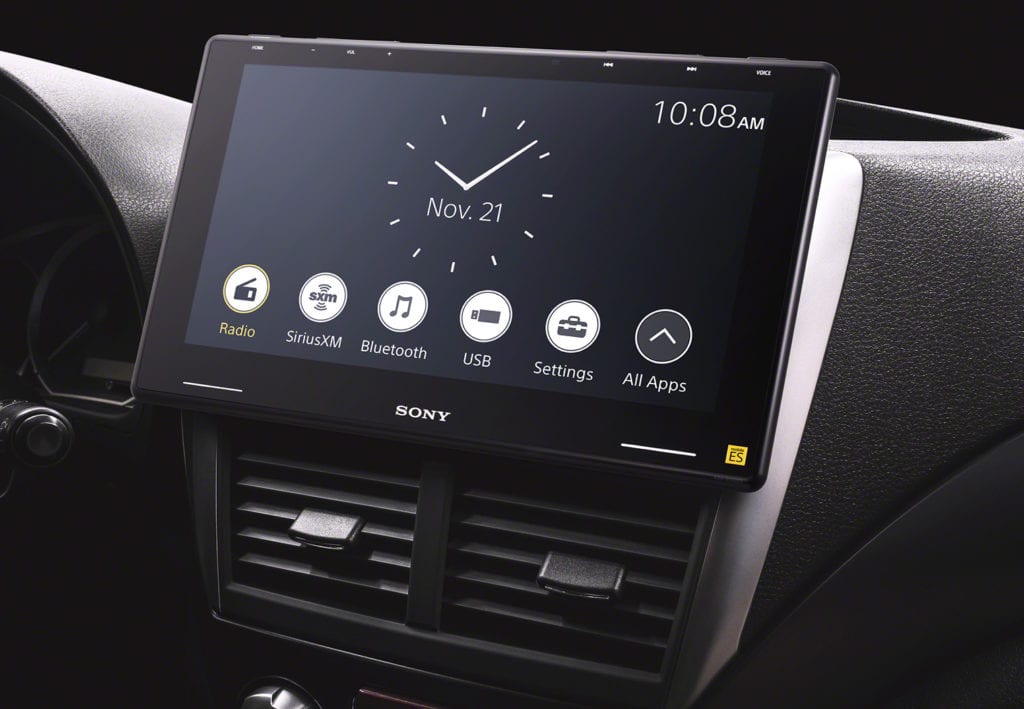
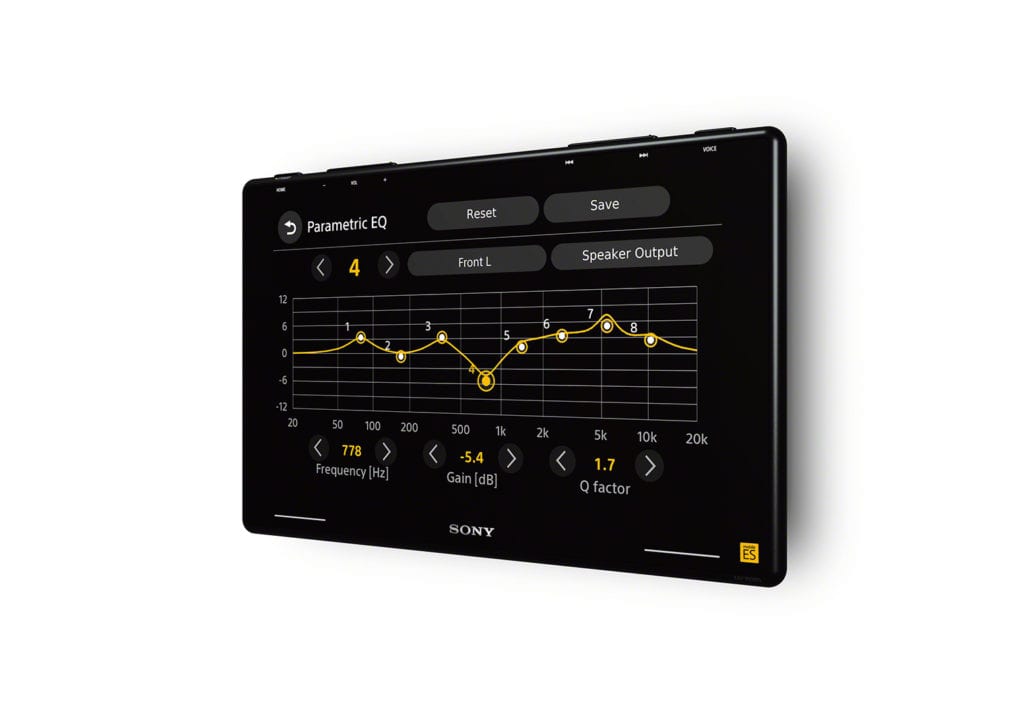
Sony XAV-9500ES
1-DIN floating 10.1″ · wireless CarPlay & Android Auto · ES audio
CarAudioNow may earn a commission from retailer links. Brands do not influence the recommendations.
Why I picked it
The XAV-9500ES is where I land when wireless CarPlay and a genuinely clean signal path matter equally. I've spent time with this one, and what stuck was how quiet the audio path is. Sony's Mobile ES platform pairs a 10.1-inch 1280 x 720 anti-glare panel with three pairs of 5V preouts and a low-noise design, so what reaches your amplifiers is worth amplifying. Onboard tuning is real rather than decorative, and the wireless reconnect is quick enough that you stop thinking about it.
The tradeoffs are the ones you'd expect at this tier. It's priced above Sony's non-ES decks, the 10.1-inch panel wants clearance a tight dash may not have, and there's no built-in navigation or disc transport — the phone handles maps. It mounts to a single-DIN chassis, so the opening is rarely the problem. The space in front of it is. For a compatible dash feeding an amplified system, this is the sound-first premium floating screen in the lineup.
| Make | Sony |
| Model | XAV-9500ES |
| Head Unit Size | Single-DIN (floating) |
| Screen Size | 10.1″ |
| Screen Type | Capacitive HD anti-glare |
| Screen Resolution | 1280 × 720 |
| Smartphone Integration | Wireless Apple CarPlay & Android Auto |
| Outputs | 6-ch preamp (5V front/rear/sub) |
| Preamp Voltage | 5V, front/rear/sub |
| Power Output | 20W RMS × 4 |
| iDatalink Maestro | Yes |
Reasons to buy
- Three pairs of 5V preouts and a low-noise ES audio path for amplified systems.
- Wireless CarPlay and Android Auto that reconnect quickly and stay connected.
- 10.1-inch 1280 x 720 anti-glare panel on a single-DIN chassis.
- Real onboard tuning rather than a token EQ.
- iDatalink Maestro ready for factory-integration work.
Reasons not to buy
- Priced above Sony's non-ES decks for audio quality you need amps to hear.
- No built-in navigation — maps come from your phone.
- No disc transport, so a CD collection needs another plan.
- The floating panel needs clearance a tight dash may not have.


Pioneer DMH-WT8600NEX
1-DIN floating 10.1″ · capacitive HD · wired or wireless CarPlay/AA
CarAudioNow may earn a commission from retailer links. Brands do not influence the recommendations.
Why I picked it
When maximum screen is the whole point, the DMH-WT8600NEX is the one I point at. It puts a 10.1-inch 1280 x 720 capacitive panel on a single-DIN chassis. The float adjusts for height and tilt, so you dial the sightline in rather than take whatever the bracket gives you. Wired or wireless CarPlay and Android Auto are both there, along with multiple camera inputs, a 6-channel 4V preamp, and an A/V output.
Two things to check before you buy. A panel this size sits proud of the dash and crowds vents, climate controls, or a shifter path in a tight cabin. Measure the space in front of the opening, not just the opening. And internal power is 14 watts RMS per channel, which is fine for a deck that's feeding amplifiers and thin if it isn't. There's no built-in navigation here either. For a driver who wants tablet-sized real estate and plans to amplify, it earns the room it takes.
| Make | Pioneer |
| Model | DMH-WT8600NEX |
| Head Unit Size | Single-DIN (floating) |
| Screen Size | 10.1″ |
| Screen Type | Capacitive |
| Screen Resolution | 1280 × 720 |
| Smartphone Integration | Wired or wireless Apple CarPlay & Android Auto |
| Outputs | 6-ch preamp (4V front/rear/sub) + A/V out |
| Power Output | 14W RMS × 4 |
| iDatalink Maestro | Yes |
Reasons to buy
- 10.1-inch 1280 x 720 capacitive panel on a single-DIN chassis.
- Float adjusts for height and tilt, so you can set the sightline at install.
- Wired or wireless CarPlay and Android Auto, your choice.
- 6-channel 4V preamp plus an A/V output for expansion.
- iDatalink Maestro ready and takes multiple camera inputs.
Reasons not to buy
- A 10.1-inch panel crowds vents and controls in a tight dash.
- 14 watts RMS per channel — plan on amplifiers.
- No built-in navigation, so maps come from the phone.
- The floating-tablet look is not to everyone's taste.
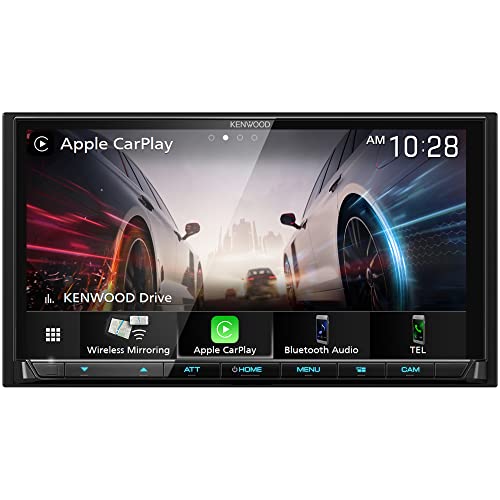
Kenwood Excelon DMX908S
Double-DIN · 6.95″ capacitive · wireless & wired CarPlay/AA · 4 cameras
CarAudioNow may earn a commission from retailer links. Brands do not influence the recommendations.
Why I picked it
When someone wants a factory look with room to grow, this is my default. The Excelon DMX908S keeps a traditional double-DIN face, with no floating panel hanging off the dash. Behind it are the tuning tools that make an amplified system worth building — 13-band EQ, time alignment, and three pairs of 5V preouts. The successor to the DMX907S, it adds USB-C and keeps the four camera inputs.
It sits between Sony and Pioneer in character: more audio-focused than Pioneer, more multimedia-minded than Sony. Wireless and wired CarPlay and Android Auto are both supported, along with iDatalink Maestro for factory integration and an analog A/V input. The compromise is the screen. At 6.95 inches and 800 x 480 it isn't as crisp as the HD panels on the Sony and Pioneer decks. There's no HDMI either, so digital video comes through mirroring. If a clean stock appearance matters more than screen resolution, that's an easy trade.
| Make | Kenwood (Excelon) |
| Model | DMX908S (successor to DMX907S) |
| Head Unit Size | Double-DIN |
| Screen Size | 6.95″ |
| Screen Type | Capacitive (WVGA) |
| Screen Resolution | 800 × 480 |
| CD/DVD | No |
| Smartphone Integration | Wireless & wired Apple CarPlay / Android Auto |
| Inputs | Dual rear USB (incl. USB-C), 4 camera inputs, analog A/V in |
| Outputs | 6-ch preamp (5V front/rear/sub) + A/V out |
| Power Output | 22W RMS × 4 |
| iDatalink Maestro | Yes |
Reasons to buy
- Traditional double-DIN face keeps a stock look with no floating panel.
- Three pairs of 5V preouts with 13-band EQ and time alignment.
- Four camera inputs plus dual rear USB including USB-C.
- Wireless and wired CarPlay and Android Auto both supported.
- iDatalink Maestro ready for steering-wheel controls and factory data.
Reasons not to buy
- 800 x 480 on a 6.95-inch screen isn't as crisp as the HD panels here.
- No HDMI input — digital video relies on mirroring.
- The interface is functional rather than polished.
- 22 watts RMS per channel, so amplifiers do the real work.


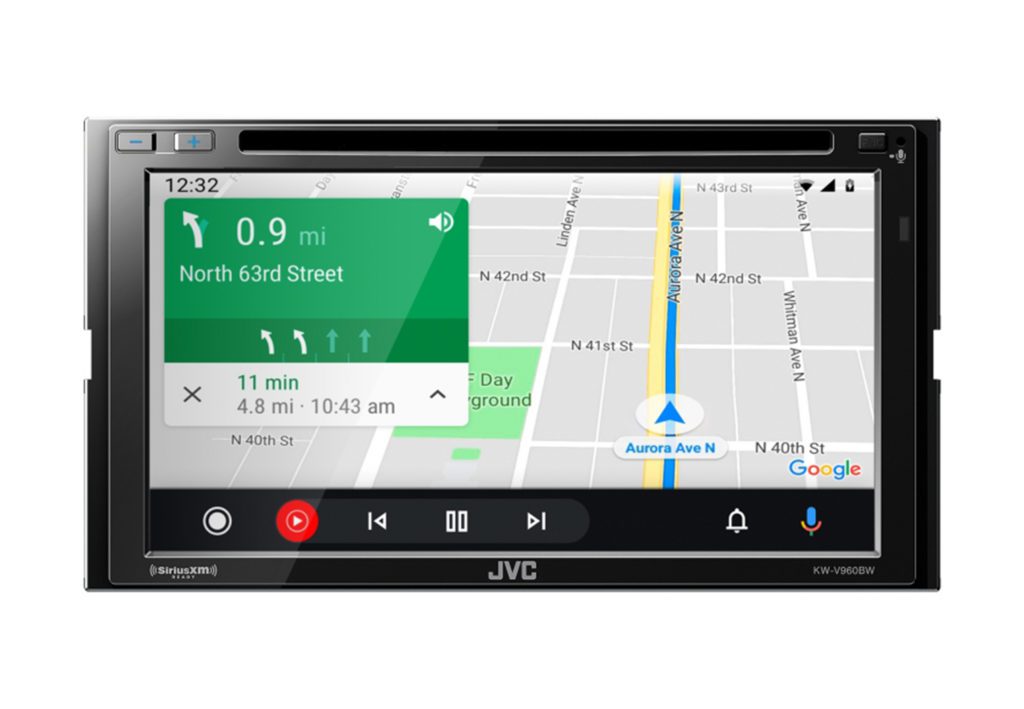
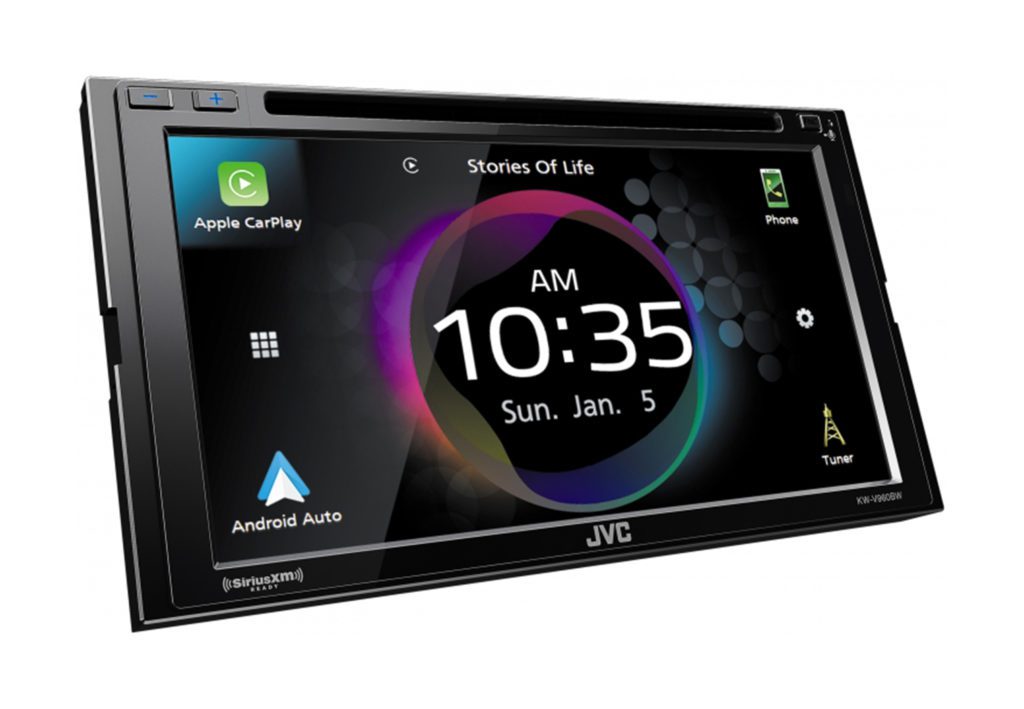
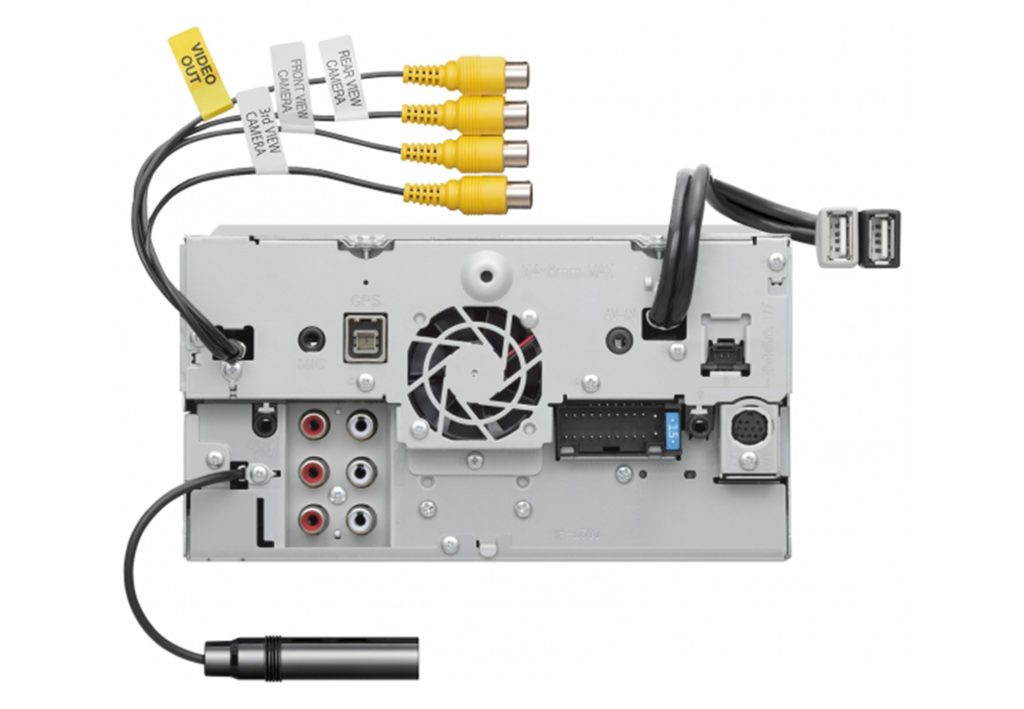
JVC KW-V960BW
Double-DIN · 6.8″ resistive · wireless CarPlay/AA · built-in DVD/CD
CarAudioNow may earn a commission from retailer links. Brands do not influence the recommendations.
Why I picked it
Want wireless CarPlay and a disc slot in the same dash? That's a short list, and the KW-V960BW is the top of it. It's a genuine multimedia deck — DVD and CD playback, four camera inputs, and multi-phone Bluetooth that's handy on a road trip when someone else wants a turn. The audio section runs a 13-band EQ, time alignment, and three pairs of 5V preouts. Power is 22 watts RMS per channel, which is decent for a deck driving factory speakers before you add amps.
The 6.8-inch screen is clear resistive rather than capacitive, so it isn't as slick under a finger as the newer glass panels. It responds well though, and it's the one screen here that works with gloves or a stylus. In a work truck in January that matters. Resolution is 800 x 480, there's no HDMI input, and it needs a double-DIN opening. If you don't need the disc slot, JVC's KW-M865BW is the near-twin without it.
| Make | JVC |
| Model | KW-V960BW |
| Head Unit Size | Double-DIN |
| Screen Size | 6.8″ |
| Screen Type | Clear Resistive |
| Screen Resolution | 800 × 480 |
| CD/DVD | Yes |
| Smartphone Integration | Wireless & wired Apple CarPlay / Android Auto |
| Inputs | Dual rear USB, mini A/V in, 4 camera inputs |
| Outputs | 6-ch preamp (5V front/rear/sub) + A/V out |
| Power Output | 22W RMS × 4 |
| iDatalink Maestro | Yes |
Reasons to buy
- Wireless CarPlay and Android Auto alongside a working DVD/CD transport.
- Four camera inputs, enough for a front, rear, and two side views.
- Three pairs of 5V preouts with 13-band EQ and time alignment.
- Multi-phone Bluetooth so a passenger can take a turn on the music.
- Resistive screen still works with gloves or a stylus in cold weather.
Reasons not to buy
- Resistive glass doesn't feel as quick as the capacitive panels around it.
- 800 x 480 resolution is behind the 1280 x 720 screens in this roundup.
- No HDMI input, so digital video sources are limited.
- Double-DIN only — it won't go in a single-DIN dash.
Make sure the receiver and install parts fit your vehicle
Confirm the opening, the depth behind it, floating-screen clearance, your factory amplifier, cameras, and steering-wheel controls before you pick one of these. A receiver that fits the hole and fouls a vent is still the wrong receiver. You can also check your dashboard size.
Wireless CarPlay head unit questions, answered
What is the best wireless Apple CarPlay head unit for most people?+
The Sony XAV-AX6000 is my best overall pick, and it's the one I bench-tested. Its three 5V output pairs, HDMI input, shallow chassis, and three-year warranty make it a balanced everyday head unit that's got room for an amplified system.
Is wireless CarPlay better than wired CarPlay?+
Wireless CarPlay is more convenient because you don't have to take your phone out. Wired CarPlay's still useful for charging and troubleshooting. I'd rather have a receiver that supports both than go wireless with no dependable fallback.
What is the best value wireless CarPlay receiver?+
The JVC KW-M690BW is the value pick around the $400 tier. It covers wired and wireless CarPlay and Android Auto, and it doesn't ask you to pay for a large floating screen or a premium audio section.
Can I add Apple CarPlay to an older car?+
Yes. An aftermarket CarPlay head unit replaces the factory radio, and any of the six picks here will do it wirelessly. If your dash has a single-DIN opening, a floating-screen deck like the Pioneer DMH-WT8600NEX or Sony XAV-9500ES hangs a 10-inch panel off the smaller chassis. A double-DIN opening takes a fixed screen like the AX6000 or the Kenwood DMX908S. Plan the harness, dash kit, and steering-wheel adapter with my Vehicle Fit Guide.
Can I add wireless CarPlay to my factory radio?+
If the factory radio's already got wired CarPlay, often yes. A wireless CarPlay adapter costs a fraction of a new deck, and it's less invasive than replacing a factory interface that already works.
What is the best CarPlay screen for a single-DIN dash?+
A floating-screen head unit, since a conventional single-DIN radio can't run CarPlay. The Sony XAV-9500ES is the premium pick and the Pioneer DMH-WT8600NEX is the biggest, and both mount to a single-DIN chassis. Check that the panel clears your vents and shifter, and see my touchscreen and floating-screen guide for the full field. If you'd rather keep a conventional radio in that opening, my single-DIN guide covers those.
Will I keep steering-wheel controls and factory cameras?+
Often, with the right vehicle-specific interface, but it varies by trim and factory audio package. Use the Vehicle Fit Guide and verify each retained feature before buying.
Do I need to replace the microphone and USB port?+
Most aftermarket receivers use the microphone that's in the box. Factory USB retention varies by vehicle and often needs a separate adapter, and some factory ports won't support every charging or data mode once the new radio is in.
More reviews & comparisons
Use these guides to verify fit, integration, installation, and the rest of the system.
Why trust this guide?
