In this article: I walk through my updated top pick in-dash DVD and video-capable multimedia receivers, explain where each one fits (budget, HDMI input, wireless CarPlay/Android Auto, single-DIN needs), and point you to related reviews and how-to guides so you can safely and legally get video into your vehicle.
When I talk about a “video” head unit, I’m not just talking about something that happens to play a disc. These are stereos built first and foremost to handle in-car video and multimedia: DVDs and digital files for road trips, rear-seat entertainment, HDMI or smartphone-mirrored content (where legal), plus modern must-haves like Bluetooth, Apple CarPlay and Android Auto. If you’re trying to keep passengers entertained or consolidate all of your media into one clean interface, this is where you should be looking.
Every pick on this page is here because I’ve either installed it myself, used it in real vehicles, or followed it closely through trusted shops and reader feedback. I factor in long-term reliability, firmware support, usability, integration with today’s vehicles and overall value. Just as important: video features should never encourage drivers to watch content in motion. Wire and configure these units to comply with your local laws so full-motion video is limited to safe scenarios, passengers, and parked use.
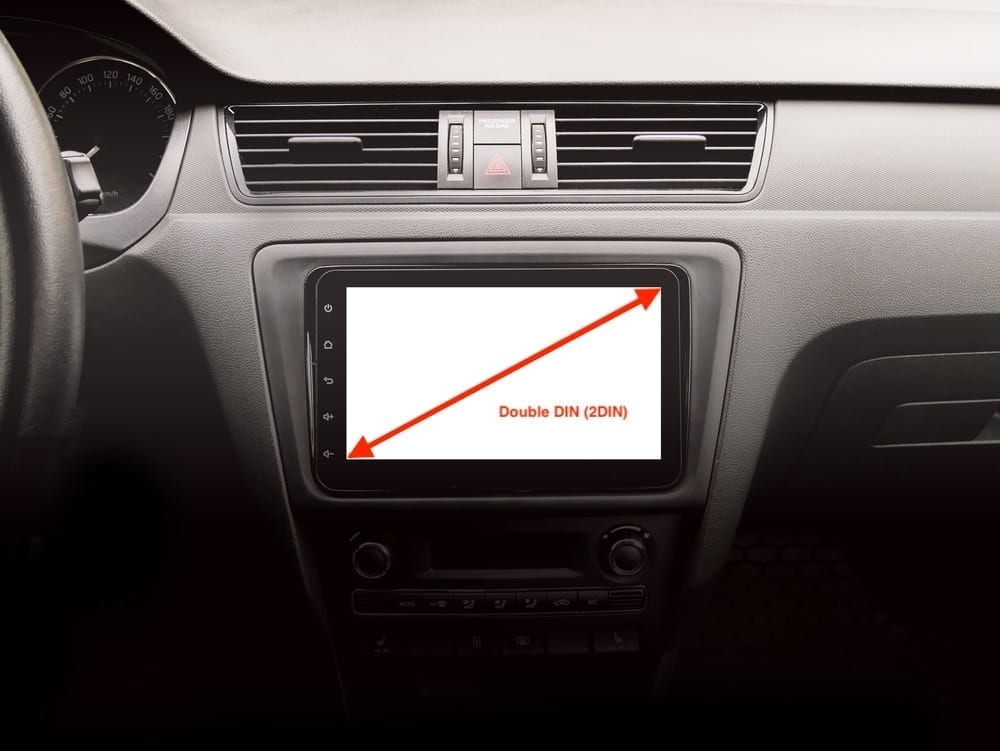
There are two main sizes of head units: single-DIN and double-DIN. If your dash is double-DIN, you can typically fit either. If it’s single-DIN, you’ll need a single-DIN chassis or a flip-out/floating solution like the Sony XAV-AX8100 or Pioneer AVH-3500NEX. Before you fall in love with a screen, confirm fitment and mounting depth using our resources and your vehicle’s dash kit to avoid surprises.
| Model | Type | Screen Size | CarPlay / Android Auto | Disc Drive | Key Video Strength |
|---|---|---|---|---|---|
| Pioneer AVH-W4500NEX | Double-DIN | 6.94″ | Wireless & Wired | Yes (DVD/CD) | All-in-one powerhouse: discs, wireless apps, strong expandability. |
| Sony XAV-AX8100 | Single-DIN chassis, floating screen | 8.95″ | Wired | No (digital only) | Huge adjustable display + HDMI for add-on video sources. |
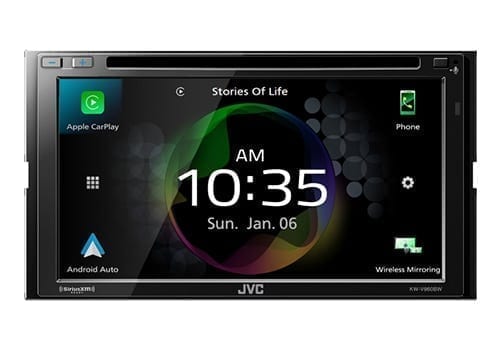
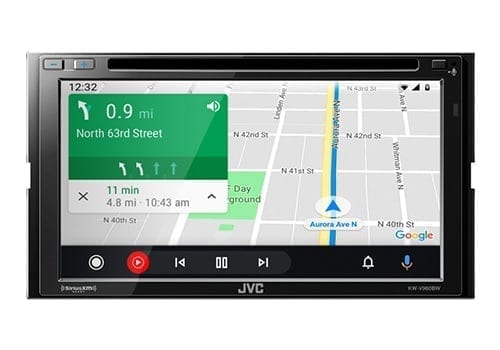
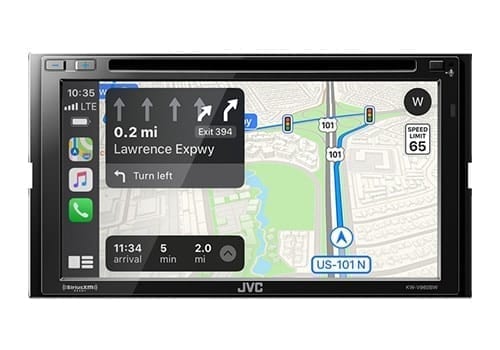
| JVC KW-V960BW | Double-DIN | 6.8″ | Wireless & Wired | Yes (DVD/CD) | Wireless CarPlay/AA with DVD and multiple camera inputs. |
| Pioneer DMH-241EX | Double-DIN, short chassis | 6.2″ | No native CarPlay/AA | No (digital only) | Entry-level touchscreen with USB video for tight budgets. |
| Pioneer AVH-3500NEX | Single-DIN flip-out | 7″ | Wired | Yes (DVD/CD) | True video & CarPlay/AA where only single-DIN fits. |
Best Overall DVD Player Car Stereo
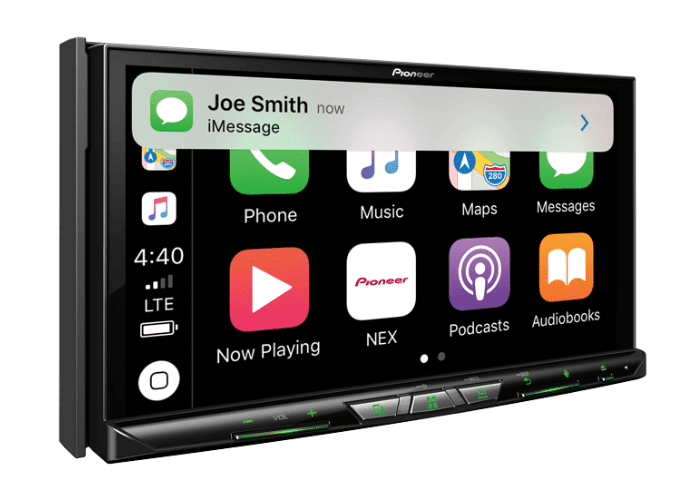
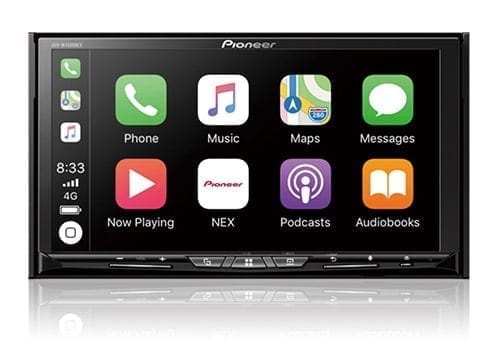
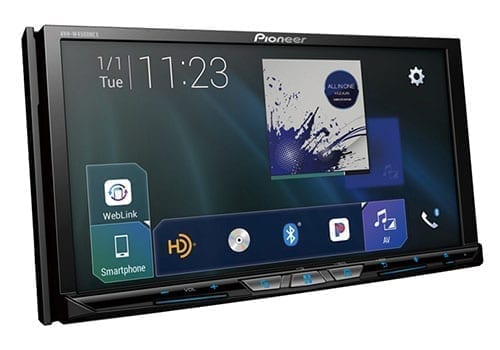
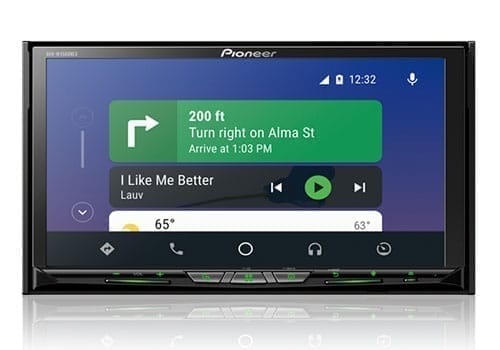
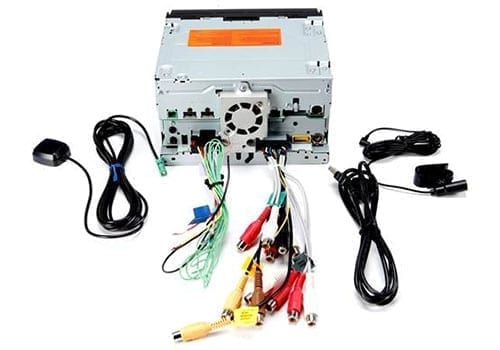
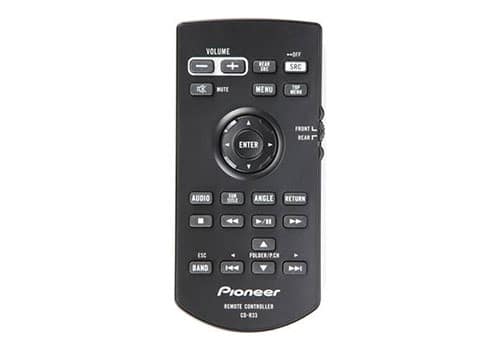
Pioneer AVH-W4500NEX
Latest Prices
Key Features
- Double din DVD/CD receiver
- 6.94″ motorized touchscreen
- 13-band graphic equalizer with EQ presets
- Built-in iPod, iPhone, and iPad control
- iDataLink Maestro-ready
- 50 watts x 4 channels RMS with built-in MOSFET amplifier
- Bluetooth, USB, HDMI connections
- 6-channel preamp outputs (4-volt front, rear, subwoofer)
- Plays CD and DVD
We test gear and may earn a commission. Buy now clicks are how we make money and support the time we spend making content. This doesn’t affect our picks.
Pioneer AVH-W4500NEX Quick Review
The AVH-W4500NEX has been my benchmark “do-everything” video head unit for years because it balances real-world reliability with every core feature I want in a multimedia deck: a bright 6.94″ touchscreen, built-in DVD, wired and wireless Apple CarPlay and Android Auto, robust Bluetooth, and excellent factory-integration via iDatalink Maestro. It’s not the newest model on the shelf, but if you can still buy one from a legitimate source it remains an incredibly capable all-rounder.
Display Details
The 6.94″ display is clear, responsive, and easy to see in most lighting. The interface is clean and customizable so it blends well with OEM interiors instead of looking bolted on. I care more about how quickly I can get to sources, cameras, and settings than animations, and the W4500NEX nails that balance.
Advanced Streaming & Smartphone Integration
Out of the box you get both wired and wireless CarPlay/Android Auto, WebLink, and screen-mirroring support for compatible phones. That lets passengers stream video or mirror content when parked (where legal) instead of juggling extra hardware. Combined with Alexa support via the Vozsis app and strong Bluetooth performance, it checks every box for a modern connected dash. If you’re new to this tech, I break it down further in my Android Auto FAQ and Apple CarPlay guide.
Hands-Free Safety & Integration
Good video decks should reduce distraction, not add to it. Properly installed, the W4500NEX works seamlessly with steering wheel controls, supports voice assistants, and integrates with parking brake and reverse triggers so full-motion video stays locked to safe conditions. iDatalink Maestro compatibility means you can retain OEM features and gain vehicle data on-screen in supported vehicles.
Types of Media & Use Cases
Between the DVD mechanism and broad USB support, it handles movies and stored video files easily. If your family still has a disc collection and you want wireless CarPlay/Android Auto, this is the one unit that genuinely does it all without feeling outdated.
Conclusion
If you want one head unit that covers discs, digital media, wireless CarPlay/Android Auto and deep expandability, the AVH-W4500NEX is still my go-to recommendation. It’s proven, installer-friendly and flexible enough to anchor a serious audio/video system instead of just being a screen in your dash.
Best Multimedia Head Unit With HDMI Input
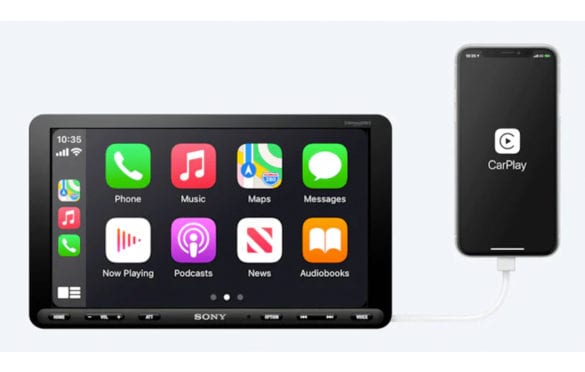
Sony XAV-AX8100
Latest Prices
Key Features
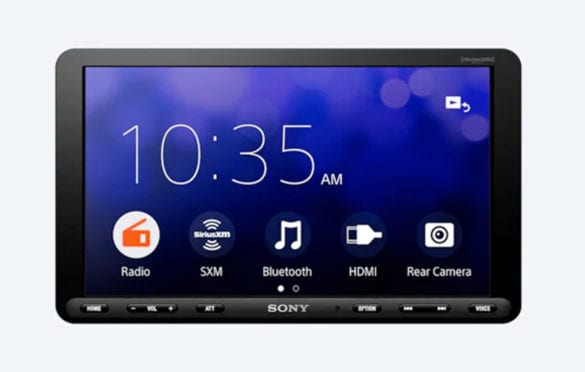
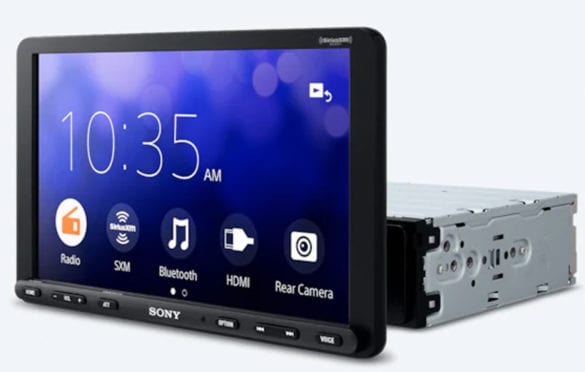
- 8.95” floating resistive touch screen media player
- Adjustable mount provides up, out, and tilt adjustment
- Built-in WiFi and Bluetooth
- WebLink-equipped
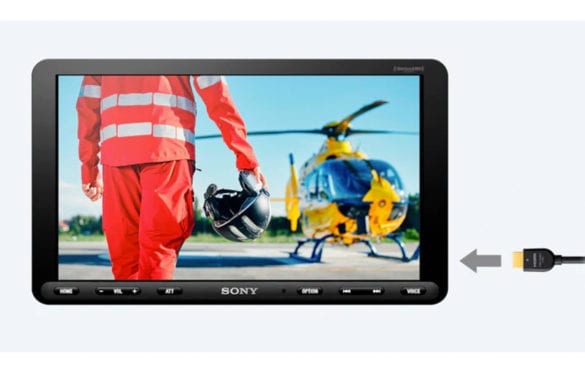
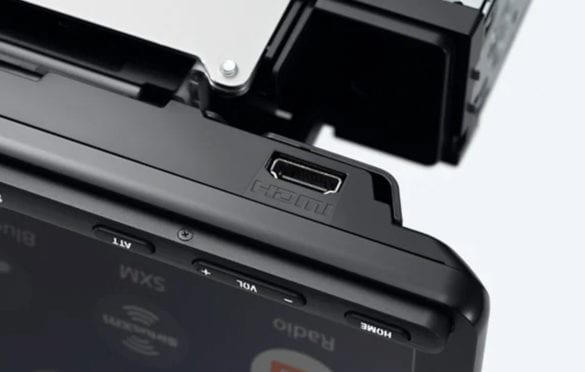
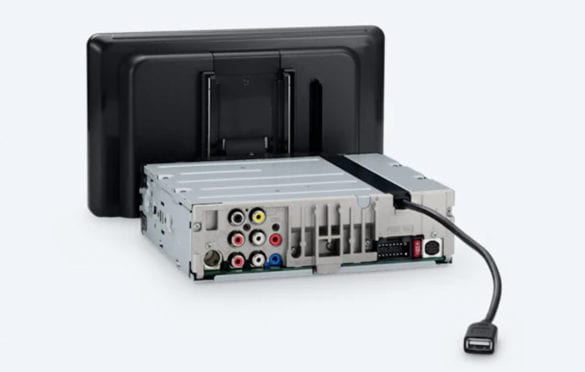
- Rear USB, Front HDMI
- Single-camera input
- 55wx4 Peak, 20w4 RMS
- Three 5v pre outs (Front, Rear, Sub)
- Apple CarPlay and Android Auto compatible
- Ready for SiriusXM radio
Sony XAV-AX8100 Video Review
Join us for an exclusive unbox and first look at the Sony XAV-AX8100 in our latest video. We'll walk through the key features that make this speaker a great choice.
Sony XAV-AX8100 Quick Review
If you want a huge, modern screen plus HDMI flexibility without rebuilding your whole dash, the XAV-AX8100 is the solution I keep coming back to. Sony packs the electronics into a shallow single-DIN chassis and mounts an 8.95″ floating display up front, so it fits a ton of vehicles where a traditional double-DIN won’t. Add the front HDMI input and you have one of the cleanest ways to integrate streaming devices or media players for parked use.
Installation & Fitment
The single-DIN body and adjustable mount give you height, depth and tilt adjustments to clear dash bezels, vents and switches. In my installs it’s been more flexible than most floating screens, but you still need to mock up the position so you don’t block critical controls.
Display & Interface
The 8.95″ capacitive display is bright and sharp, and Sony’s UI is minimal in a good way: big icons, simple menus, quick response. That matters more than fancy animations when you’re driving. CarPlay/Android Auto maps, cameras and media all feel like a factory-style upgrade instead of a tablet glued to the dash.
HDMI & Smart Features
The front HDMI input is the star here. It lets you integrate a streaming stick, media player or other custom video source for passengers while parked, or use it creatively for camera/aux feeds. You also get wired Apple CarPlay/Android Auto, Bluetooth, SiriusXM readiness and usable pre-outs for system building. For a disc-less deck, it covers the real-world use cases that matter.
Reasons to Buy
- Massive 8.95″ screen in a flexible single-DIN chassis that fits tricky dashboards.
- Front HDMI input for clean add-on video or custom sources (for parked/ passenger use).
- Clean, intuitive Sony interface that’s easy to use at a glance.
- Strong core feature set: wired CarPlay/Android Auto, Bluetooth, camera input, solid audio tuning.
Reasons Not to Buy
- No DVD/CD drive – disc users should look at the Pioneer AVH models above.
- Screen can block vents or controls in certain dashboards if not adjusted carefully.
- CarPlay/Android Auto are wired only; no built-in wireless.
Best Wireless CarPlay/Android Auto DVD Head Unit
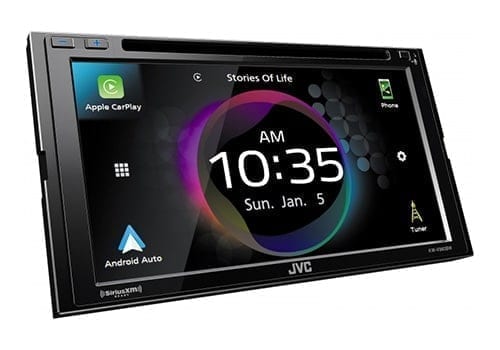
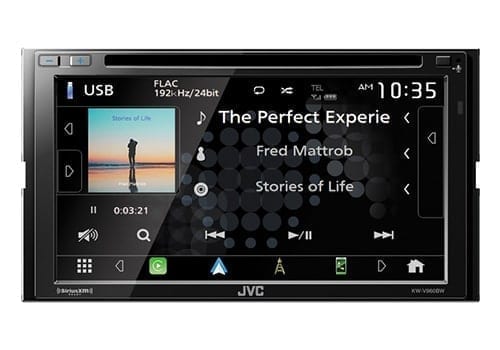
JVC KW-V960BW
Latest Prices
Key Features
- 6.8” LCD touchscreen, Double-DIN chassis
- 22Wx4 RMS, 50Wx4 Max
- Built-in Bluetooth for wireless streaming
- Connects up to five phones simultaneously
- Three pairs of 5V preamp outputs
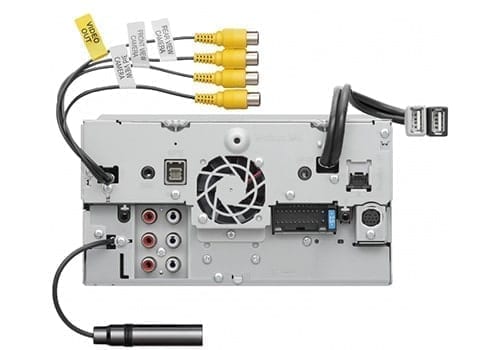
- Four camera inputs
- Dual USB ports
- Dual zone technology to allow rear monitor video and in-car audio
- Wireless mirroring for select Android and iPhone models
- iDataLink Maestro compatible to retain factory steering wheel controls
JVC KW-V960BW Quick Review
If wireless CarPlay and Android Auto are your top priorities but you still want a DVD drive and serious tuning tools, the KW-V960BW is the standout. It’s one of the few double-DIN video decks that combines wireless smartphone integration, multiple camera inputs and high-res audio support in a package that still feels approachable for daily use.
Wireless Connectivity & Cameras
Built-in Wi-Fi unlocks wireless CarPlay and Android Auto, so your maps, calls and apps appear on the 6.8″ screen without plugging in. Four camera inputs make it ideal for trucks, SUVs and tow rigs where you want front, rear and additional views tied into one head unit.
DVD & Multimedia Playback
You get a full DVD/CD mechanism plus broad USB support for video and audio file formats. For families that mix discs, digital files and streaming, it’s a flexible all-in-one hub.
Audio Tools & System Building
JVC backs it up with a 13-band EQ, time alignment, high/low-pass filters and strong pre-outs, so I’m comfortable using it as the brains of a more serious system. iDatalink Maestro support helps retain OEM features and vehicle data where available.
Reasons to Buy
- Wireless CarPlay/Android Auto plus DVD in one chassis.
- Multiple camera inputs for larger vehicles and towing setups.
- Robust tuning tools and pre-outs for full-system builds.
Reasons Not to Buy
- Interface isn’t quite as polished as some Sony/Pioneer options.
- Capacitive feel and menus are still “car stereo” grade, not tablet-grade.
Best Budget Video Head Unit
Pioneer DMH-241EX
Pioneer DMH-241EX Quick Review
If you’re just getting into video-capable head units and don’t need built-in navigation or wireless everything, the DMH-241EX is the budget-friendly option I point people to most. It’s a mechless (no disc) digital media receiver with a 6.2″ touchscreen, Bluetooth, camera input and USB video playback – a simple, reliable way to add screen-based media without overspending.
Display & Core Features
The 6.2″ resistive screen is basic but functional. Menus are straightforward, the short chassis helps in tight dashes, and adding a backup camera is easy. For a first upgrade from a factory radio, that simplicity is a plus.
Audio & Video Playback
USB handles common video and audio formats, which is how most budget builds are watching content today. Load up a drive with movies or shows for the kids and you’re set for parked viewing or road-trip stops.
Connectivity & App Control
You won’t find native CarPlay/Android Auto here – that’s the trade-off at this tier. But you do get Bluetooth audio, hands-free calling and pre-outs so you can add amplifiers later. For many readers, I’d rather see dollars go to speakers and a sub with this unit as a solid foundation.
Reasons to Buy
- Very affordable way to add touchscreen video and backup camera support.
- Short chassis works well in tight or shallow dash openings.
- Simple interface that’s easy for anyone in the car to use.
Reasons Not to Buy
- No wired or wireless CarPlay/Android Auto – you’ll rely on Bluetooth and onboard media.
- Resistive screen and UI feel more basic than the higher-end options on this list.
Best Single-DIN DVD/Video Head Unit
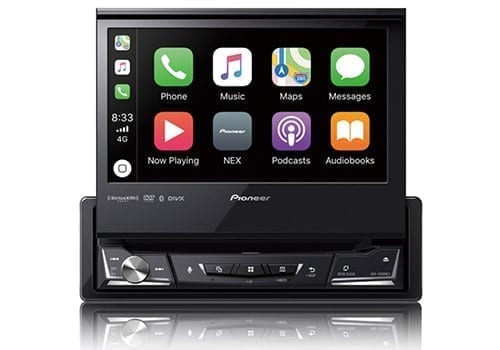
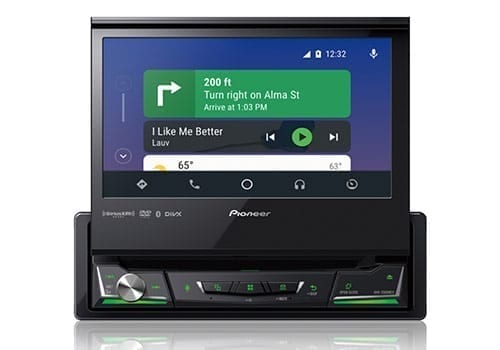
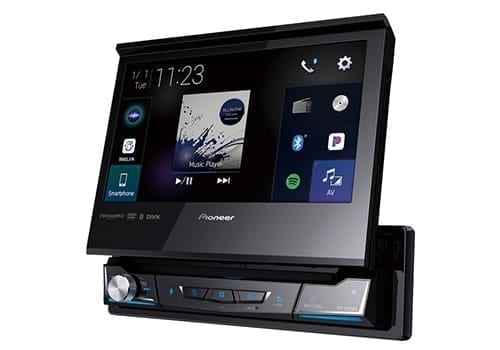
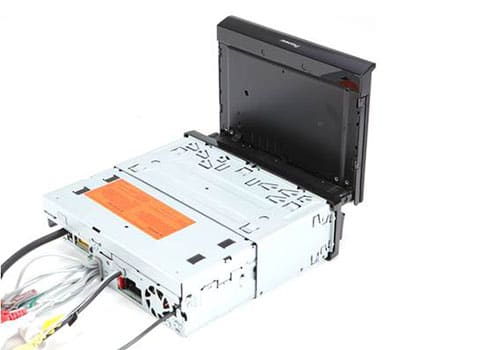
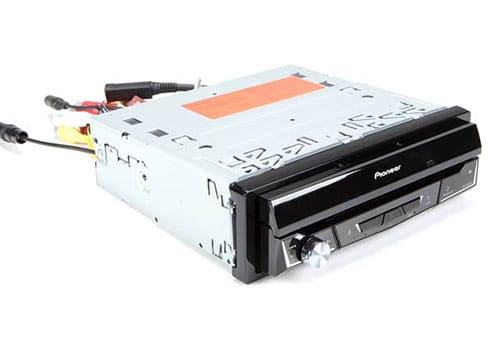
Pioneer AVH-3500NEX
Latest Prices
Key Features
- Single din DVD/CD receiver
- 7″ motorized touchscreen
- 13-band graphic equalizer
- Built-in iPod, iPhone, and iPad control
- 6-channel preamp outputs (4-volt front, rear, subwoofer)
Pioneer AVH-3500NEX Quick Review
For vehicles limited to a single-DIN opening but needing real video and smartphone integration, the AVH-3500NEX is still my go-to. The motorized 7″ screen folds out cleanly, gives you full DVD playback plus wired CarPlay/Android Auto, and tucks away when you’re parked or want a stealthier look.
Reasons to Buy
- True DVD and video playback plus CarPlay/Android Auto in a single-DIN slot.
- Perfect for older cars, classic builds and any dash that can’t accept double-DIN.
- Good expandability with pre-outs, camera input and tuning features.
Reasons Not to Buy
- Motorized screen adds moving parts – proper install and careful use are important.
- Can interfere with dash vents or controls in some vehicles.
- No wireless CarPlay/Android Auto – you’ll plug in via USB.
Car Stereos & Head Units: What to Look For
I have a dedicated guide that dives deep into choosing the right car stereo, but if you’re here for video-first receivers there are a few extra boxes to check. Use this section as a quick checklist, then jump into my full Car Stereos & Head Units: What to Look For guide for more detail.
Power Ratings
Most built-in amplifiers are fine for factory speakers, but power numbers on the box can be misleading. I look at real RMS power, clean pre-outs (4V+ when possible) and useful crossovers. If you care about sound as much as video, plan to add an external amp and choose a deck that supports it properly.
Display
For video, screen quality is everything. Prioritize brightness, viewing angles and adjustment (especially on floating or flip-out screens). A poorly placed or dim screen will ruin the experience regardless of how many features the deck has.
Playback & Formats
Decide how you’ll actually watch. If you still use DVDs, stick to the Pioneer AVH models or JVC KW-V960BW. If you’re all digital, confirm USB/HDMI support for the file types and resolutions you care about. For rear-seat or multi-screen setups, make sure your head unit can feed additional monitors. For ideas (and legal, safe setups), see my Best Car Video & DVD Players, Best Car Headrest Video & DVD Players, Headrest Monitors: What to Look For and How To: Watching Videos In Your Car.
Smartphone Integration & Expandability
CarPlay/Android Auto (wired or wireless), Bluetooth stability, camera inputs, HDMI, iDatalink Maestro and multiple pre-outs are what separate “nice screen” units from true system anchors. Think about future upgrades—amps, subs, extra screens, multiple cameras—then pick the receiver that will support that path instead of boxing you in.
Who Is This List For?
This list is for people who genuinely care about video and multimedia in the car, not just having a pretty screen. If any of these sound like you, you’re in the right place:
- Families who want reliable, easy-to-use video for kids on road trips (with screens used legally and safely).
- Drivers who want integrated CarPlay/Android Auto plus the option to play DVDs or digital files when parked.
- Owners of older vehicles or single-DIN dashes who want modern video and smartphone features without custom fabrication.
- Enthusiasts building multi-camera or multi-screen setups who need proper inputs, outputs and integration.
- Anyone upgrading from a dead, outdated or laggy factory unit to something faster, cleaner and easier to live with every day.
If built-in navigation is higher on your list than video playback, take a look at my in-depth guide to the best in-dash GPS navigation receivers. And for a broader view of all stereo types—including where the #1 video unit from this page ranks overall—see my main Best Car Stereos guide.