
Best Car Headrest Video & DVD Players (Tested) – 2026 Buyer's Guide
The rear-seat video systems I’d actually put in a family car — seven picks across portable players, universal-mount monitors and built-in headrests, from best overall to best budget. A focused deep-dive within my In-Car Entertainment guide.

Why I built this guide
When everyone in the back wants their own screen — or you want a clean, factory-look install — headrest and portable players are the answer. Portables travel between cars and survive kids; built-in headrest monitors look OEM but mean wiring and matching your interior. Which is ‘best’ really depends on who’s riding back there.
Here are my rear-seat video picks across portable, universal-mount and built-in headrests, ranked below.
Compare my 7 headrest video picks
| Best for ↕ | My pick ↕ | Screen Size ↕ | Screen Resolution ↕ | Rating ↕ | Buy |
|---|---|---|---|---|---|
| Best Portable Overall | 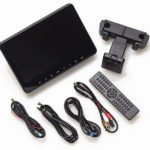 Audiovox AVX10USB Audiovox AVX10USB | 10.1″ | 1024×600 | Buy Now $299.99 on Amazon | |
| Runner-Up, Best Portable | 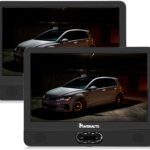 NAVISKAUTO 12″ Portable Dual Screen DVD Player NAVISKAUTO 12″ Portable Dual Screen DVD Player | 12″ (×2 screens) | 720×576 ⚑ | View pick → | |
| Best Universal Mount | 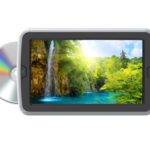 Accele DVD9855 Accele DVD9855 | 9″ | 800×480 | View pick → | |
| Best Budget | 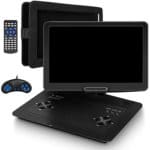 Jekero 16.9in Portable DVD Player Jekero 16.9in Portable DVD Player | 16.9″ | 1280×800 | View pick → | |
| Best Built-In Overall | 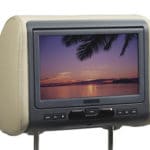 Audiovox AVXMTGHR9HD Audiovox AVXMTGHR9HD | 9″ | 800×480 | Buy Now $269.99 on Amazon | |
| Best Built-In Pair | 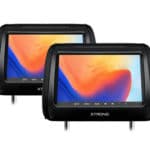 Xtrons HD908H Xtrons HD908H | 9″ (×2) | Not published by mfr ⚑ | View pick → | |
| Best Budget Built-In | 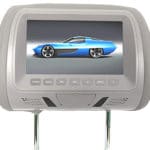 Yesbay 7″ DVD Headrest Monitor Yesbay 7″ DVD Headrest Monitor | 7″ | 800×480 | View pick → |
CarAudioNow may earn a commission from retailer links. Brands do not influence the recommendations.
How we test & choose headrest video systems
We use the same types of rear-seat video systems featured here in real family vehicles — portable dual-screen players, universal headrest-mounted monitors with built-in DVD, and full built-in headrest replacements. We prioritize family usability over spec sheets: easy installs, a clear picture in bright cabins, tidy wiring, and reliable audio (headphones or car speakers) that never distracts the driver.
Daytime glare handling, viewing angles from both rear seats, menu responsiveness, and resume behavior so a movie continues where the kids left off after a fuel stop.
Strap or clamp fit on different headrest posts, tilt and angle adjustment, and how steady the screen stays so it doesn’t bounce or block the mirror.
DVD playback and resume, USB/SD/AV/HDMI for streaming sticks and consoles, and noting when Blu-ray isn’t supported so expectations are clear.
IR wireless headphones for comfort and sync, plus an FM or AUX feed to the vehicle speakers for clean, low-noise sound.
12V adapters and battery life on portables; clean cable routing and any extra hardware (hardwire kit vs. plug-in) on built-ins.
Installs that keep cords clear of car seats and airbags, don’t block seat mechanisms, and minimize driver distraction at night.
Why a Headrest Video System — and Who This List Is For
- You want a screen right in front of the back seat Headrest monitors put video at eye level for rear passengers — ideal for keeping kids happy on long drives.
- You want it to move between cars — or not Portable and strap-on units travel between vehicles; built-in replacement headrests give a cleaner factory look but stay put.
- You need a built-in DVD player Most picks here play discs on their own — just note that Blu-ray usually isn’t supported.
- You’d rather stream Units with an HDMI port take a Firestick, Roku or console; add a hotspot — see how to get WiFi in your car — to stream on the road.
- Active head restraints or airbags matter If your car has active head restraints, keep the factory headrest and use a strap-on monitor; full built-in replacements need a careful install.
My top headrest video & DVD picks


Audiovox AVX10USB
10.1″ strap-on portable monitor · DVD + USB
CarAudioNow may earn a commission from retailer links. Brands do not influence the recommendations.
Why I picked it
If you want one screen you can move between cars — or hand to the kids on a road trip — this is my pick. The AVX10USB is a universal-fit 10.1″ headrest monitor with a built-in DVD player, and the included post adapters let it strap onto almost any front headrest. The 1024×600 resolution is a good (not excellent) ratio for movies, and the 10.1″ screen is easy to see from the back seat.
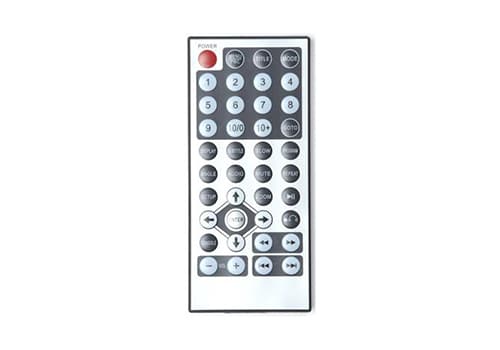
It plays DVDs and USB files, resumes a disc right where you left off after an ignition cycle, and the backlit buttons keep it simple for younger passengers. A wireless remote, a 12V cable and a hardwire kit are all included. There is no built-in speaker, so audio runs over the built-in FM transmitter through your car speakers, or to wireless headphones (sold separately).
| Make | Audiovox |
| Model | AVX10USB |
| Type | Portable headrest monitor |
| Screen Size | 10.1″ |
| Screen Resolution | 1024×600 |
| Disc/Media Support | DVD, CD, USB |
| Inputs (HDMI/AV/USB) | USB, AV in |
| Audio Out (wireless/FM/IR) | FM transmitter; wireless headphones (sold separately) |
| Power/Connection | 12V plug or included hardwire kit |
| Mounting | Universal headrest post adapters (strap-on) |
Reasons to buy
- Universal fit moves easily from one vehicle to another
- Good screen and simple, backlit buttons make it a pleasure to use
- Resumes the DVD where you left off after the key cycles
Reasons not to buy
- Front headrests must be removable to mount it
- No built-in speaker — needs headphones or the FM transmitter through your car speakers
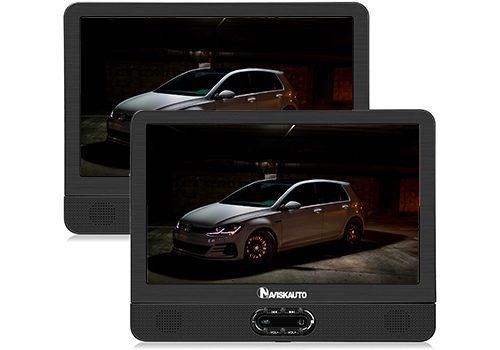
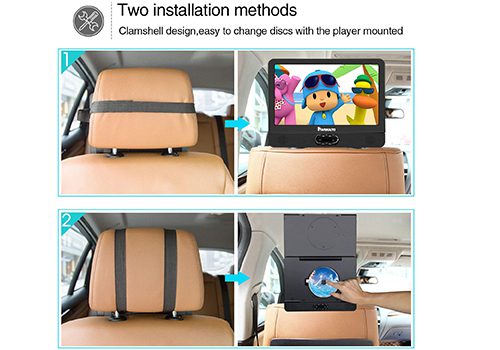
NAVISKAUTO 12″ Portable Dual Screen DVD Player
CarAudioNow may earn a commission from retailer links. Brands do not influence the recommendations.
Why I picked it
This is the budget way to put a screen in front of both rear seats — you get two 12-inch monitors for roughly what a single high-end unit costs, and a built-in battery keeps cables (and tripping hazards) to a minimum. It plays most DVD and CD formats and mirrors the same movie on both screens, so it’s an easy clamshell to grab for road trips.
The trade-off is resolution: at 720×576 it’s fine for cartoons and TV shows but soft for detailed movies, and there’s no Bluetooth, so you’ll use the built-in speakers or a wired headphone jack. The headrest straps also limit tilt and won’t fit every post, so check your seats first.
| Make | NAVISKAUTO |
| Model | 12″ Portable Dual Screen |
| Type | Portable dual-screen DVD player |
| Screen Size | 12″ (×2 screens) |
| Screen Resolution | 720×576 ⚑ |
| Disc/Media Support | DVD, CD (no Blu-ray) |
| Inputs (HDMI/AV/USB) | USB, SD, AV in/out |
| Audio Out (wireless/FM/IR) | Built-in speakers; headphone jack (no Bluetooth) |
| Power/Connection | Built-in battery; 12V car charger |
| Mounting | Headrest straps (both front seats) |
Reasons to buy
- Two 12″ screens for about the price of one
- Clamshell design and battery are great for travel
- Plays the same movie on both screens
Reasons not to buy
- Low 720×576 resolution
- Straps restrict tilt and may not fit all headrests
- No Bluetooth connectivity
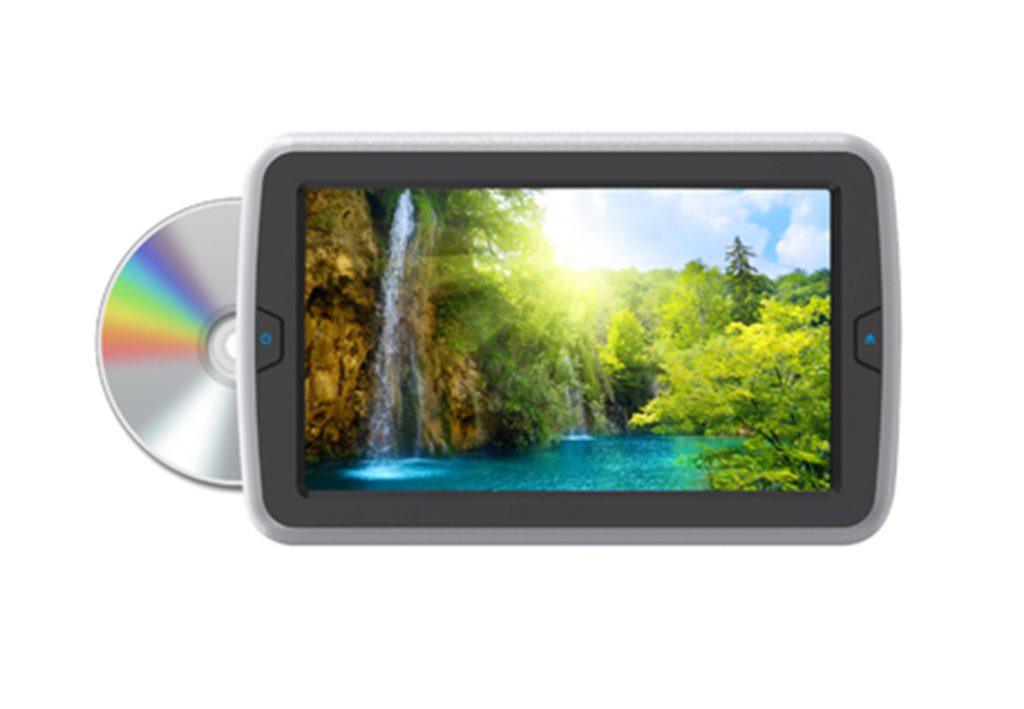
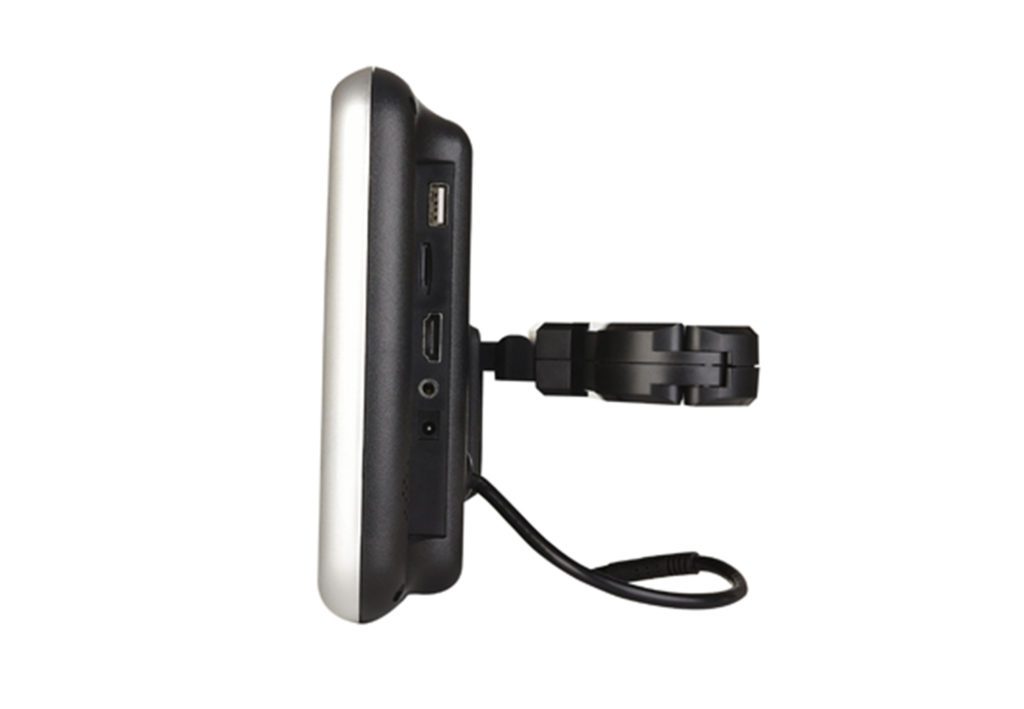
Accele DVD9855
CarAudioNow may earn a commission from retailer links. Brands do not influence the recommendations.
Why I picked it
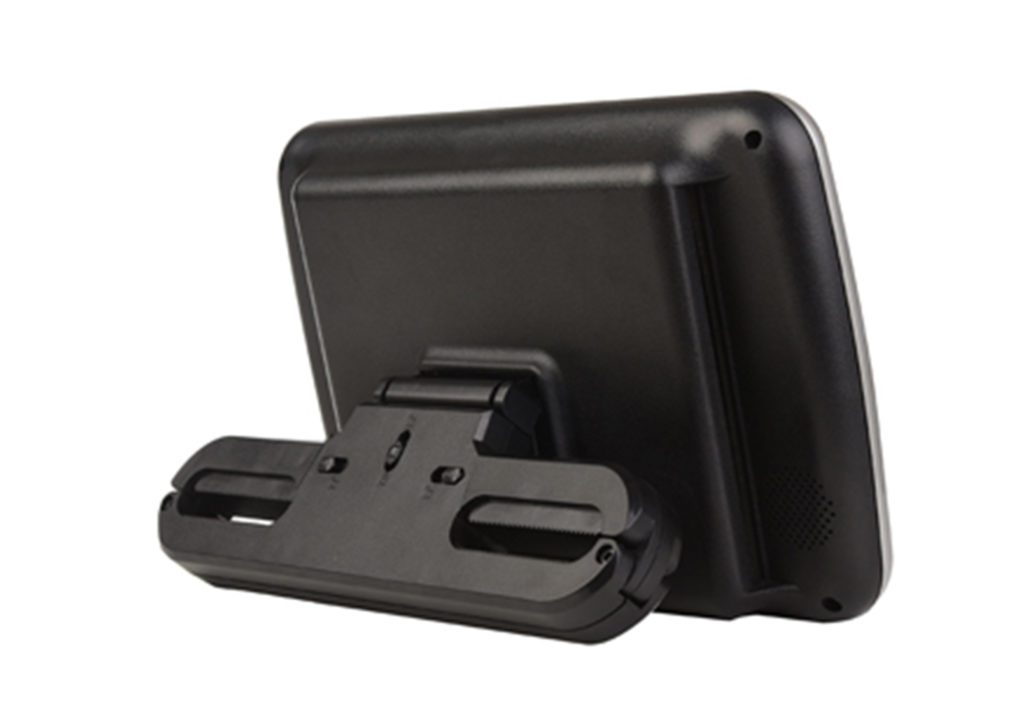
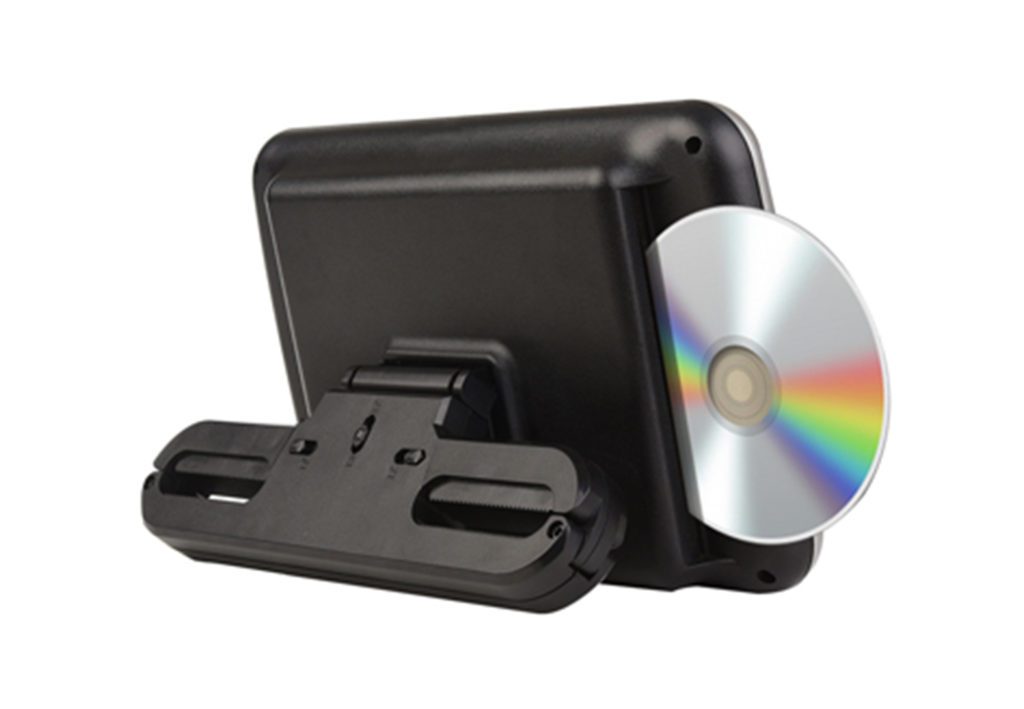
The DVD9855 splits the difference between a strap-on portable and a fully built-in headrest: it’s a universal headrest platform with the DVD player built in, so it mounts to your factory front headrests without custom fabrication or carrying a separate device. The 9-inch screen is a comfortable size for kids and adults alike, with good viewing angles so the whole back seat can watch together.
Display quality is good rather than great at 800×480 — more than enough for movies and shows on a screen this size. It comes with the wiring and a remote, and because it’s sold individually you can add a second for the other seat.
| Make | Accele |
| Model | DVD9855 |
| Type | Universal-mount headrest monitor (DVD) |
| Screen Size | 9″ |
| Screen Resolution | 800×480 |
| Disc/Media Support | DVD, CD |
| Inputs (HDMI/AV/USB) | AV in (wiring included) |
| Audio Out (wireless/FM/IR) | IR to wireless headphones; headphone jack |
| Power/Connection | Hardwire (wiring included) |
| Mounting | Universal headrest platform (sold individually) |
Reasons to buy
- Built-in DVD with no separate device to carry
- Universal headrest mount fits most front seats
- Good viewing angles for the back seat
Reasons not to buy
- Standard 800×480 resolution
- Sold individually — buy two for both seats
- Requires a wiring / hardwire install
Jekero 16.9in Portable DVD Player
CarAudioNow may earn a commission from retailer links. Brands do not influence the recommendations.
Why I picked it
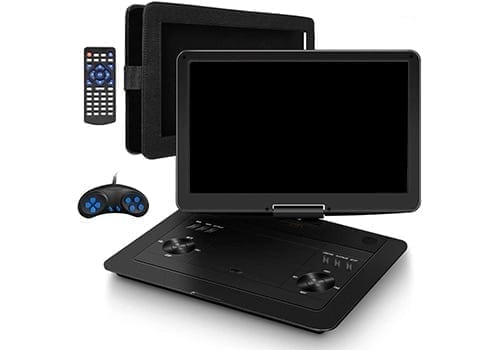
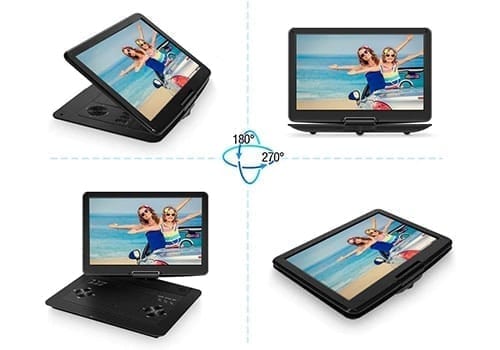
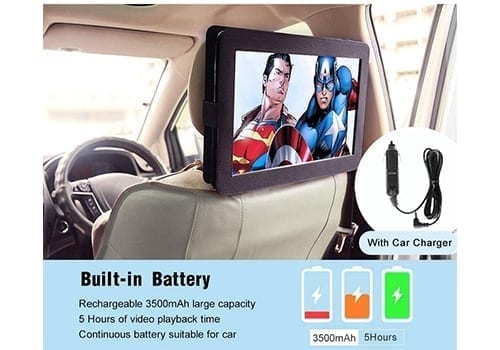
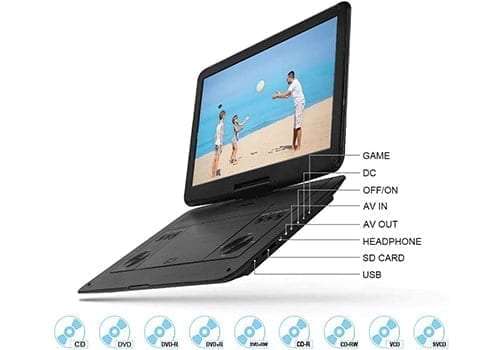
The Jekero is our budget pick and, conveniently, the largest screen on the list — a 16.9-inch clamshell at 1280×800 that’s just as happy strapped to a headrest as it is on a kitchen table. It plays every current DVD format (even burned discs), takes USB and SD cards, and even throws in a gaming controller with classic games. A 3,500 mAh battery delivers about five hours and remembers your spot when the car shuts off.
It isn’t perfect at this price: the headrest mount is flimsy with little tilt and the big body can crowd front passengers, the IR remote needs precise aim, and there’s no Bluetooth (wired headphones or the built-in speakers only). Measure your headroom before buying to be sure it fits.
| Make | Jekero |
| Model | 16.9″ Portable DVD Player |
| Type | Portable clamshell DVD player |
| Screen Size | 16.9″ |
| Screen Resolution | 1280×800 |
| Disc/Media Support | DVD, CD (no Blu-ray); USB, SD |
| Inputs (HDMI/AV/USB) | USB, SD, AV in/out |
| Audio Out (wireless/FM/IR) | Built-in speakers; wired headphones (no Bluetooth) |
| Power/Connection | Built-in 3,500 mAh battery (~5 hrs); 12V charger |
| Mounting | Headrest strap mount (measure first) |
Reasons to buy
- Largest 16.9″ screen on the list
- Big-screen entertainment at a budget price
- Battery and resume make it great for travel
Reasons not to buy
- Flimsy headrest mount with limited tilt
- Finicky IR remote
- No Bluetooth — wired headphones only
Audiovox AVXMTGHR9HD
9″ built-in headrest monitor · DVD + HDMI
CarAudioNow may earn a commission from retailer links. Brands do not influence the recommendations.
Why I picked it
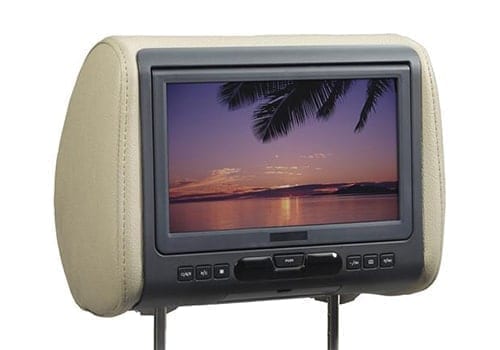
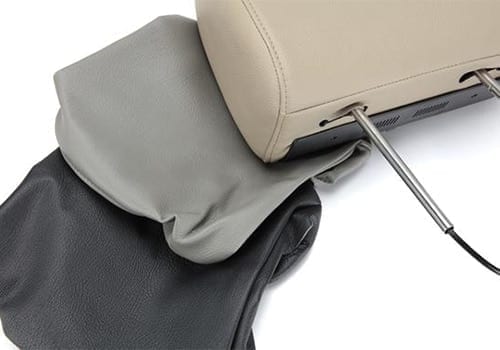
If you want video built right into the seats — no monitor hanging off the headrest — this 9″ Audiovox is my built-in pick. The 9″ screen is large for a headrest player and looks professional once installed, and it ships with three cover colors plus a range of post adapters to fit most seats. The 800×480 resolution is on the low side, and the screen tilts only by tilting the whole headrest.
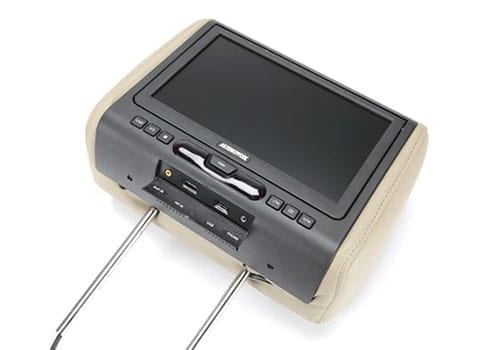
It plays every current DVD format except Blu-ray (including DVD-R/RW and copy-protected discs) and adds HDMI, USB and Aux inputs for a phone, Fire Stick or Apple TV. Big, kid-friendly buttons and an easy load make disc changes simple. It is built for permanent installation — you get the wiring harness but no 12V plug — so the hard part is pulling the seat back to run power.
| Make | Audiovox |
| Model | AVXMTGHR9HD |
| Type | Built-in headrest monitor |
| Screen Size | 9″ |
| Screen Resolution | 800×480 |
| Disc/Media Support | DVD (DVD-R/RW, copy-protected); no Blu-ray |
| Inputs (HDMI/AV/USB) | HDMI, USB, Aux in |
| Audio Out (wireless/FM/IR) | IR to headphones or car stereo; headphone jack |
| Power/Connection | Hardwire harness (12V plug optional) |
| Mounting | Replaces headrest; post adapters (3 colors) |
Reasons to buy
- Looks professional, built into the seat
- HDMI and IR add expandability and a more immersive feel
Reasons not to buy
- Resolution is fairly low (800×480)
- Install is time-consuming and can be tricky
- Cover colors may not match your interior
Xtrons HD908H
CarAudioNow may earn a commission from retailer links. Brands do not influence the recommendations.
Why I picked it
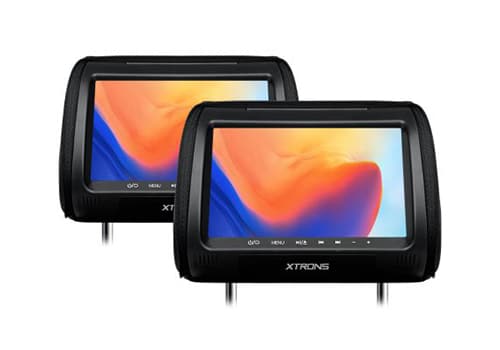
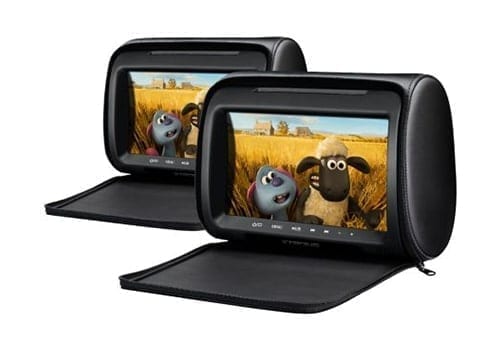
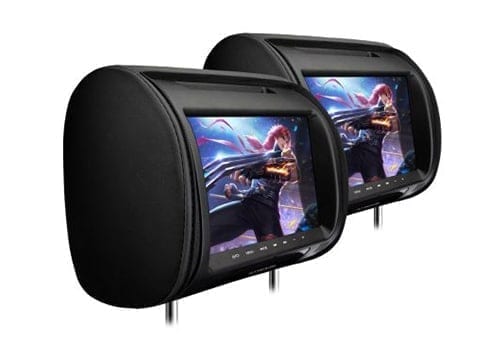
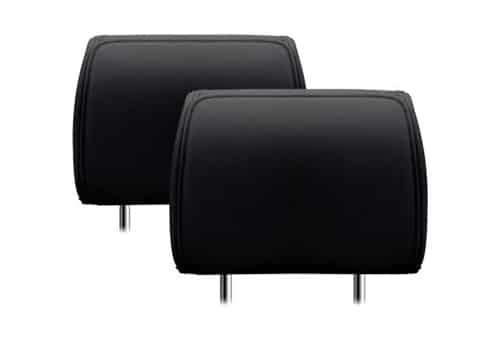
Where most picks here are a single screen, the HD908H is a matched pair of replacement headrests, each with its own 9-inch DVD/CD player — and unlike mirrored systems, each side can play different content. Every headrest has an HDMI port for a Firestick, console or streaming device, plus an IR transmitter (Xtrons includes two headphone sets) and an FM transmitter to feed the car stereo.
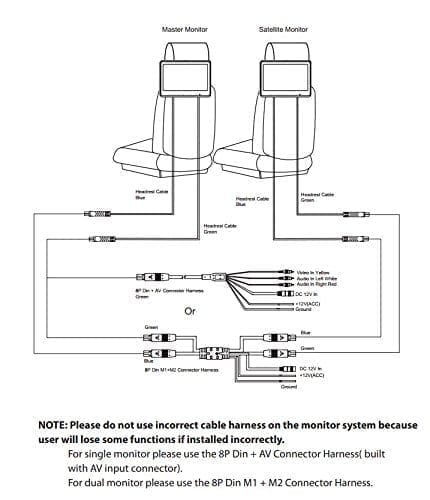
It’s the most install-heavy pick: the headrests run on 12V accessory plugs out of the box, so a clean, permanent install means hardwiring both — a job that isn’t for the faint of heart. They’re also only available in black, and the manufacturer doesn’t publish a screen resolution.
| Make | XTRONS |
| Model | HD908H |
| Type | Built-in headrest monitors (matched pair) |
| Screen Size | 9″ (×2) |
| Screen Resolution | Not published by mfr ⚑ |
| Disc/Media Support | DVD, CD |
| Inputs (HDMI/AV/USB) | HDMI (per headrest) |
| Audio Out (wireless/FM/IR) | IR to wireless headphones (2 sets incl.); FM transmitter |
| Power/Connection | 12V accessory cable (hardwire for clean install) |
| Mounting | Replacement headrests (matched pair, black only) |
Reasons to buy
- Matched pair of headrests, each plays different content
- HDMI input plus two headphone sets included
- IR and FM audio routing built in
Reasons not to buy
- Only available in black
- Manufacturer doesn’t publish the resolution
- A clean install means hardwiring both screens
Yesbay 7″ DVD Headrest Monitor
CarAudioNow may earn a commission from retailer links. Brands do not influence the recommendations.
Why I picked it
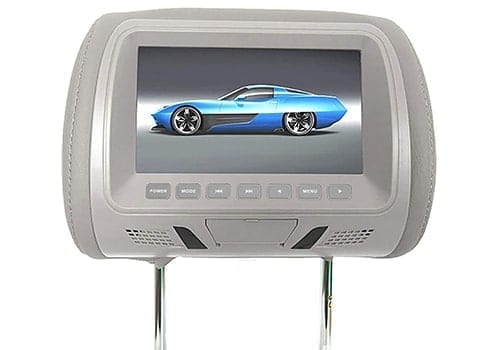
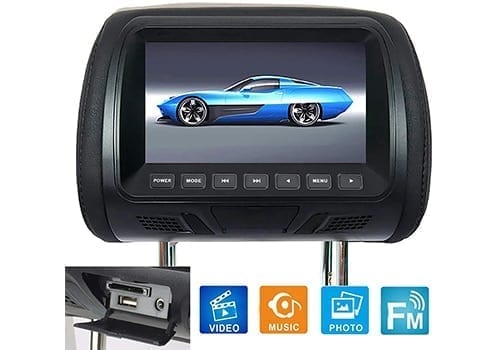
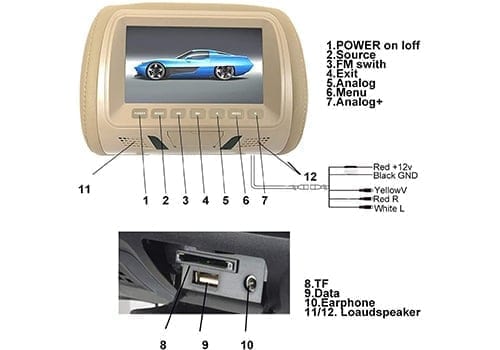
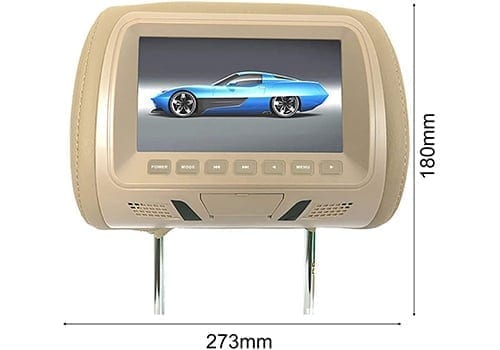
If you want a built-in headrest screen for the back seat without spending much, the Yesbay is the basic-but-honest budget option. The 7-inch 800×480 panel is adequate for its size, it plays most DVD and CD formats (no Blu-ray), and it’s designed to hardwire in with the included wiring and remote. The headrest has small built-in speakers plus a jack for wired headphones.
You’re trading features for price: there’s no HDMI port and no IR transmitter, the resolution is below average, and it’s sold individually, so you’ll buy two to cover both seats. It does come in black, grey or beige to suit most interiors.
| Make | Yesbay |
| Model | Universal Headrest DVD Player |
| Type | Built-in headrest monitor (DVD) |
| Screen Size | 7″ |
| Screen Resolution | 800×480 |
| Disc/Media Support | DVD, CD (no Blu-ray) |
| Inputs (HDMI/AV/USB) | AV in (wiring included) — no HDMI |
| Audio Out (wireless/FM/IR) | Small built-in speakers; headphone jack (no IR) |
| Power/Connection | Hardwire (wiring included) |
| Mounting | Replacement headrest (sold individually; black/grey/beige) |
Reasons to buy
- Affordable built-in headrest option
- Available in black, grey or beige
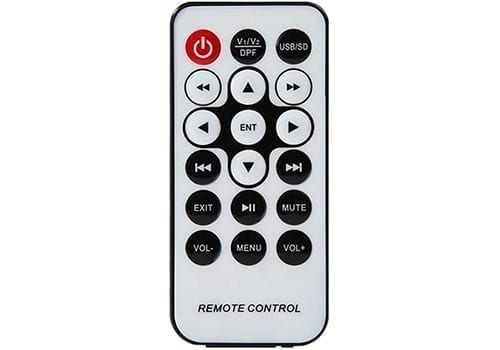
- Includes wiring and a remote
Reasons not to buy
- Below-average resolution for the size
- No HDMI port or IR transmitter
- Sold individually — buy two for both seats
Measure your headrest before you order
Most of these need removable front headrests with standard posts. Check your post spacing, whether your headrests come off, and whether your car uses active head restraints — and remember several picks are sold individually, so you’ll buy two to cover both seats.
Headrest video FAQs
Do these play DVDs on their own?+
Most do — the portable players (Naviskauto, Jekero) and the built-in headrests (Audiovox, Accele, Xtrons, Yesbay) all have a disc drive. Blu-ray generally isn’t supported, so check the spec table above if you need a specific format.
How do passengers hear the audio?+
Three common ways: IR wireless headphones (best for not distracting the driver), an FM or AUX feed to the car speakers, or the unit’s own built-in speakers. Headphones keep the cabin quiet; the FM link is handy when everyone wants to listen together.
Portable vs. built-in headrest — which should I get?+
A portable straps on and moves between cars (and doubles as a home/travel player), while a built-in replacement headrest looks factory-clean but needs wiring and a more involved install. If you want flexibility, go portable; if you want a permanent, tidy look, go built-in.
Can I stream Netflix or use a Firestick?+
Yes, on the units with an HDMI input — plug in a Firestick, Roku or Apple TV and pair it with a mobile hotspot. My how to get WiFi in your car guide covers the easiest ways to get a connection for streaming.
Will these work with my car’s headrests?+
You generally need removable front headrests with standard posts. If your car has active head restraints (which help in a crash), it’s best to keep the factory headrest and use a strap-on monitor rather than a replacement. Several picks are sold individually, so buy two to cover both seats.
More reviews & comparisons
Go deeper on rear-seat entertainment, streaming and the gear behind these picks.
Why trust CarAudioNow?
