
Best Flip Down Car Video & DVD Players (Tested) – 2026 Buyer's Guide
The overhead flip-down monitors I’d actually mount in a family vehicle — five picks by use-case, from the best overall screen to the best budget all-in-one. A focused deep-dive within my In-Car Entertainment guide.

Why I built this guide
A flip-down (overhead) monitor is the move when you want one big screen the whole back row watches together — movies on a road trip without handing out separate devices. The install is the real work: it roof-mounts and has to be wired cleanly up the headliner to switched power.
These are the overhead flip-downs I’d actually mount in a family vehicle, ranked by use-case below.
Compare my 5 flip-down monitor picks
| Best for ↕ | My pick ↕ | Screen Size ↕ | Screen Resolution ↕ | Rating ↕ | Buy |
|---|---|---|---|---|---|
| Best Overall | 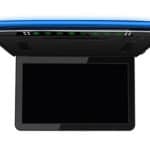 XTRONS CM136HD XTRONS CM136HD | 13.3″ | 1920×1080 | Buy Now $219.89 on Amazon | |
| Best with Built-In DVD | 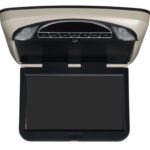 Voxx VXMTG13 Voxx VXMTG13 | 13.3″ | 1920×1080 | Buy Now $579.99 on Crutchfield | |
| Biggest Screen | 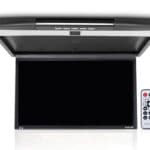 Pyle PLRV1725 Pyle PLRV1725 | 17.3″ | 1680×800 | Buy Now $190.76 on Amazon | |
| Best Factory Look | 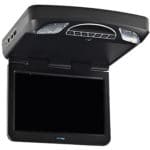 Voxx MTG13UHD Voxx MTG13UHD | 13.3″ | 1024×600 ⚑ | View pick → | |
| Best Budget |  Rockville RVD12HD-BK Rockville RVD12HD-BK | 12″ | 800×400 | View pick → |
CarAudioNow may earn a commission from retailer links. Brands do not influence the recommendations.
How we test & choose flip-down monitors
We mount and live with the same overhead flip-down monitors featured here in real family vehicles. Instead of chasing spec sheets, we focus on what matters on a long drive: a screen that stays watchable in a bright cabin, audio that reaches the back seat without distracting the driver, and a clean install that clears the headliner.
Judge real-world brightness and viewing angle in daylight, and whether the panel’s resolution suits its size — a big screen with low resolution can look soft up close.
Confirm what plays natively (built-in DVD vs. input-only) and test USB, SD, HDMI and RCA for streaming sticks, consoles and remote disc players.
Check IR wireless headphones for sync and comfort, the FM transmitter feed to the car stereo, and any built-in speakers — without bleeding sound up to the driver.
Verify roof/headliner fit around sunroofs, vents and grab handles, and that the open screen clears the rear-view mirror sightline.
Assess remote feel, resume-after-stop behavior, boot-to-video time, and how easily kids can run it from the back seat.
Why an Overhead Flip-Down Monitor — and Who This List Is For
- You want one big screen for the whole back seat A roof-mounted monitor gives every rear passenger the same view — ideal for keeping kids (or friends) entertained on long drives without a screen per seat.
- You already have a video head unit Feed video from a head unit’s output to the flip-down over HDMI or RCA so the picture plays overhead while audio runs through your stereo.
- You want a built-in DVD player Not every flip-down spins discs — if DVD or Blu-ray playback matters, pick a unit with a built-in drive (several here have one).
- You’d rather stream Use the HDMI input with a Firestick, Roku or your phone, then add a hotspot — see how to get WiFi in your car — to stream Netflix or YouTube on the road.
- It has to fit your roof Screen size drives how much headliner the unit needs and whether it clears your mirror; bigger isn’t always better in a compact cabin.
My top flip-down monitor picks
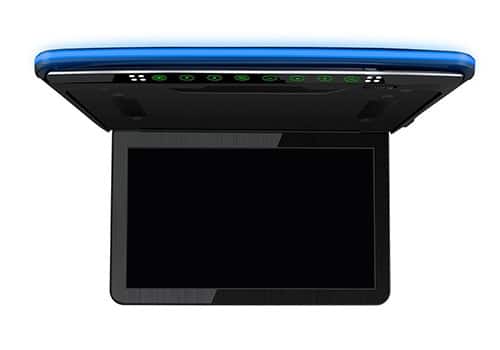
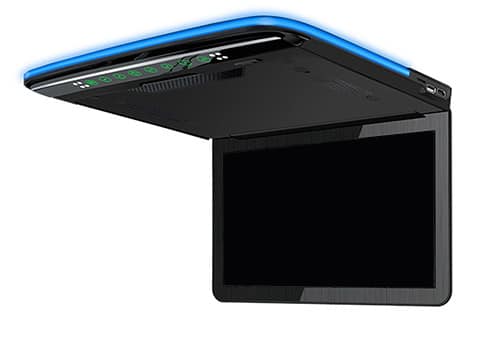
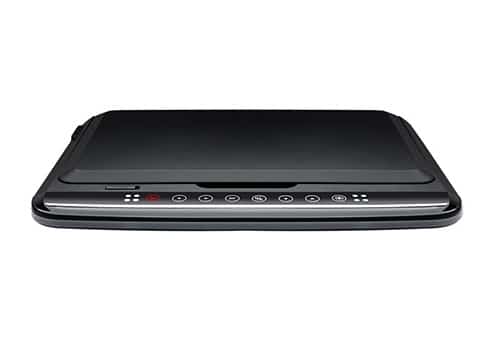
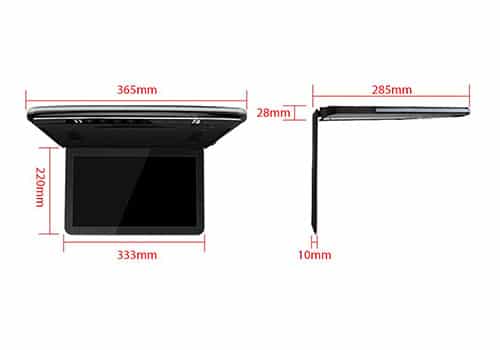
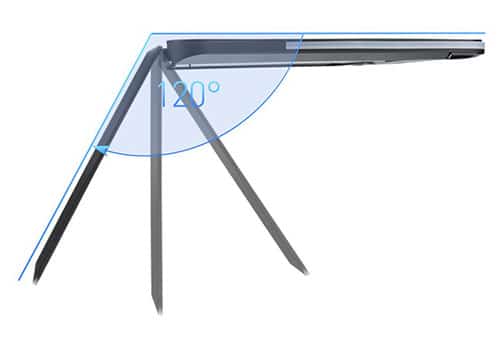
XTRONS CM136HD
13.3″ flip-down overhead monitor · FHD, HDMI/USB/SD
CarAudioNow may earn a commission from retailer links. Brands do not influence the recommendations.
Why I picked it
For a single overhead screen that keeps the whole back seat watching the same thing, the CM136HD is my flip-down pick. XTRONS packs in genuinely good tech: a full 1920×1080 panel with a 16:9 widescreen and 300:1 contrast that stays viewable even in a bright cabin, and it falls back gracefully on lower-resolution files.
It does not play discs itself — you feed it over USB, HDMI, SD card or RCA from a remote DVD player, streaming stick or console. Audio goes out over an IR transmitter to wireless headphones or an FM transmitter to your stereo; there are no built-in speakers. The compact 13.3″ size looks factory once it is mounted, though it can feel small in a large SUV or van.
| Make | XTRONS |
| Model | CM136HD |
| Type | Flip-down overhead monitor |
| Screen Size | 13.3″ |
| Screen Resolution | 1920×1080 |
| Disc/Media Support | No disc — USB, SD, HDMI, RCA input |
| Inputs (HDMI/AV/USB) | HDMI, USB, SD, RCA |
| Audio Out (wireless/FM/IR) | IR headphones; FM transmitter |
| Power/Connection | 12V hardwire (roof mount) |
| Mounting | Overhead roof / ceiling mount |
Reasons to buy
- High-resolution panel with great color and wide viewing angles
- Compact design looks factory once installed
Reasons not to buy
- No on-board speakers — needs headphones or a stereo connection
- 13.3″ can feel small in large SUVs or vans
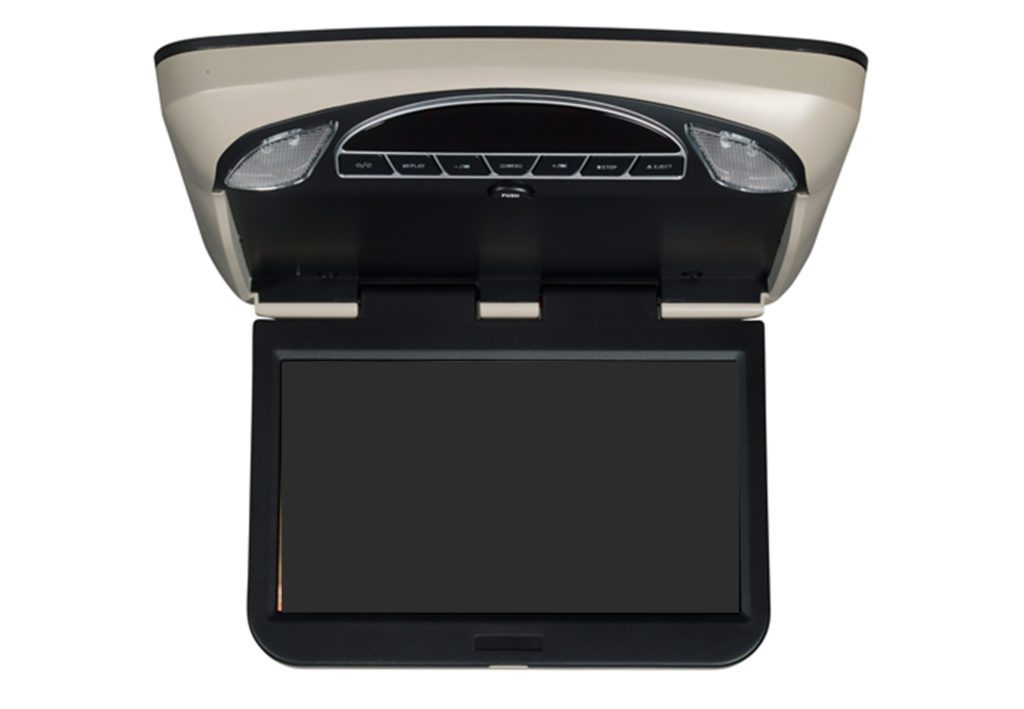
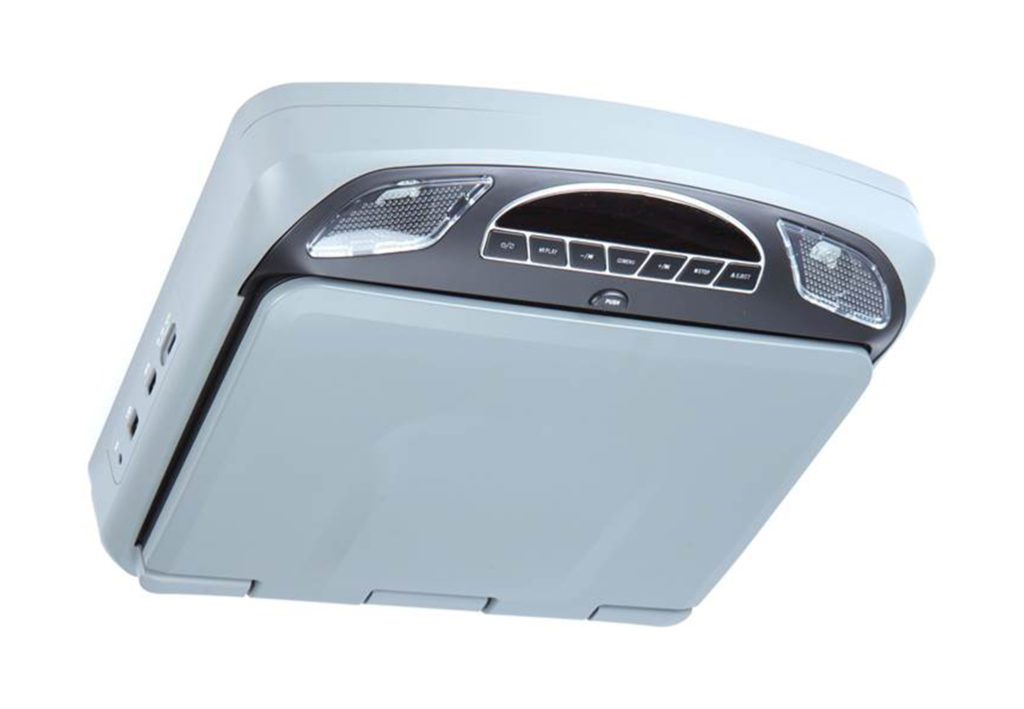
Voxx VXMTG13
CarAudioNow may earn a commission from retailer links. Brands do not influence the recommendations.
Why I picked it
The VXMTG13 is the pick if picture quality matters most but you still want a disc player on board. It pairs a sharp 1920×1080 panel with a built-in DVD drive — a combination none of the other discs-included units here match — and the wide viewing angle keeps the image clean for passengers on both sides.
Connections cover HDMI, AUX and USB for streaming sticks and phones, with a 100-channel FM transmitter to your stereo and an IR transmitter for wireless headphones. The flip-down body is on the larger side, so confirm your headliner clearance before buying.
| Make | VOXX |
| Model | VXMTG13 |
| Type | Flip-down overhead monitor (DVD) |
| Screen Size | 13.3″ |
| Screen Resolution | 1920×1080 |
| Disc/Media Support | Built-in DVD |
| Inputs (HDMI/AV/USB) | HDMI, USB, AUX |
| Audio Out (wireless/FM/IR) | IR headphones; 100-ch FM transmitter |
| Power/Connection | 12V hardwire (roof mount) |
| Mounting | Overhead roof / ceiling mount |
Reasons to buy
- Sharp 1080p display with a wide viewing angle
- Built-in DVD plus HDMI, AUX and USB inputs
- Strong value for the picture quality
Reasons not to buy
- Larger flip-down body needs headliner clearance
- Manufacturer screen-size spec is inconsistent (10.3″ vs 13″)
Pyle PLRV1725
CarAudioNow may earn a commission from retailer links. Brands do not influence the recommendations.
Why I picked it
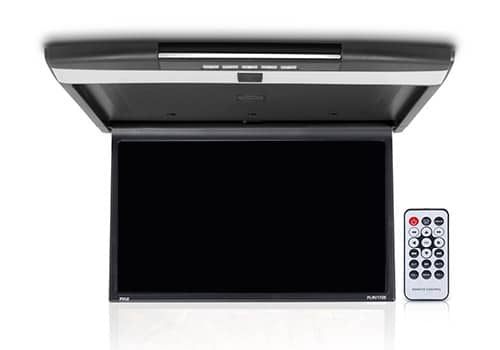
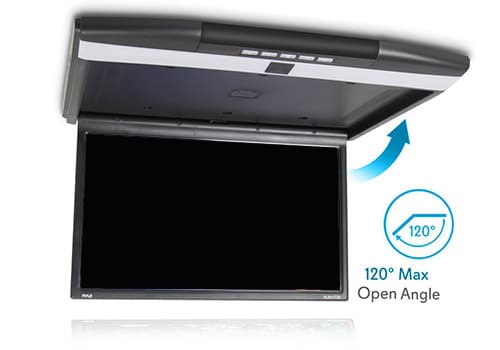
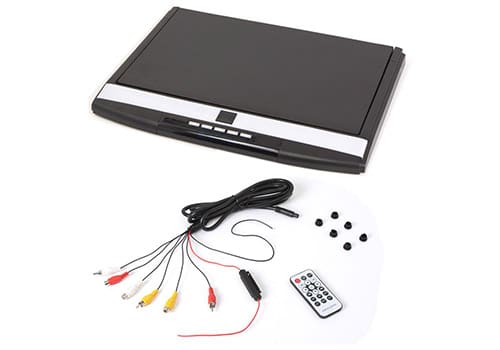
If you want the biggest possible picture, the 17.3″ PLRV1725 is the screen to beat on this list — great for filling a large SUV, van or RV where a 13″ panel feels lost. It runs 1680×800 in 16:9 widescreen, and instead of a disc drive it leans on USB, HDMI, SD and RCA inputs, so you can plug in a Firestick, Apple TV or game console.
It’s also one of the few here with built-in stereo speakers plus an IR transmitter for wireless headphones and an FM transmitter to your stereo, so you have audio options out of the box. A few owners note the audio output can be inconsistent, so plan to route sound through headphones or the FM link for the most reliable result.
| Make | Pyle |
| Model | PLRV1725 |
| Type | Flip-down overhead monitor |
| Screen Size | 17.3″ |
| Screen Resolution | 1680×800 |
| Disc/Media Support | No disc — USB, SD, HDMI, RCA input |
| Inputs (HDMI/AV/USB) | HDMI, USB, SD, RCA |
| Audio Out (wireless/FM/IR) | IR headphones; FM transmitter; built-in speakers |
| Power/Connection | 12V hardwire (roof mount) |
| Mounting | Overhead roof / ceiling mount |
Reasons to buy
- Largest 17.3″ screen on the list
- Sleek design that complements many interiors
- Built-in speakers plus headphone and FM audio options
Reasons not to buy
- No built-in disc player (streaming / HDMI only)
- Some owners report inconsistent audio output
Voxx MTG13UHD
CarAudioNow may earn a commission from retailer links. Brands do not influence the recommendations.
Why I picked it
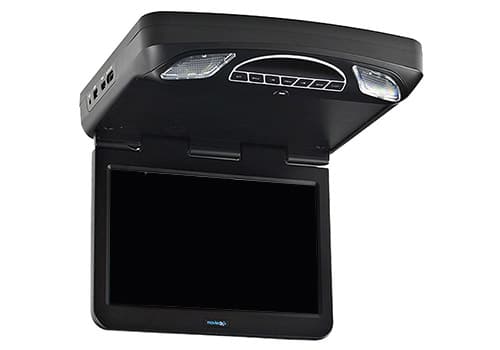
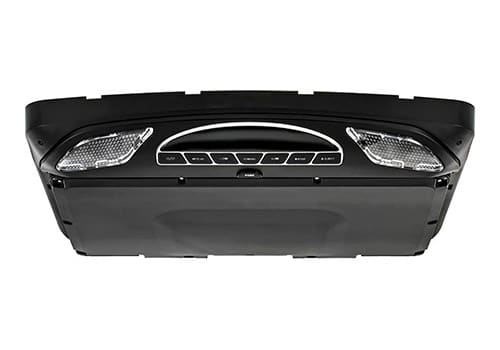
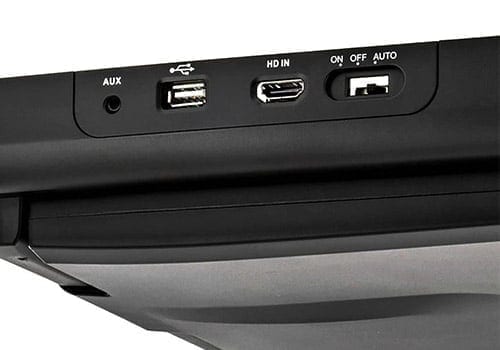
The MTG13UHD is the pick when you want a flip-down that disappears into the headliner. VOXX includes three swappable skins — shale, pewter and black — so the housing matches your interior, and the hidden USB and HDMI inputs keep the install clean. Unlike my top XTRONS pick, this one plays DVD/R/RW discs on its own, and the 100-channel FM transmitter hardwires easily to push audio through the car stereo (the USB port even charges devices at 2.1A).
The trade-off is resolution: at 1024×600 the panel is a step below the 1080p units here, so it looks its best on TV shows and casual viewing rather than detailed movies. A couple of owners have flagged the screen latch and remote as weak points over time, so handle the lid gently.
| Make | VOXX |
| Model | MTG13UHD |
| Type | Flip-down overhead monitor (DVD) |
| Screen Size | 13.3″ |
| Screen Resolution | 1024×600 ⚑ |
| Disc/Media Support | Plays DVD/R/RW |
| Inputs (HDMI/AV/USB) | HDMI/MHL, USB, SD, RCA |
| Audio Out (wireless/FM/IR) | IR headphones; 100-ch FM transmitter |
| Power/Connection | 12V hardwire; USB 2.1A charging |
| Mounting | Overhead roof / ceiling mount |
Reasons to buy
- Three swappable skins for a factory-matched look
- Plays DVDs on its own, with hidden USB/HDMI inputs
- Easy FM/IR audio routing plus USB device charging
Reasons not to buy
- Lower 1024×600 resolution than the 1080p picks
- Owners report screen-latch and remote reliability issues
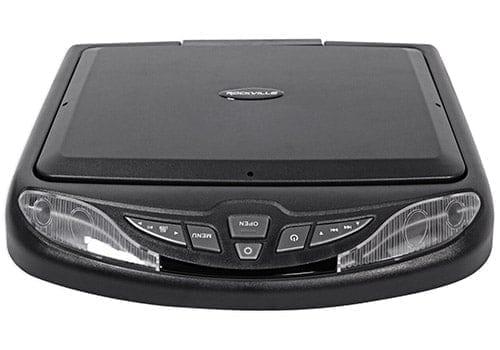
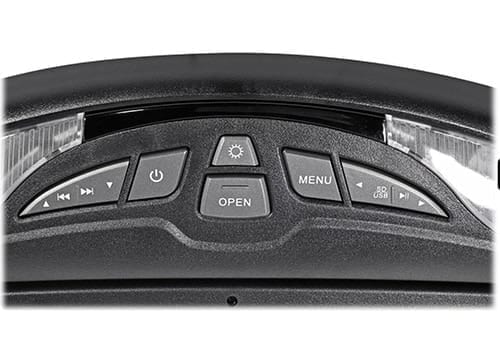
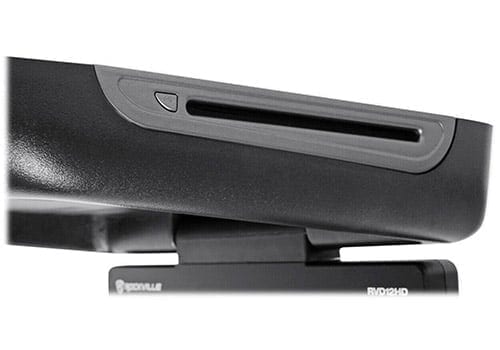
Rockville RVD12HD-BK
CarAudioNow may earn a commission from retailer links. Brands do not influence the recommendations.
Why I picked it
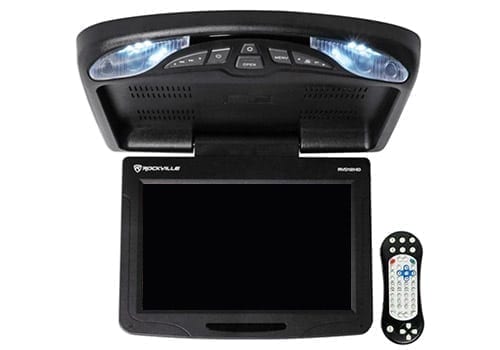
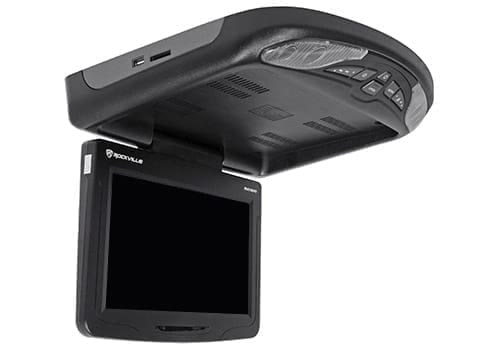
When you want a true all-in-one at the lowest price, the RVD12HD is hard to beat — Rockville builds and markets it as a complete kit, and it’s the rare flip-down that includes two fold-and-store wireless headphones in the box. It plays DVDs on its own and adds HDMI, USB, SD and dual AV inputs, so it’s surprisingly flexible for the money.
The 12″ 800×400 panel is smaller and lower-resolution than the pricier picks, which actually makes it a smart fit for compact SUVs and trucks where a giant screen would block the mirror. Built-in speakers, IR and FM transmitters round out the package, so most installs need nothing extra to get watching.
| Make | Rockville |
| Model | RVD12HD-BK |
| Type | Flip-down overhead monitor (DVD) |
| Screen Size | 12″ |
| Screen Resolution | 800×400 |
| Disc/Media Support | Built-in DVD; USB, SD |
| Inputs (HDMI/AV/USB) | HDMI, USB, SD, RCA (dual AV) |
| Audio Out (wireless/FM/IR) | IR headphones (2 incl.); FM transmitter; built-in speakers |
| Power/Connection | 12V hardwire (roof mount) |
| Mounting | Overhead roof / ceiling mount |
Reasons to buy
- Includes everything to install, including two wireless headphones
- Built-in DVD plus HDMI, USB and SD inputs
- Reliable, well-rounded value
Reasons not to buy
- Smaller 12″ screen at 800×400 resolution
- Best suited to compact vehicles
Check your roof clearance first
Flip-down monitors mount to the headliner, so measure around a sunroof, climate vents and grab handles, and confirm the open screen won’t block your rear-view mirror. Bigger isn’t always better — a 17″ panel can overwhelm a compact cabin.
Flip-down monitor FAQs
Do flip-down monitors play DVDs on their own?+
Some do, some don’t. Units like the Rockville RVD12HD, VOXX MTG13UHD and VXMTG13 have a built-in disc drive, while the XTRONS CM136HD and Pyle PLRV1725 are input-only — you feed them from a remote DVD player, USB, SD or an HDMI streaming device. Check the spec table above before you buy.
How do passengers hear the audio?+
Most flip-downs send sound three ways: an IR transmitter to wireless headphones (best for not distracting the driver), an FM transmitter to play through your car stereo, and on some models a pair of built-in speakers. Headphones keep the cabin quiet; the FM link is handy when everyone wants to listen together.
Can I stream Netflix or use a Firestick?+
Yes — if the monitor has an HDMI input, plug in a Firestick, Roku or Apple TV and pair it with a mobile hotspot. My how to get WiFi in your car guide covers the easiest ways to get a connection for streaming on the road.
What screen size should I get?+
Match it to your vehicle. A 17″ panel like the Pyle is great in a large SUV, van or RV but can dominate a small cabin and block the mirror; a 12–13″ screen suits most cars and crossovers. Measure your headliner and mirror sightline first.
Will it block my rear-view mirror?+
It can if the screen is large or mounted too far forward. Flip-downs fold up flush when closed, but the open screen sits below the headliner — confirm the mounting position keeps your mirror view clear, especially with bigger panels.
More reviews & comparisons
Go deeper on rear-seat entertainment, streaming and the gear behind these picks.
Why trust CarAudioNow?
