
Best Dashboard Cameras for Your Car (Tested) – 2026 Buyer's Guide
I break down my latest top-pick dash cams with quick, first-hand notes and spec callouts so you can match the camera to how you drive and park.

What a dash cam is really for
Fun road clips are great, but the #1 job of a dash cam is evidence — clear plates, context before and after an event, and a system that reliably saves locked files. That's the lens I use when I test. There are hundreds of SKUs that look similar; I've narrowed it to a short list based on hands-on use and long-term installs, so start with the comparison table, then jump into the sections for real-world notes.
For the full rundown of features to weigh — parking modes, HDR and stabilization, channels, GPS — see my evergreen guide on what to look for in a dash camera, and the dash cam hardwire guide for clean, factory-style power.
Why I built this guide
A dash cam is the cheapest insurance you can buy — it’s the footage that ends a he-said-she-said after a fender bender, and a good one keeps watching while you’re parked. The specs that actually matter aren’t the headline resolution; they’re night clarity, a parking mode that won’t kill your battery, and a camera that reliably saves the clip when it counts.
Here are the dash cams I’d actually run, matched to how you drive and park, ranked below.
Compare my 5 dash cam picks side by side
| Best for ↕ | My pick ↕ | Resolution ↕ | Field of View ↕ | Rating ↕ | Buy |
|---|---|---|---|---|---|
| Best Overall | 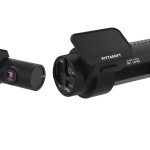 BlackVue DR970X-2CH Plus II BlackVue DR970X-2CH Plus II | Buy Now $292.79 on Amazon | |||
| Best Dual | 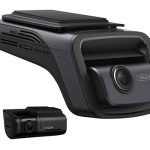 THINKWARE U3000 THINKWARE U3000 | 4K front / 2K (QHD) rear | 158° / 128° | Buy Now $416.22 on Amazon | |
| Best 4K Value | 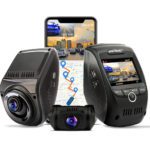 Rexing V1P Max Rexing V1P Max | 4K front / 1080p rear | 170° / 170° | View pick → | |
| Best Sensors | 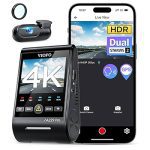 VIOFO A229 Pro VIOFO A229 Pro | 4K front (2160p) / 2K rear (1440p) @30fps | 140° / 160° | Buy Now $279.99 on Amazon | |
| Best for Rideshare | 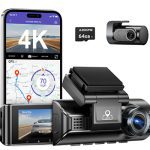 AZDOME M550 Pro AZDOME M550 Pro | Up to 4K front / 1080p in & rear (2.5K front w/ all 3) | ~150° each | Buy Now $110.49 on Amazon |
CarAudioNow may earn a commission from retailer links. Brands do not influence the recommendations.
How we test & choose dash cams
I install and daily-drive the same types of dash cams featured here — front/rear 4K systems, budget 4K dual-channels, 3-channel rideshare kits, and feature-rich options. I'm looking for day/night plate clarity, reliable parking protection, clean installs, and solid app/cloud usability.
Plate readability, stabilization/HDR handling, and low-light performance.
Front/rear alignment, and interior IR exposure balance on 3-channel kits.
Hardwired modes (impact, motion, time-lapse), voltage-cutoff behavior, and battery-pack readiness.
Adhesive stability, cable routing to the fuse box, supercapacitor vs internal battery, and summer heat tolerance.
GPS/speed stamping, Wi-Fi transfers, firmware updates, and — when supported — cloud live view/alerts and LTE add-ons.
Boot-to-record speed, loop-recording reliability, locked-file behavior, and microSD endurance.
Questions that decide your pick
- One, two, or three channels? Front-only suits simple coverage; front + rear is the sweet spot for most drivers; rideshare drivers want a 3-channel kit with interior IR. Match channels to how you drive.
- Do you need parking protection? Hardwiring gives you true parking mode — impact, motion, and buffered capture that records before and after a trigger. Set the voltage cutoff so it will not drain your starter battery.
- How important is night & plate clarity? Look for HDR/WDR and modern sensors (Sony STARVIS 2). A G-sensor locks important clips so they are not overwritten, and stabilization keeps plates readable on rough roads.
- GPS, Wi-Fi, and cloud? GPS stamps speed and location for disputes; Wi-Fi makes clip transfers painless; cloud/LTE (BlackVue, Nextbase iQ) adds live view and alerts — usually on a subscription.
- What about storage? Match loop length and bitrate to your card. Use a high-endurance microSD and format it in-camera on a schedule to avoid write errors.
My top 6 dash cams — 2026 reviews
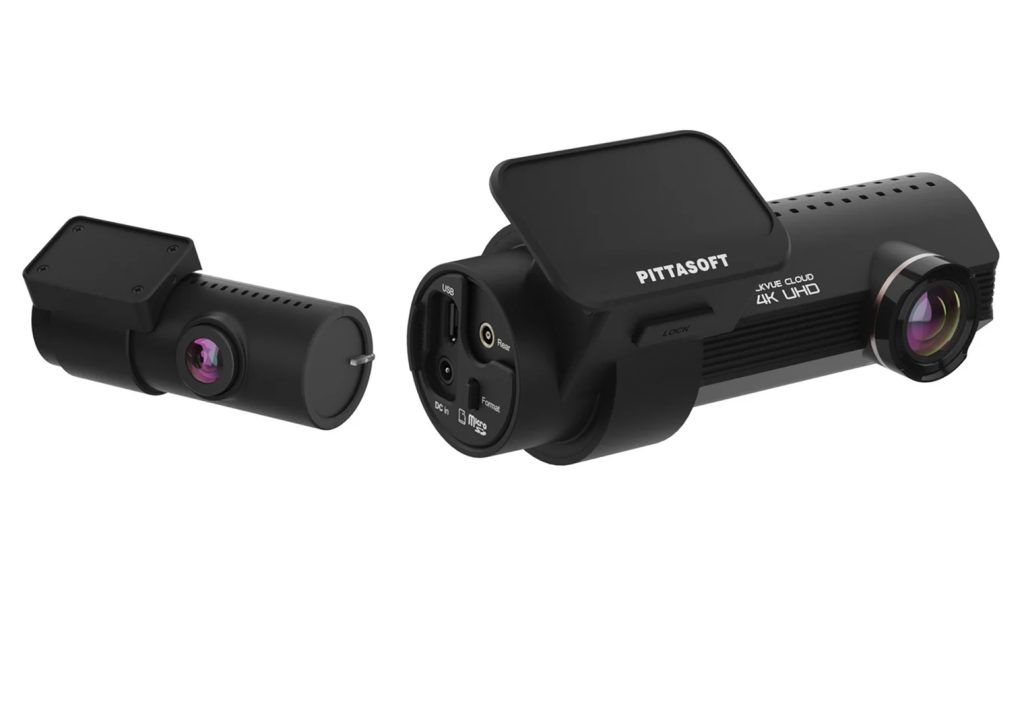
BlackVue DR970X-2CH Plus II
4K front + rear cloud dash cam, STARVIS 2
CarAudioNow may earn a commission from retailer links. Brands do not influence the recommendations.
Why I picked it
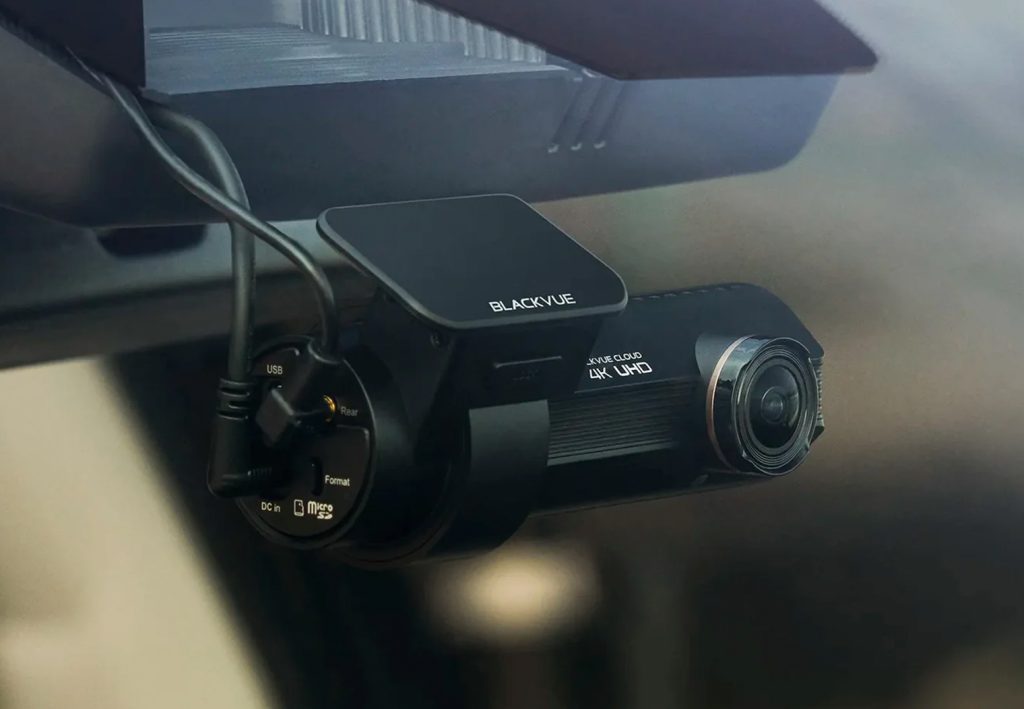
The DR970X-2CH Plus II is my top overall pick for one reason above the rest: its night footage. It uses Sony's newest low-light sensors (STARVIS 2), so after dark — when most dash cams turn license plates into a blur — this one keeps them readable. It films the road ahead in 4K and the view behind in Full HD, which keeps plates legible without filling your card too fast. I've installed and daily-driven BlackVue's tube cameras for years — you can see how they go in and hold up in my X-Series unbox, a full install and a DR900X road test. The camera is a slim tube that tucks behind your mirror, starts recording almost instantly, and tolerates summer windshield heat. Built-in Wi-Fi, GPS and BlackVue's cloud service (with an optional cellular add-on) let you grab clips and check the car from your phone, and parking mode keeps watching while you're away — with battery protection so it won't drain your starter when wired in. It now takes memory cards up to 1TB, so it records far longer before looping. The trade-offs: it gets pricey with the cellular option and accessories, there's no screen on the camera (everything's in the app), and it wants a good high-endurance card you'll reformat now and then. But for the best all-around day-and-night protection in a camera nobody notices, it's still the one I'd put on my own car.| Type | 4K dual-channel (front + rear) cloud dash cam |
| Front resolution | 4K UHD 30fps (Sony STARVIS 2) |
| Rear | Full HD (STARVIS) |
| Features | HDR, GPS, Wi-Fi, Bluetooth |
| Parking mode | Yes (buffered) |
| Cloud / LTE | Optional (cloud-capable) |
| Storage | microSD up to 1TB |
Reasons to buy
- Newest Sony night sensors — plates stay readable after dark
- 4K front + Full HD rear; handles glare well
- Slim hidden tube; starts recording almost instantly
- Cloud + optional cellular; parking watch with battery protection; up to 1TB
Reasons not to buy
- Gets pricey with the cellular option + accessories
- No screen on the camera (phone app only)
- Needs a good high-endurance card, reformatted occasionally
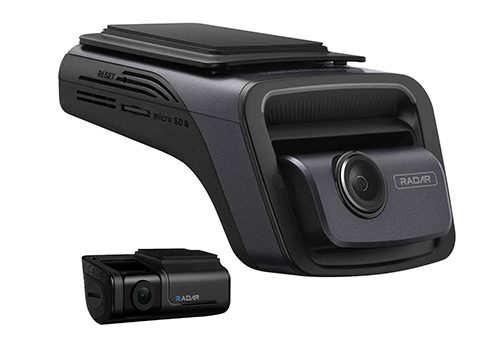
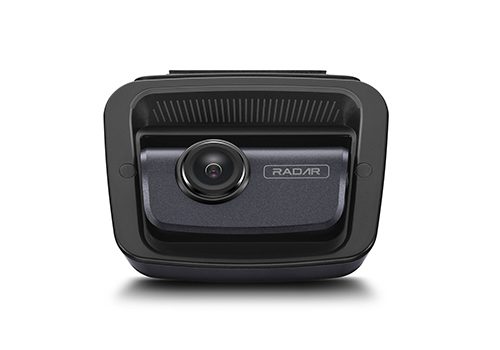
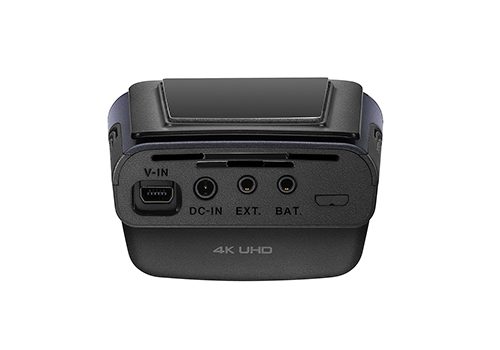
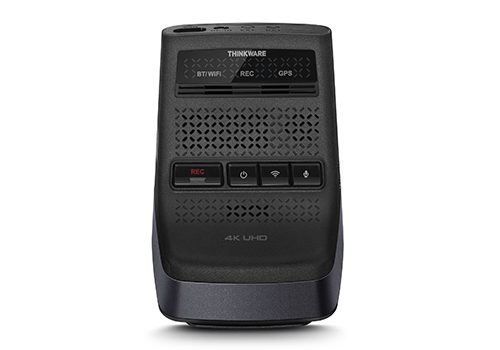
THINKWARE U3000
4K + 2K STARVIS 2 with radar parking
CarAudioNow may earn a commission from retailer links. Brands do not influence the recommendations.
Why I picked it
The U3000 replaces the U1000 I reviewed in detail and improves both the parking experience and night clarity. If you want a baseline, my U1000 review walks through setup and performance — what's better here is sharper HDR at night, STARVIS 2 sensors, and radar-assisted parking capture.
It runs 4K front + 2K (QHD) rear on Sony's latest STARVIS platform — the set-and-forget setup I recommend for consistent plate reads day or night. ADAS, GPS/speed stamping, dual-band Wi-Fi, and radar-assisted Parking Mode (which records fewer useless clips) make it an easy daily driver, especially if you street park or use public garages.
| Make | THINKWARE |
| Model | U3000 |
| Channels | Front + rear (2CH) |
| Resolution | 4K front / 2K (QHD) rear |
| Field of View | 158° / 128° |
| Sensor | Sony STARVIS 2 + HDR |
| GPS / Wi-Fi | Built-in GPS + dual-band Wi-Fi |
| Parking Mode | Radar-assisted (Buffered, Time-Lapse, Energy-Save) |
| ADAS | Lane, forward-collision, departure |
| Power | Hardwire-ready, battery protection |
Reasons to buy
- 4K front + 2K rear on Sony STARVIS 2 for stronger night detail
- Radar-assisted Parking Mode reduces useless motion clips
- Good thermal stability and dependable voltage-cutoff behavior
Reasons not to buy
- ADAS beeps can be noisy until tuned or disabled
- Accessories (rear, radar, hardwire) raise total cost
- App UX is functional but less polished than BlackVue's
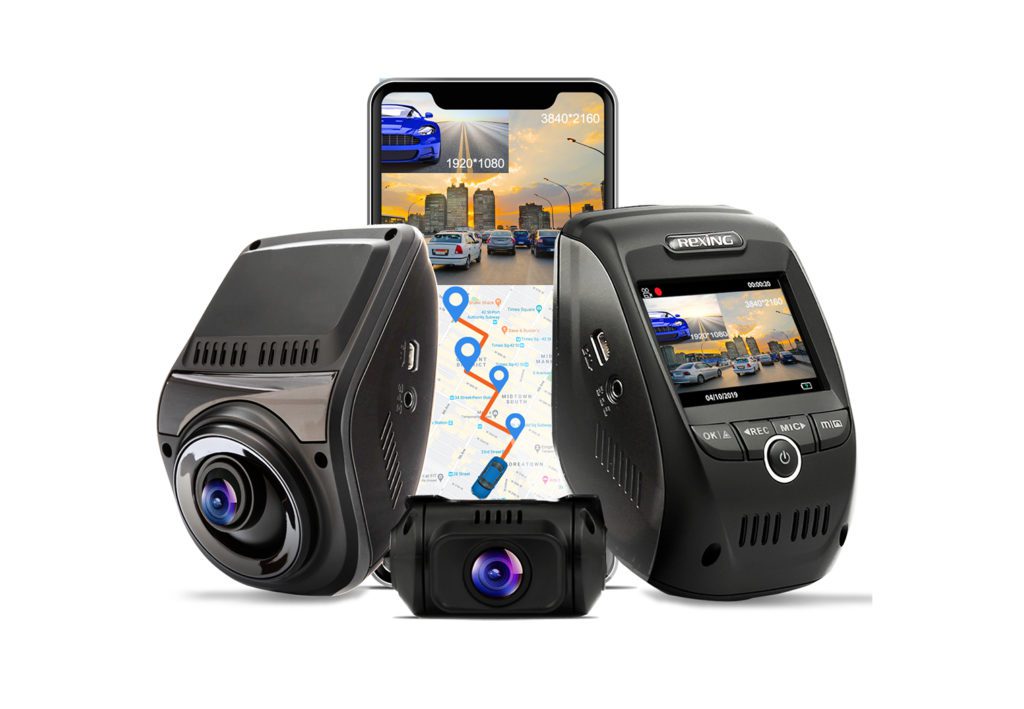
Rexing V1P Max
True 4K front on a budget
CarAudioNow may earn a commission from retailer links. Brands do not influence the recommendations.
Why I picked it
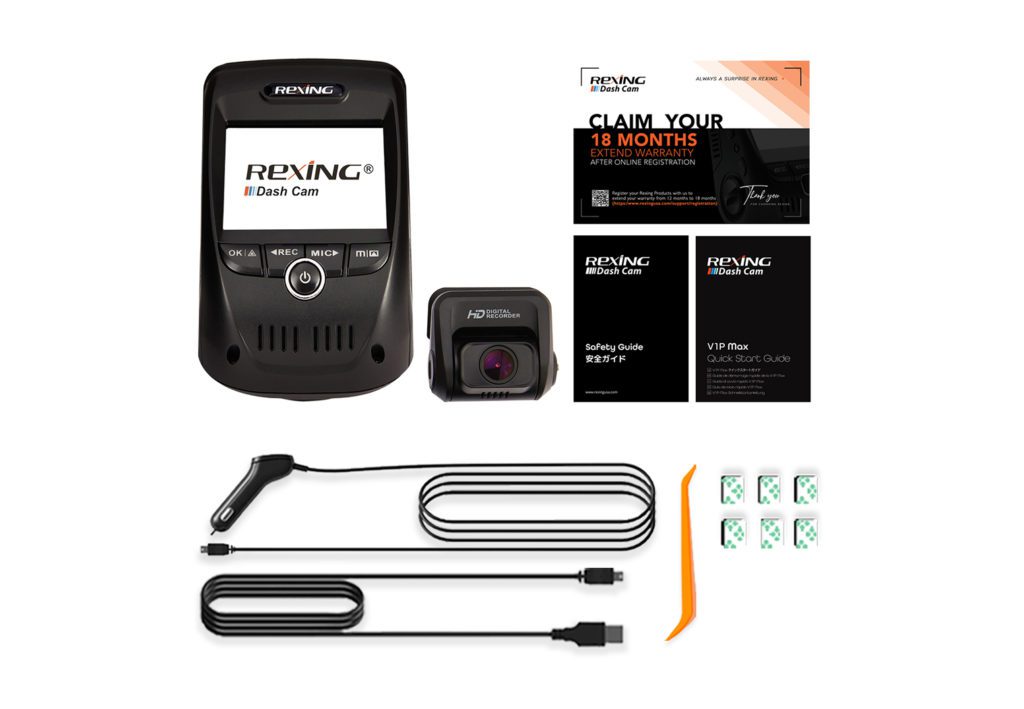
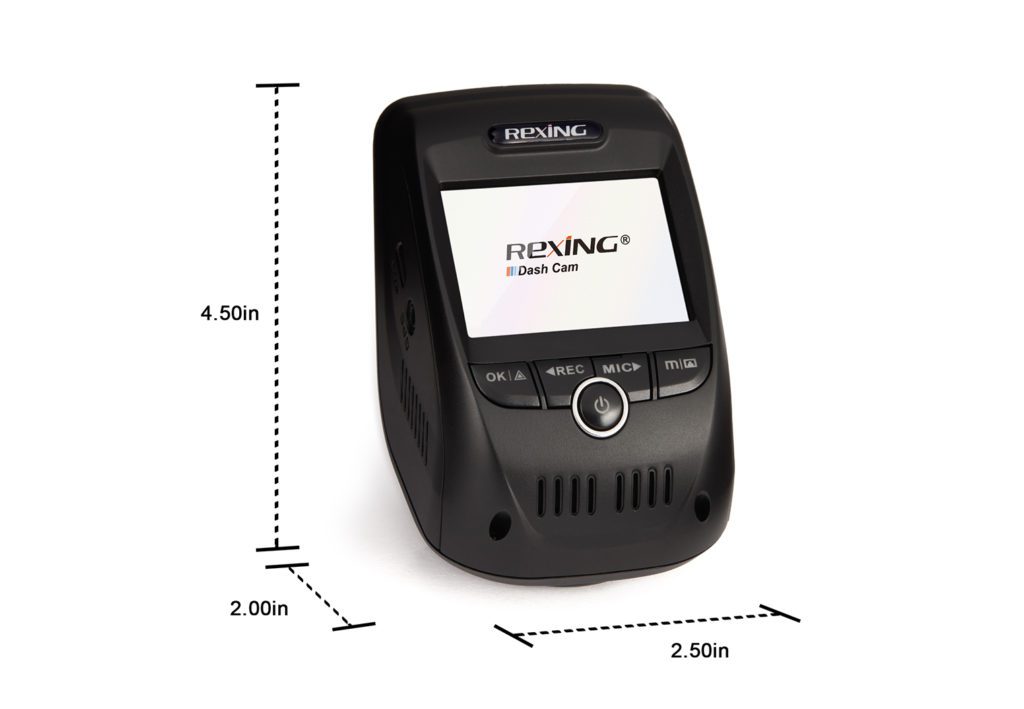
If you want true 4K front and a solid 1080p rear on a budget, the V1P Max still punches above its price. It's not as polished as the BlackVue/THINKWARE duo on cloud or HDR, but image detail per dollar is hard to beat — a great starter kit or second-car setup.
Install is a simple adhesive mount and app pairing; just keep an eye on microSD quality and format it regularly. If you're wiring to an aftermarket head unit, my guide to retaining factory camera controls with an aftermarket stereo is a helpful companion. Wide 170°/170° lenses catch edge-of-frame incidents — just set the parking-mode cutoff correctly so it doesn't stress the battery.
| Make | Rexing |
| Model | V1P Max 4K Plus |
| Channels | Front + rear (2CH) |
| Resolution | 4K front / 1080p rear |
| Field of View | 170° / 170° |
| GPS / Wi-Fi | Built-in GPS + Wi-Fi, app control |
| Parking Mode | G-sensor, motion, parking monitor (external power for 24/7) |
| In the box | Hardwire kit included |
Reasons to buy
- Strong value: 4K front + 1080p rear coverage out of the box
- Wide 170°/170° FOV captures edge-of-frame incidents
- Simple install and pairing; good daytime sharpness for the price
Reasons not to buy
- Night performance trails premium 4K sensors
- Firmware/app polish and stability can be inconsistent
- Parking mode can stress the battery if cutoff isn't set correctly
VIOFO A229 Pro
Dual Sony STARVIS 2 for the best night detail
CarAudioNow may earn a commission from retailer links. Brands do not influence the recommendations.
Why I picked it
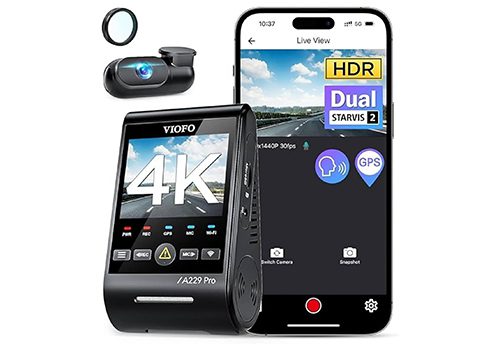
The A229 Pro earns the “best sensors” nod for its dual Sony STARVIS 2 imagers — an IMX678 up front and an IMX675 in the rear — which is why its low-light footage holds detail where cheaper 4K cams smear. You get true 4K front plus 2K (1440p) rear at 30fps, dual-band 2.4/5GHz Wi-Fi for quick clip pulls, and GPS speed/location stamping.
It's a clean, reliable two-channel install; add the HK4 hardwire kit (sold separately) for Auto Event, Time-Lapse, and Low-Bitrate parking capture. For a tidy fuse-tap power setup, follow my dash cam hardwire guide — the process is the same on most two-channel kits. If night-time plate clarity is your priority, this is the pick.
| Make | VIOFO |
| Model | A229 Pro |
| Channels | Front + rear (2CH) |
| Resolution | 4K front (2160p) / 2K rear (1440p) @30fps |
| Field of View | 140° / 160° |
| Sensor | Dual Sony STARVIS 2 (IMX678 / IMX675) |
| GPS / Wi-Fi | Built-in GPS + dual-band Wi-Fi (2.4/5GHz) |
| Parking Mode | Auto Event, Time-Lapse, Low Bitrate (HK4 kit sold separately) |
Reasons to buy
- Dual Sony STARVIS 2 sensors (IMX678/IMX675) for class-leading night detail
- True 4K front + 2K (1440p) rear at 30fps
- Dual-band 2.4/5GHz Wi-Fi and built-in GPS
Reasons not to buy
- HK4 hardwire kit for parking mode is sold separately
- App/firmware polish is behind BlackVue and Nextbase
- Premium-sensor pricing — more than basic 4K kits



AZDOME M550 Pro
3-channel with cabin IR for rideshare
CarAudioNow may earn a commission from retailer links. Brands do not influence the recommendations.
Why I picked it
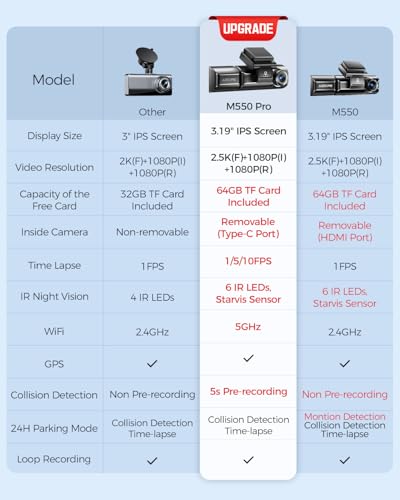
Rideshare drivers need cabin IR plus solid front/rear coverage and dependable parking captures. The M550 Pro keeps the simple three-channel formula from the M550, adds faster Wi-Fi, and cleans up app stability. If you drive Uber/Lyft, also see my guide to must-have tech upgrades for rideshare.
You get up to 4K front plus 1080p interior and rear (the front drops to 2.5K with all three channels active), roughly 150° on each camera, a 3.19″ IPS screen, GPS, 5G Wi-Fi, and IR night vision for the cabin. It usually ships with a microSD and accepts a hardwire kit for 24-hour parking mode.
| Make | AZDOME |
| Model | M550 Pro |
| Channels | 3-channel (front, interior IR, rear) |
| Resolution | Up to 4K front / 1080p in & rear (2.5K front w/ all 3) |
| Field of View | ~150° each |
| Display | 3.19″ IPS screen |
| GPS / Wi-Fi | Built-in GPS + 5G Wi-Fi |
| Night Vision | IR cabin + Super Night Vision |
| Parking Mode | 24-hour (hardwire kit required) |
| Storage | Includes 64GB microSD |
Reasons to buy
- All-in-one 3-channel kit with IR interior camera and GPS
- Good value for rideshare or anyone who needs cabin coverage
- Often includes microSD and hardwire kit — easy to get started
Reasons not to buy
- App/firmware quirks; transfers can be slow
- Tri-channel mode lowers front resolution versus dual-channel
- Overall image quality lags flagship 4K systems
Wire it for clean, factory-style parking mode
Hardwiring unlocks true parking protection and a tidy install with no dangling cable. My BlackVue hardwire walkthrough covers the fuse-tap, voltage cutoff, and cable routing — the same process works on most two- and three-channel kits.
Frequently asked questions about dash cams
Do I need to hardwire a dash cam?+
Only if you want parking mode. Plugged into the 12V socket, a dash cam records while you drive; hardwiring to a fuse-tap adds true parking protection (impact/motion capture) and a cleaner install with no dangling cable. Always set a voltage cutoff so it will not drain your starter battery.
What's the difference between 2-channel and 3-channel dash cams?+
A 2-channel kit records front and rear — the right setup for most drivers. A 3-channel kit adds an interior IR camera for the cabin, which is essential for rideshare drivers (Uber/Lyft). Running all three channels can lower the front resolution on some units.
Do I really need 4K, or is 1080p enough?+
A 4K front camera makes a real difference for reading plates and signs, especially at speed. A common, cost-effective setup is 4K front + 1080p (or 2K) rear. For night clarity the sensor matters as much as resolution — modern Sony STARVIS 2 sensors (THINKWARE U3000, VIOFO A229 Pro) hold detail in low light.
What kind of microSD card should I use?+
Use a high-endurance microSD rated for continuous recording (not a standard phone or camera card), sized to your loop length and bitrate. Format it in-camera on a schedule to avoid write errors and corrupted clips.
More dash cam reviews & guides
Why trust CarAudioNow?
